Integration guide
How to Integrate WhatsApp with a CRM
A practical setup guide for connecting WhatsApp conversations with CRM contacts, ownership, webhooks, templates, automation, reporting, and human handoff without losing customer context.
Definition
What integrating WhatsApp with CRM actually means
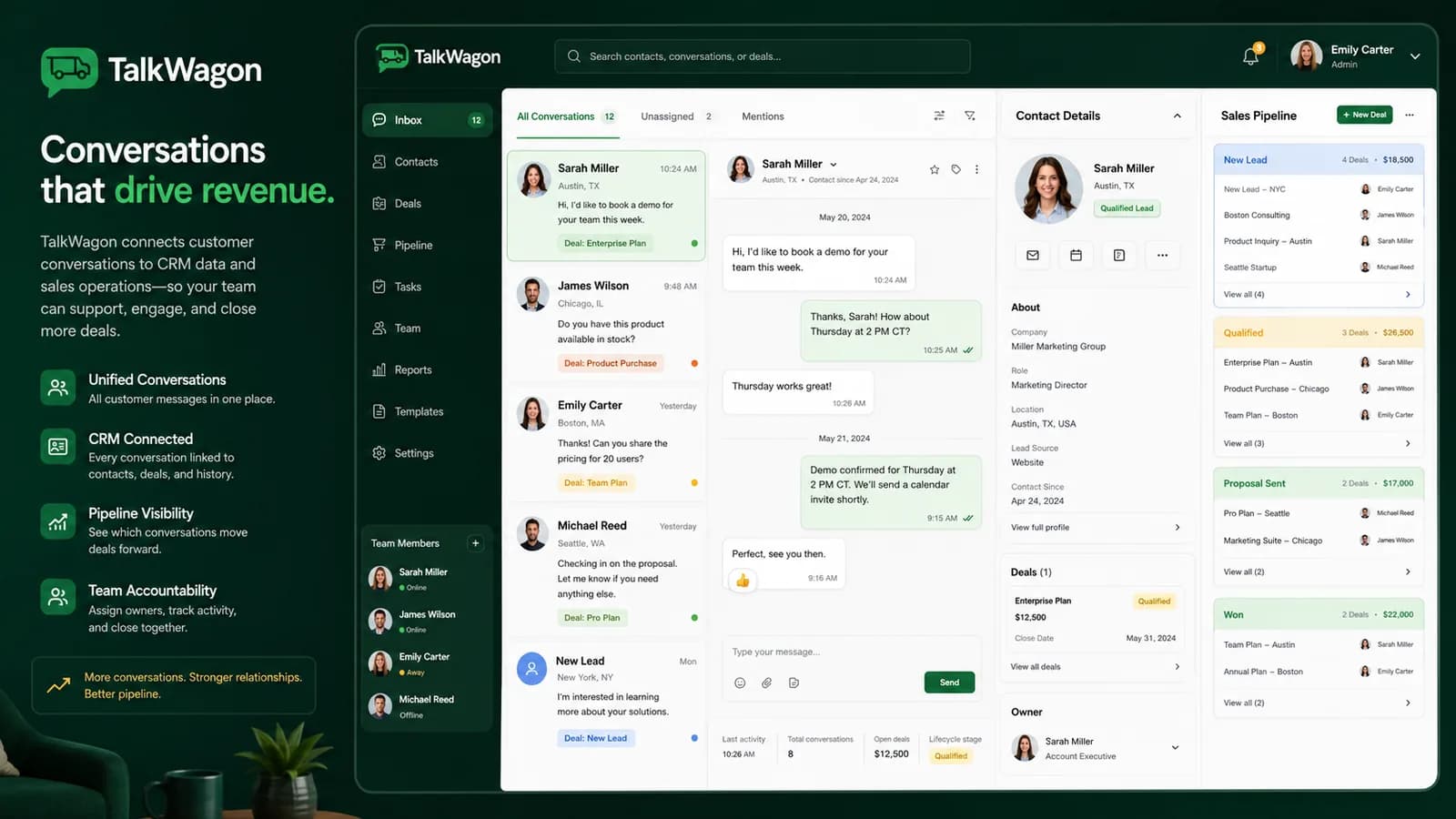
Integrating WhatsApp with CRM means more than copying messages into a customer profile. A useful integration connects WhatsApp conversations with the records and workflows your team already uses: contact identity, owner, tags, pipeline stage, message history, template status, follow-up tasks, and reporting.
The goal is simple: when a customer messages your business, the team should know who the customer is, what they asked before, who owns the conversation, what the next step is, and whether any automation or template message has already been sent.
Think of the integration as an operating system for conversations. WhatsApp is where the customer talks; the CRM is where your team organizes context, responsibility, and follow-up.
Fit check
When you need integration instead of only the WhatsApp Business App
A one-person business can often start with the WhatsApp Business App. It has useful basics: a business profile, labels, quick replies, greeting messages, away messages, and catalog support. The problem appears when more than one person needs to work from the same customer history.
You should consider CRM integration when conversations are shared across sales, support, operations, billing, or managers; when leads need pipeline tracking; when broadcasts require approved templates and audience checks; when follow-ups are being forgotten; or when customers repeat themselves because context is scattered.
Integration routes
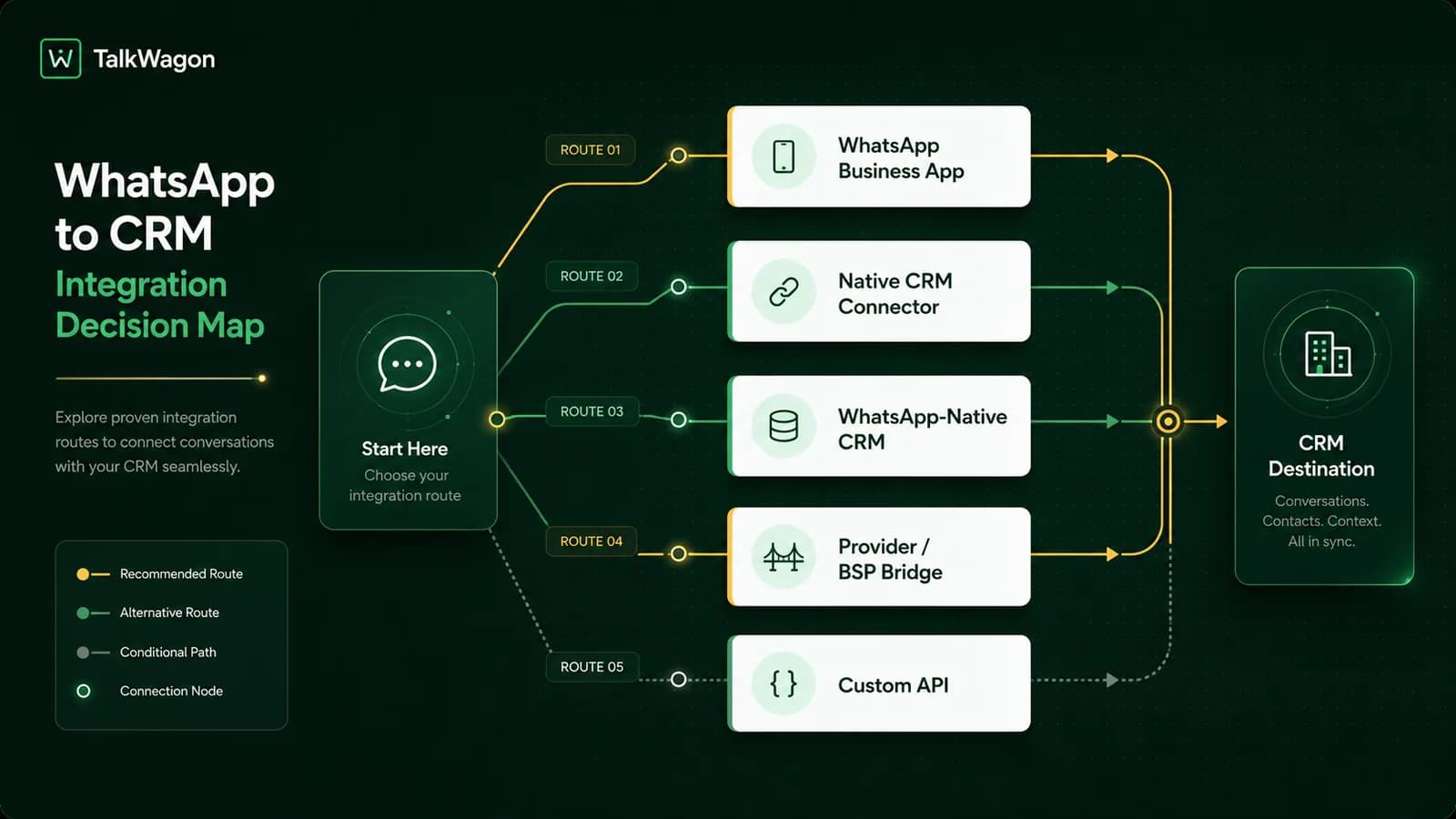
Five realistic ways to connect WhatsApp and CRM
There is no single best integration model for every business. The right route depends on your team size, message volume, budget, engineering resources, compliance needs, and how much of the workflow should be automated.
WhatsApp Business App only
Good for one person or very low message volume. It is simple, but it is not a full CRM integration because ownership, history, reporting, and automation stay limited.
Native connector
Useful when your current CRM has a supported WhatsApp connector. Check whether it supports real inbox work, webhooks, templates, and team permissions, not only message logging.
WhatsApp-native CRM
A system such as TalkWagon starts with WhatsApp conversations and builds CRM workflows around inbox ownership, contacts, pipelines, broadcasts, automation, and handoff.
Provider or BSP bridge
A business messaging provider can connect the official WhatsApp Business Platform to a CRM. This can be helpful when you need API access but do not want to build every layer yourself.
Custom API integration
Best for teams with engineering resources and custom requirements. It needs careful work around auth, webhooks, retries, rate limits, logging, and data privacy.
Data mapping
What data should move between WhatsApp and the CRM
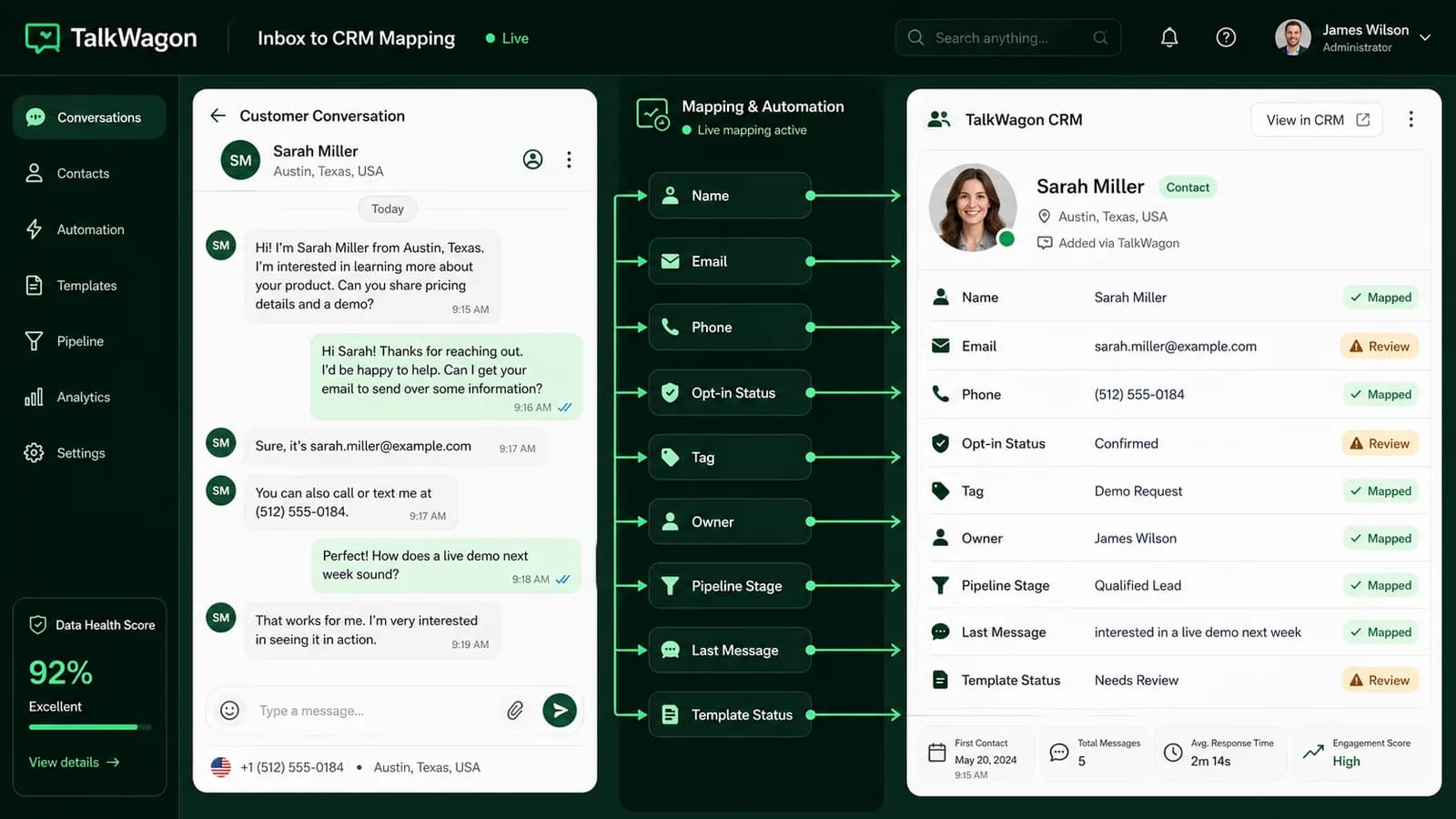
The best integrations are selective. They sync the information that helps the team serve the customer, and they avoid storing sensitive details that do not belong in a chat workflow. Before connecting tools, decide which fields should be created, updated, or only displayed.
The customer should not have to repeat the same story each time a new agent joins. At the same time, your CRM should not become a dumping ground for every message. The practical balance is to preserve context and next actions while keeping private or unnecessary data out.
Webhooks
How webhooks keep the CRM updated
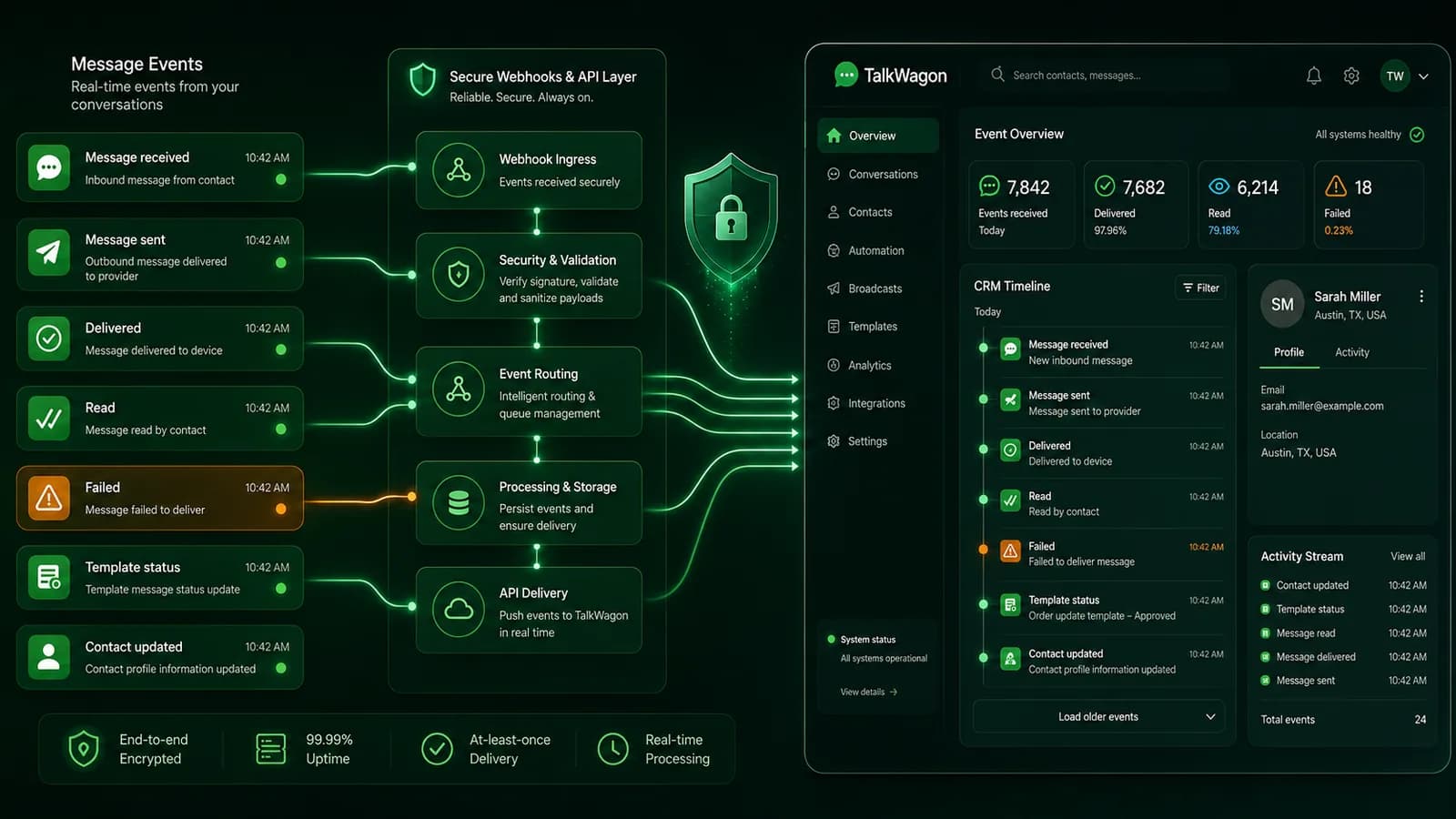
On the official WhatsApp Business Platform, webhooks send event payloads to your server or provider when relevant activity happens. Those events can include inbound messages, message statuses, errors, and other updates depending on the subscribed fields and configuration.
For a CRM workflow, the practical question is not just “Can we receive a webhook?” The better question is: what should happen when the event arrives? An inbound message may create or match a contact, update the conversation timeline, assign the thread, trigger a workflow, or notify a human. A failed message should not disappear; it should become visible enough for the team to fix.
Ownership
A WhatsApp CRM integration needs clear team ownership
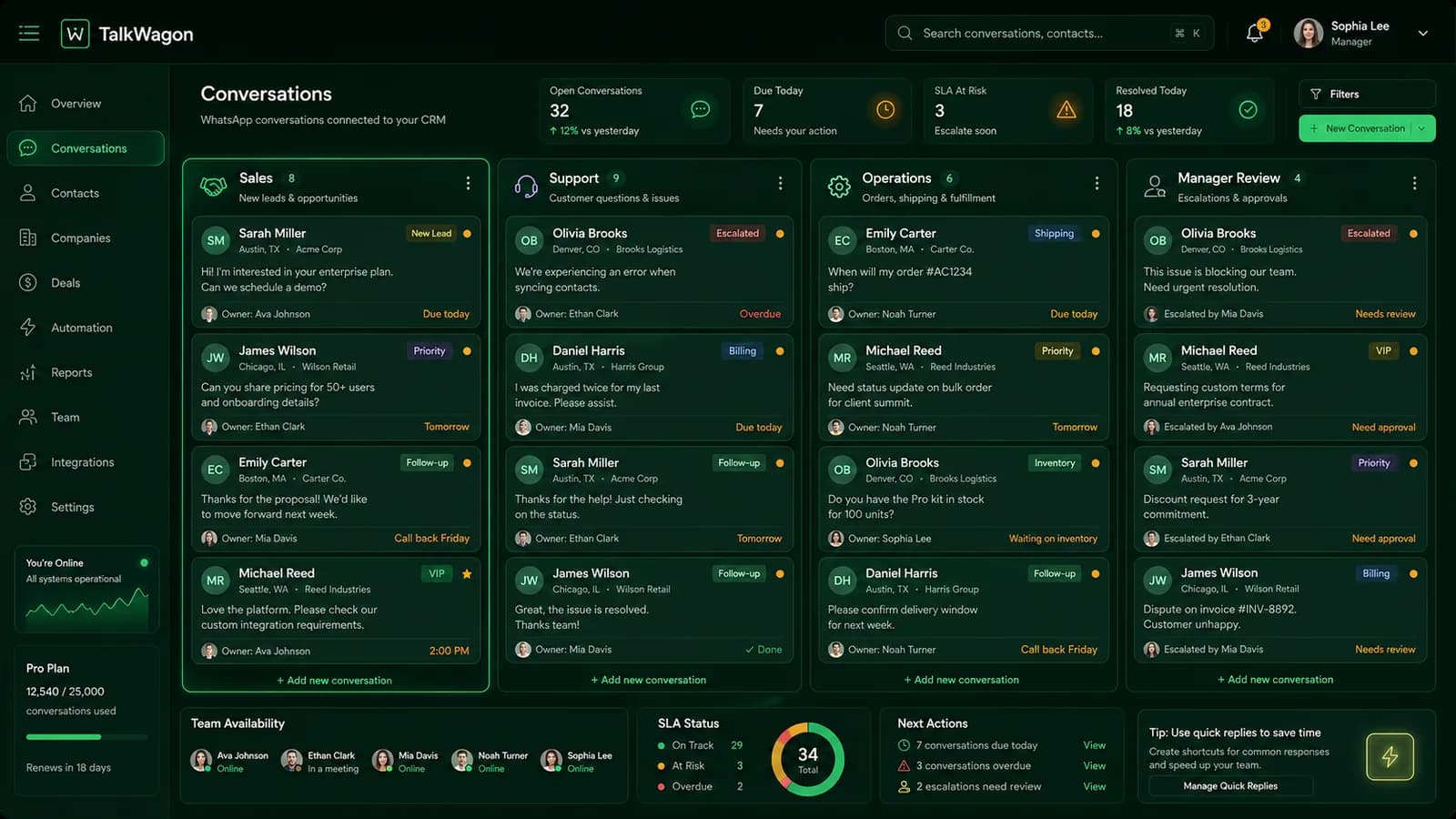
The technical connection is only half the work. Once WhatsApp messages enter a CRM, the team needs rules for ownership. Who handles a new lead? Who takes support? Who reviews payment or refund questions? Who can send broadcasts? Who can edit templates or automation?
Without ownership rules, the CRM becomes another place where messages sit. With ownership rules, each conversation has a responsible person, a status, and a next step. That is what turns chat activity into a real customer workflow.
Templates and opt-in
Templates, opt-in, and outbound CRM messages
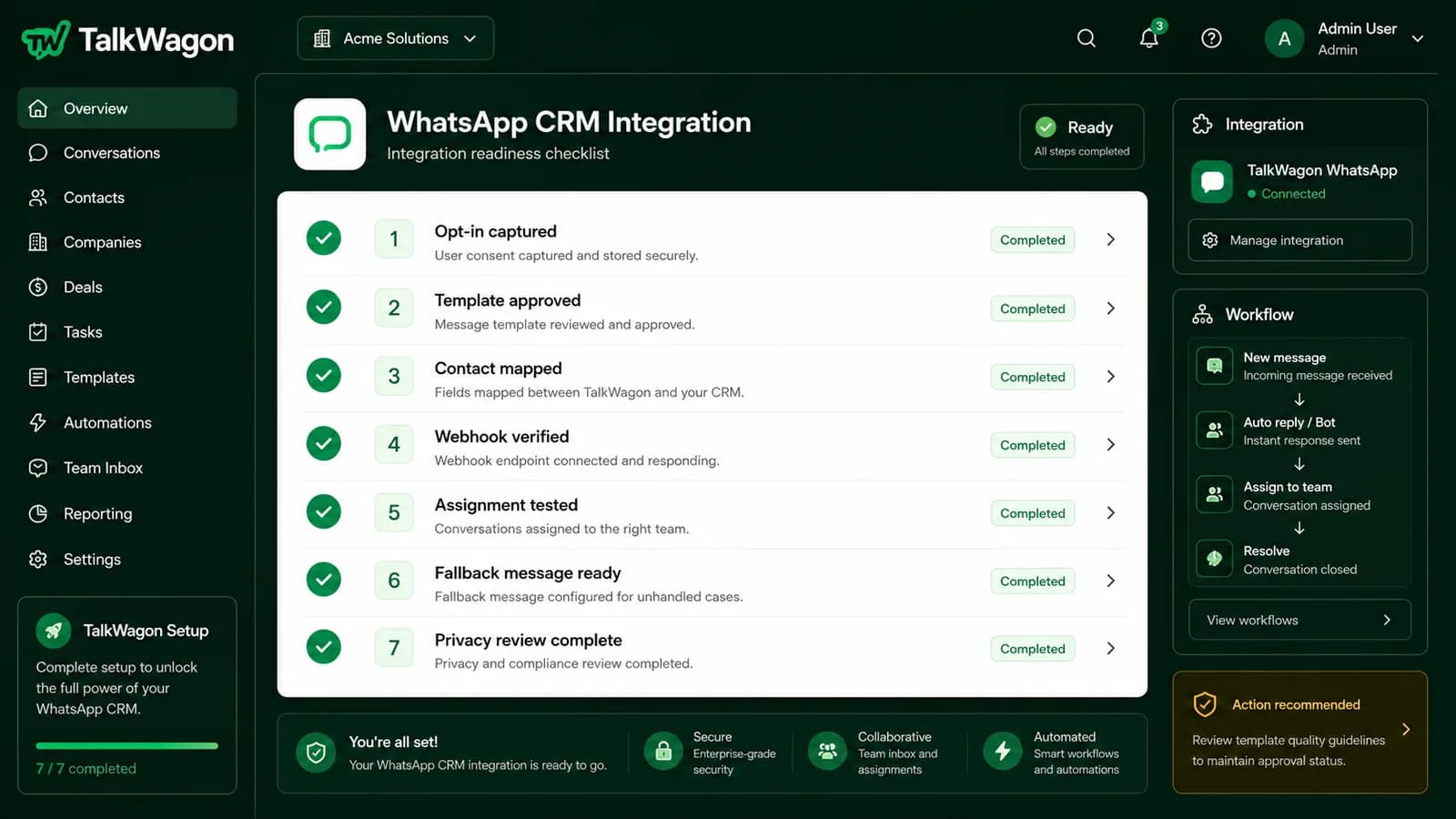
Inbound customer-service conversations and outbound template workflows are different. A CRM integration should make that difference clear. Service replies usually happen inside an open conversation. Proactive messages often require approved templates, the right category, and customer context.
Businesses should record where opt-in came from, what type of messages the customer expects, which templates are approved, and which team members are allowed to send them. A CRM that hides these details can create compliance and customer-trust problems.
Automation
How automation and human handoff should work together
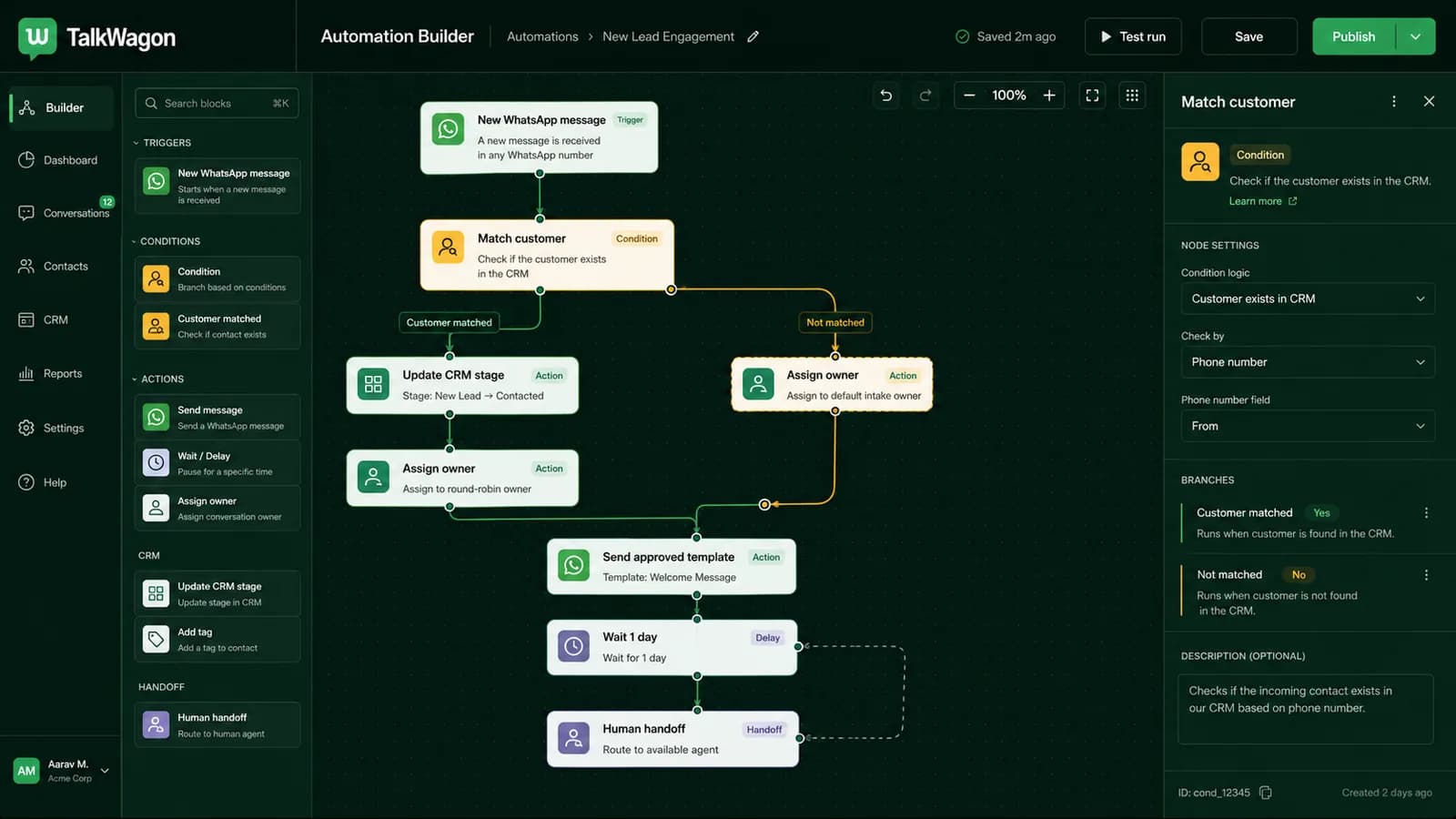
Automation is most useful when it handles repeatable structure: assign a new enquiry, tag a contact, update a stage, wait before a follow-up, send an approved template, or route a message to the right person. It becomes risky when it pretends to solve every edge case.
A strong WhatsApp CRM integration should let automation organize the workflow while keeping a human path for complaints, pricing exceptions, refunds, payment issues, account access, regulated products, and sensitive customer situations.
Pre-launch QA
What to test before going live
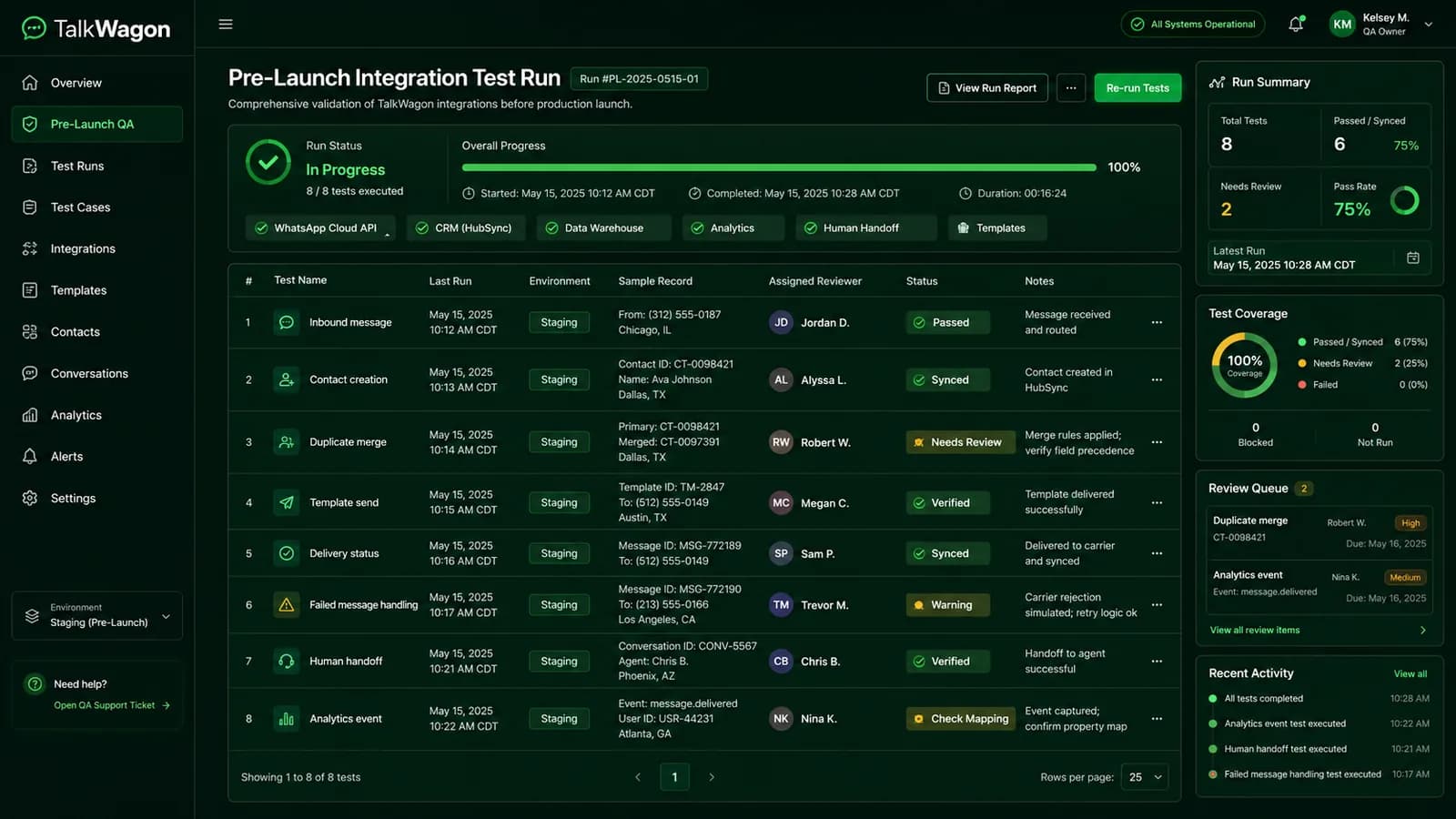
Test the boring pieces first. Send a message from a new number. Send from an existing number. Try a duplicate contact. Send a template. Trigger a failed message. Pause an automation. Assign a conversation to a second user. Check whether the CRM shows the same reality your customer sees.
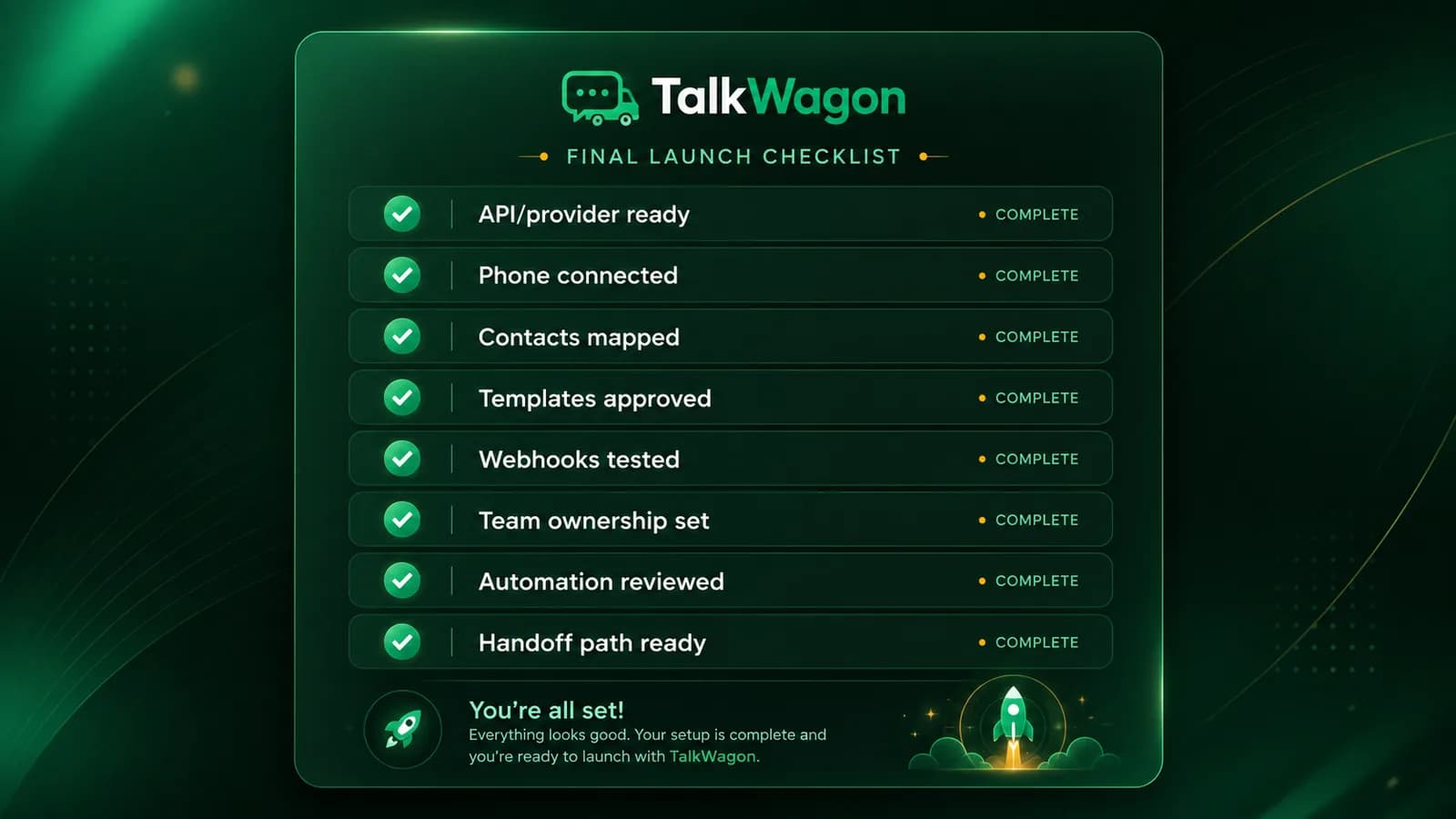
- Confirm the WhatsApp number and business profile are ready.
- Choose the integration route: native connector, WhatsApp-native CRM, provider bridge, or custom API.
- Map contacts, duplicates, tags, owners, and pipeline stages before importing live conversations.
- Set rules for opt-in, templates, service replies, and outbound broadcast permissions.
- Subscribe to the message and status events your CRM needs through webhooks or your provider.
- Test inbound, outbound, delivery, read, failed, duplicate-contact, and handoff scenarios.
- Document what the team should do when automation cannot answer safely.
- Review privacy and security rules before storing sensitive conversation data.
Mistakes
Common WhatsApp CRM integration mistakes
Most integration problems are not caused by one missing button. They happen when data, people, permissions, templates, and automation are connected without a clear operating model.
Logging messages without ownership
A CRM note is not enough if nobody owns the next action. Every active conversation needs an owner, status, and follow-up rule.
Syncing too much sensitive data
Do not store passwords, OTPs, full card numbers, bank login details, private credentials, or unnecessary regulated information inside a chat workflow.
Ignoring duplicate contacts
A customer may message from different sources or use number formats with country-code differences. Duplicate handling should be tested early.
Treating templates as normal chat replies
Outbound template messages need the right category, approval, and customer context. Do not assume every sales follow-up can be sent freely.
Skipping failure states
Your CRM should show failed sends, webhook gaps, paused automations, invalid templates, and provider errors clearly enough for a human to fix.
TalkWagon workflow
How TalkWagon supports WhatsApp CRM workflows
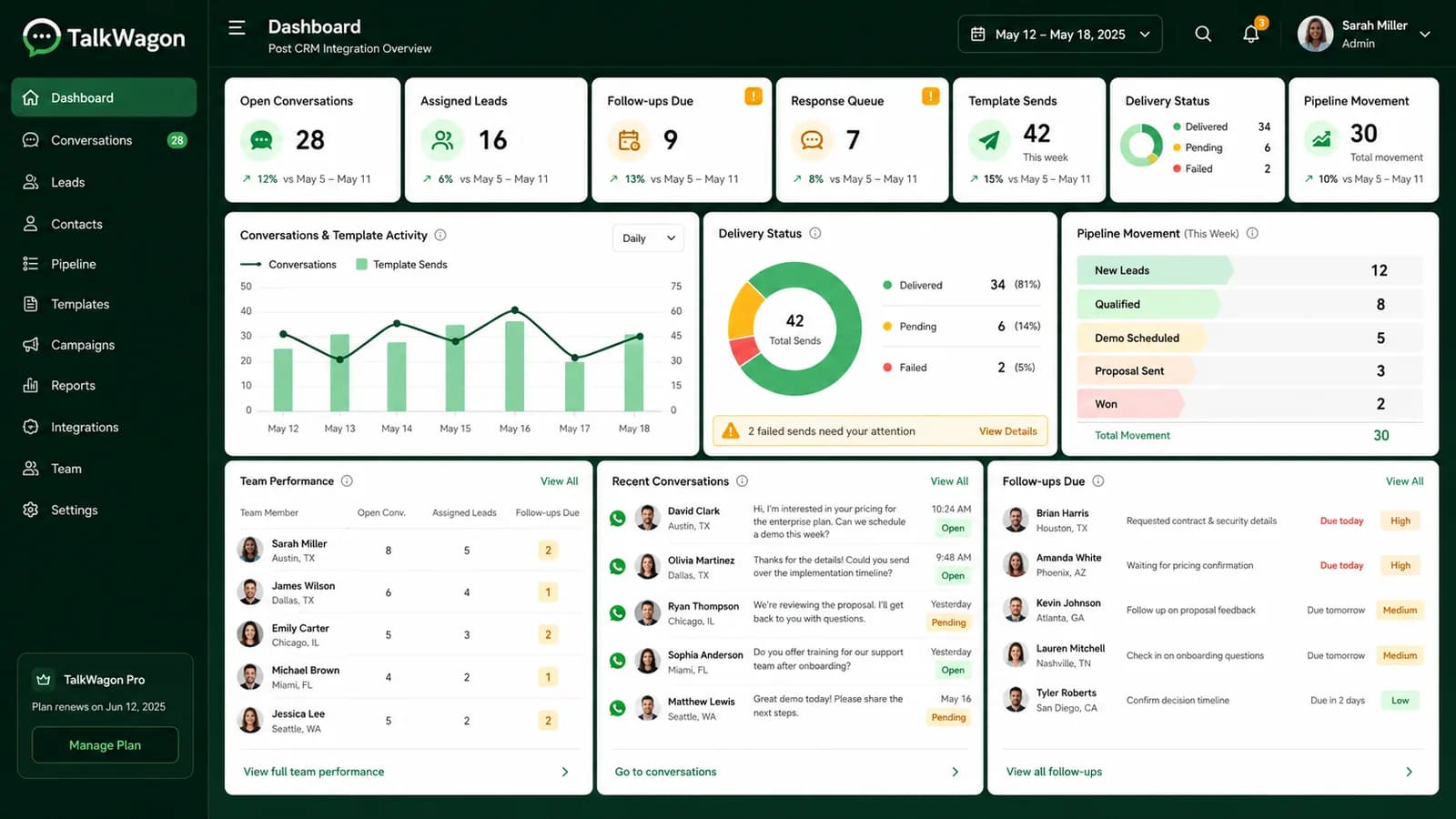
TalkWagon is built around the practical CRM layer for WhatsApp: a shared inbox, contact records, pipelines, approved broadcast workflows, automation, visual flows, team permissions, AI answers from approved business knowledge, and human handoff.
If your team is still deciding whether WhatsApp should become a full customer workflow, start with the team inbox. If your main issue is routing and follow-up, read about WhatsApp automation and visual flows. If the workflow is sales-led, the WhatsApp sales use case explains how conversations can move into pipeline follow-up.
For related setup work, see our guides to WhatsApp greeting messages, away messages, quick replies, scheduled WhatsApp messages, and WhatsApp commerce. If you are choosing between a Shopify-centered support platform and a WhatsApp-first CRM, read the DelightChat alternative comparison.
FAQs
Helpful FAQs about integrating WhatsApp with CRM
What does integrating WhatsApp with CRM mean?
It means connecting WhatsApp conversations with customer records, ownership, tags, pipeline stages, templates, automation, and reporting so the team can manage follow-ups in one organized system.
Do I need the WhatsApp Business API to integrate WhatsApp with a CRM?
Not always. A very small business may use the WhatsApp Business App manually. A growing team usually needs the official WhatsApp Business Platform or a provider-backed CRM integration for shared inboxes, templates, webhooks, and automation.
What CRM data should sync from WhatsApp?
Useful fields include customer name, phone number, opt-in context, assigned owner, tags, pipeline stage, latest message, follow-up date, template status, and handoff notes. Sensitive data should be minimized.
Can WhatsApp CRM integration automate replies?
Yes, but automation should be used carefully. It works best for routing, tagging, follow-up reminders, approved template workflows, and simple known questions. Pricing exceptions, complaints, payment issues, and sensitive cases should have human handoff.
How should a business test a WhatsApp CRM integration before launch?
Test inbound messages, contact creation, duplicate matching, assignment, template sending, delivery/read/failed statuses, webhook events, automation branches, human handoff, and reporting before sending real campaigns or relying on the workflow.
The best integration makes follow-up visible
A WhatsApp CRM integration should not make the team busier with extra admin. It should make customer context, ownership, templates, automation, and next steps easier to see. That is the difference between “we connected WhatsApp” and “we can manage customer conversations properly.”
Start with TalkWagonSources
- WhatsApp for Business Developer Hub: Build on the WhatsApp Business Platform
- WhatsApp Business webhooks article: Implementing Webhooks From The WhatsApp Business Platform
- Meta Developers documentation referenced from the Developer Hub for Cloud API setup, webhooks, Embedded Signup, message templates, opt-in, error codes, rate limits, and policy enforcement.