WhatsApp Away Messages: Professional Examples and Setup Guide
A professional WhatsApp away message confirms that the message arrived, explains when the team is unavailable, and gives the customer a useful next step. This guide covers setup, scheduling, original examples, writing advice, and the handoff from automation to a real person.
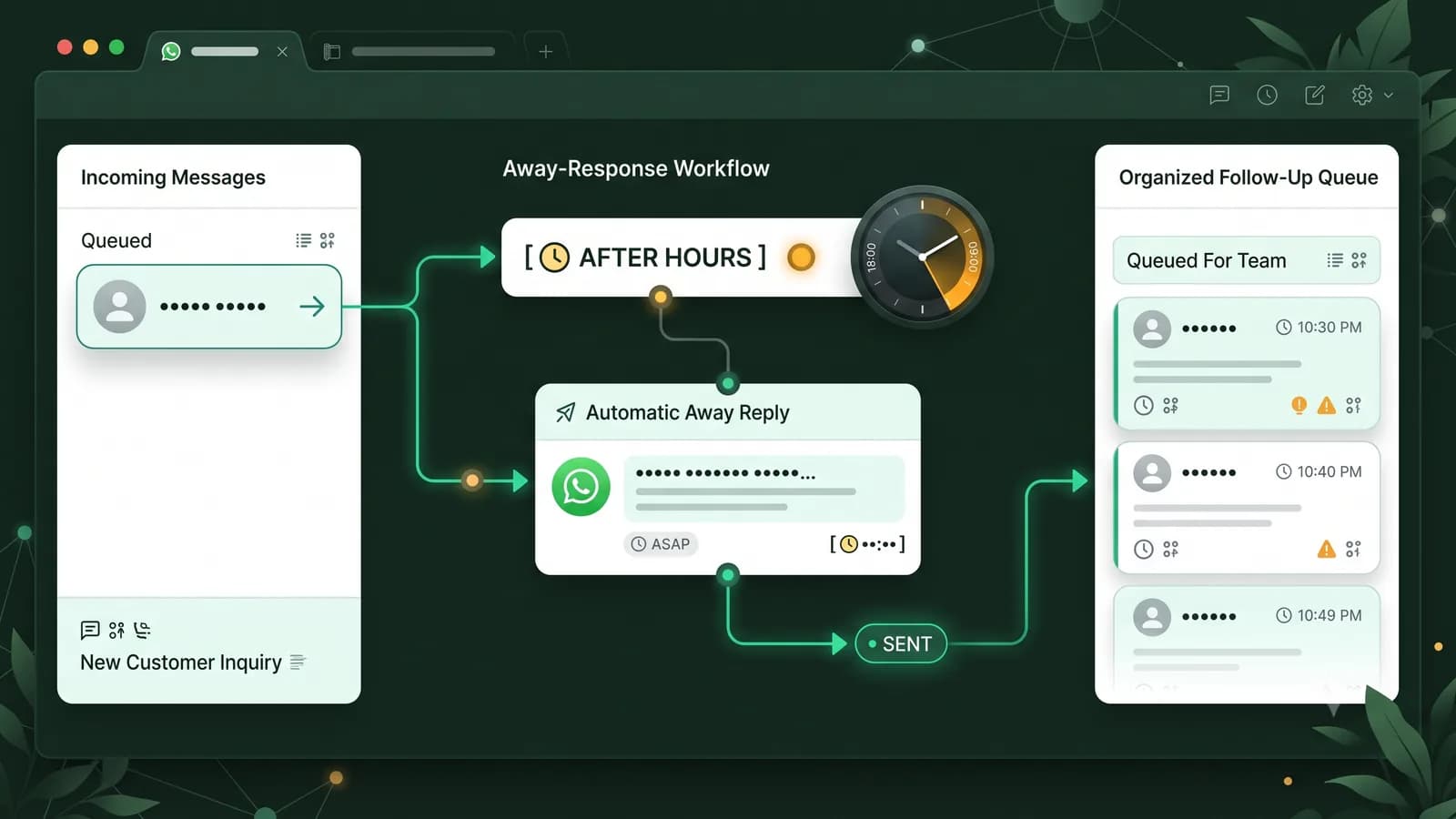
An away message is an automatic acknowledgement for a period when your business cannot respond normally. It should not imitate a live agent. It should make the delay understandable, state when a reply is likely, and help the customer leave the information your team will need later.
What is a WhatsApp away message?
The WhatsApp Business app includes an away-message feature within its business tools. A business can write an automatic reply, choose a schedule, and select recipients using the options offered in the installed app version. The message is useful after working hours, over a weekend, during a holiday closure, or whenever normal response times temporarily change.
A good WhatsApp Business away message is operational, not decorative. It answers three questions: Is anyone available now? When should the customer expect the team to return? What information can the customer provide while waiting? That structure works for a clinic, ecommerce store, agency, course provider, local service, SaaS company, restaurant, or any other business with defined response hours.
When should a business use one?
- Outside the hours when a person actively monitors the business inbox.
- During weekends, public holidays, staff training, or a planned closure.
- When an unexpected service interruption creates a longer response queue.
- For specialist teams that answer only on certain days or within certain time zones.
- When the team needs customers to leave an order number, booking request, or case detail.
Do not turn on a generic business closed message for WhatsApp and forget it. Review the schedule when hours change, remove expired holiday dates, and test whether the message reaches the intended recipients. Outdated hours can be more frustrating than no automatic reply at all.
Away message vs greeting message
A greeting welcomes a new or returning customer. An away message explains a temporary lack of availability. A platform template is different again: it is an approved WhatsApp Business Platform asset used under Meta's template rules. Keeping these purposes separate prevents a customer from receiving a cheerful welcome that sounds like live support when nobody is online.
| Message type | Purpose | Core information | Typical timing |
|---|---|---|---|
| Away message | Set expectations while the team is unavailable. | Return time, response expectation, next step. | Outside hours or during a closure. |
| Greeting message | Welcome a new or returning customer. | Welcome, business identity, first useful question. | At the beginning of the customer relationship. |
| Platform template | Send a categorized business-initiated message through the API. | Approved content, variables, category, and language. | According to platform messaging and template rules. |
Need help with the welcome that starts a conversation? Read our separate guide to WhatsApp Business greeting message examples. It covers welcome wording, first questions, and greeting-specific setup without duplicating the after-hours guidance here. For reusable saved responses that agents choose during a live conversation, use the separate WhatsApp Business quick replies guide. For buying conversations that continue into product selection, payment instructions, and post-purchase support, read the WhatsApp commerce explainer. If your team needs to connect WhatsApp conversations to owners, contact records, and pipeline follow-up, read the WhatsApp CRM integration guide.
How to set up a WhatsApp Business away message
Menu labels can vary by operating system and app version. WhatsApp's current help guidance places the feature under Business tools. Use the sequence below as a practical check, then confirm the labels shown on your own device.
Open Business tools
Open WhatsApp Business and go to the business tools or business settings area.
Choose Away message
Open the away-message setting and turn on the option to send an away reply.
Write the reply
State that the team is unavailable, when it expects to return, and what the customer can send now.
Set the schedule
Choose always, a custom period, or outside business hours when those options are available.
Choose recipients
Review who should receive the message so customers do not get an irrelevant or repeated reply.
Save and test
Send a customer-like test outside the scheduled hours and verify the timing, wording, and next step.
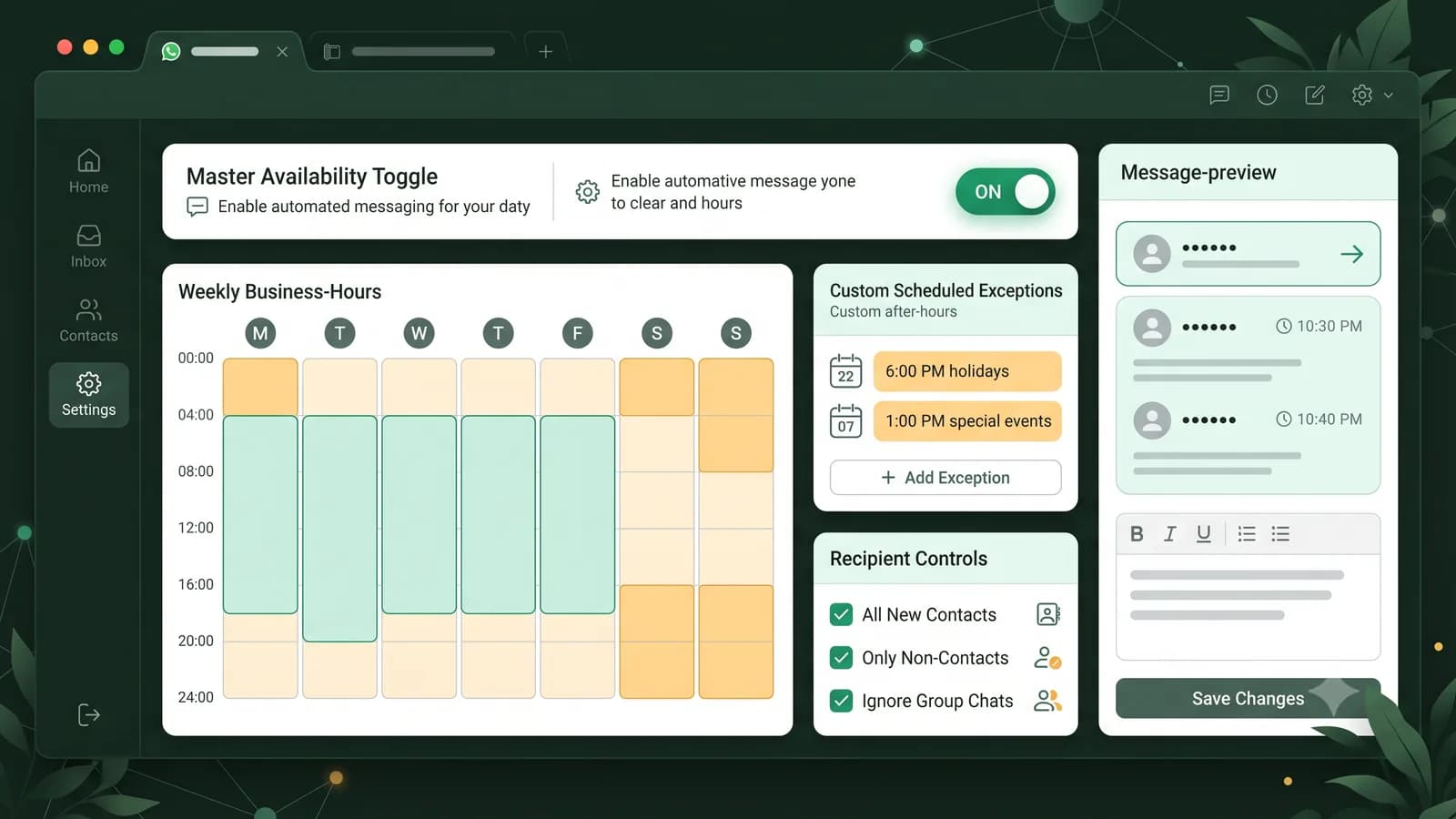
Choose a schedule that matches real coverage
An always-on schedule is suitable only when every incoming chat genuinely needs the same notice. A custom schedule is useful for a holiday, event, or temporary closure. Outside-business-hours scheduling is usually the cleanest option for recurring evenings and weekends, but it depends on accurate business hours. Consider time zones if customers and agents are in different markets.
Recipient settings matter too. Review whether the automatic reply should go to everyone, people outside the address book, selected contacts, or another audience available in the app. Test from a separate customer account instead of assuming the rule works as expected.
Professional WhatsApp away message examples
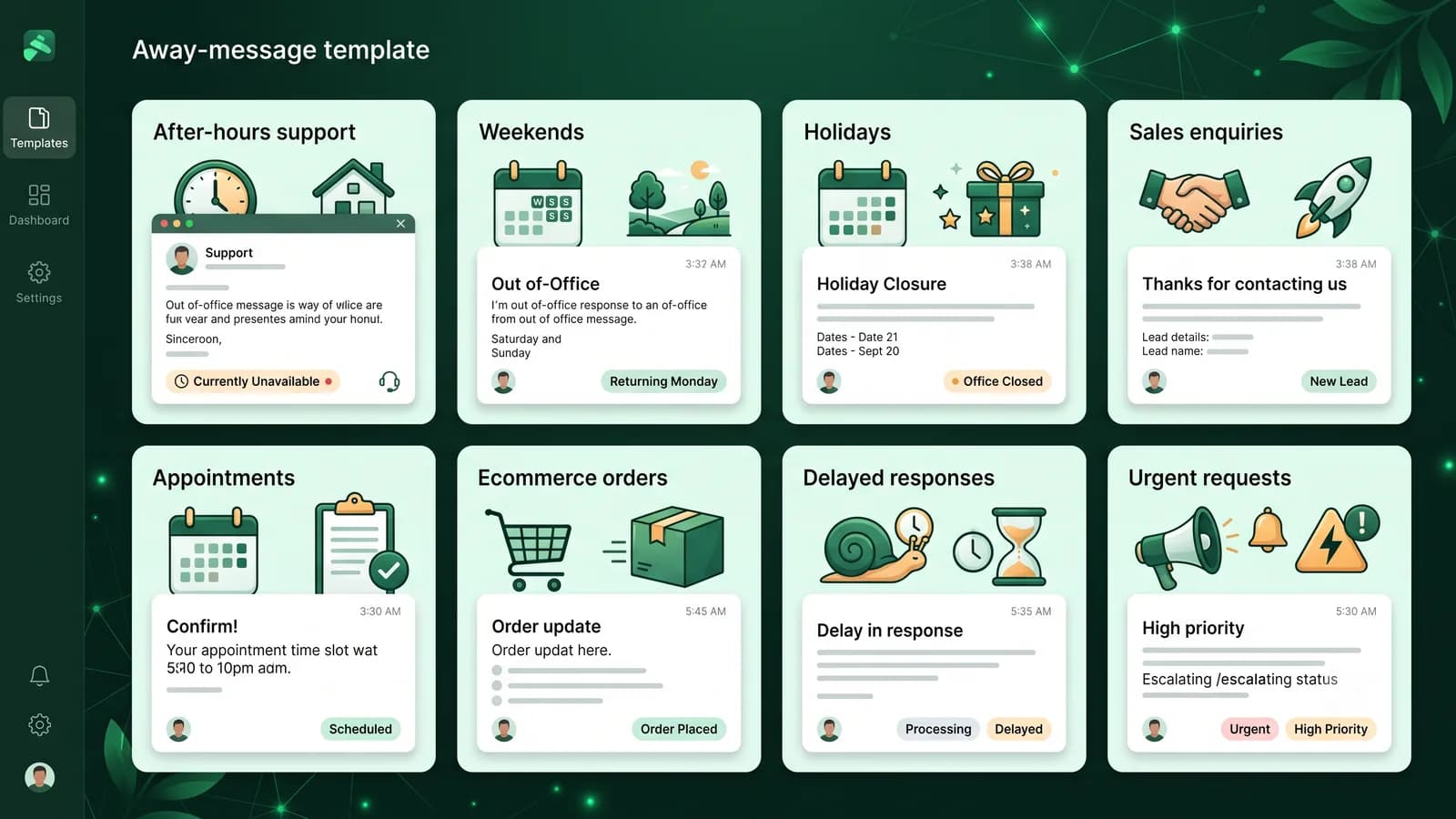
These are original templates to adapt, not messages to publish unchanged. Replace bracketed placeholders with verified details. Remove any sentence your team cannot honor, and keep the final version short enough to scan on a phone.
After-hours customer support
“Thanks for contacting [Company name]. Our support team is currently offline and will be back at [Opening time] on [Day]. Please send your account or order reference and a short description of the issue. We will review it when the team returns.”
Use this when support is unavailable overnight. Replace every placeholder and avoid promising an exact response time unless the team can meet it.
Weekend away message
“Hello, you have reached [Company name] outside our weekend support hours. We reopen on [Day] at [Time]. You can leave your name, order number, and question now, and our team will follow up after reopening.”
A weekend message should name the reopening day instead of relying on a vague phrase such as soon.
Holiday closure
“Thank you for messaging [Company name]. We are closed for [Holiday] from [Start date] to [End date]. Normal service resumes on [Return date]. For urgent matters covered by [Urgent-support policy], contact [Approved alternative contact].”
Only include an alternative channel when it is monitored and approved for that type of request.
Sales enquiry after hours
“Thanks for your interest in [Company name]. Our sales team is away right now and returns at [Time/Day]. Please share the product or service you are considering, your location, and any deadline. A sales representative will review your message when the team is online.”
This collects useful qualification details without pretending that a salesperson is currently available.
Appointment or booking request
“Thanks for contacting [Company name]. Our booking desk is closed at the moment. Please send your preferred service, date, time, and location. We will confirm availability after [Opening time]. Your appointment is not confirmed until our team replies.”
The final sentence prevents an automated acknowledgement from being mistaken for a confirmed booking.
Ecommerce order enquiry
“We have received your message. Our order-support team is currently away. Please send your order number, the email or phone used at checkout, and the help you need. We will check the order after [Opening time]. Do not share card details or passwords in chat.”
Collect only the information needed to locate the order and include a simple safety reminder.
Unexpected response delay
“Thanks for your patience. We are receiving more enquiries than usual, so replies may take up to [Realistic time range]. Your message is in the queue; there is no need to send it again. If your situation changes, add the new detail in this chat.”
Use a delay message temporarily and only when the stated time range reflects current operations.
Small local business
“Hi, thanks for messaging [Business name]. We are closed right now and reopen [Day] at [Time]. Please tell us which service you need and your preferred area or appointment time. We will reply when we are back.”
This straightforward version works for many local services without sounding like a large call center.
Urgent or emergency boundary
“This WhatsApp inbox is not monitored continuously and cannot provide emergency assistance. If there is an immediate risk to health or safety, contact your local emergency service. For non-emergency enquiries, leave your details and our team will reply during [Business hours].”
Businesses in sensitive sectors should have this wording reviewed against their own policies and local obligations.
How to write an away message customers can use
Start with the operational truth. If the business is closed, say it is closed. If replies are delayed, say they are delayed. Then give a useful time reference such as a reopening date, support hours, or a realistic range. Finish with one action that helps the next person: provide an order number, describe the issue, share a preferred appointment time, or select the relevant service.
Be precise about timing
Use a real day, time, date, or response range. Avoid soon when the customer needs to plan.
Ask for one useful action
Request the minimum context needed for follow-up instead of presenting a long questionnaire.
Set safe boundaries
Do not imply emergency coverage, booking confirmation, or continuous monitoring when none exists.
Common mistakes to avoid
- Calling the reply instant support when no person is monitoring the inbox.
- Leaving an old holiday date or an incorrect reopening time in the message.
- Using the same copy for the greeting and away message, causing contradictory expectations.
- Promising a response within minutes when the real queue may take hours or days.
- Asking customers to send passwords, payment-card details, or unnecessary personal data.
- Giving an alternative number or email that nobody checks during the closure.
- Making the automatic reply so long that the return time and next step are hard to find.
- Forgetting to test the schedule, time zone, recipients, and mobile formatting.
Away-message publishing checklist
Read the message once as a customer and once as the agent who will inherit the chat. The customer should understand the delay, while the agent should receive enough context to continue without asking the customer to repeat everything.
The reason or timing of the absence is clear.
The reopening time or response window is accurate.
The customer has one useful next step.
No unmonitored emergency route is presented as live help.
Every placeholder has been replaced with verified information.
The schedule and recipients were tested from a customer-like chat.
The message is readable on a small screen.
A team member owns the follow-up queue after reopening.
Move from automatic acknowledgement to human follow-up
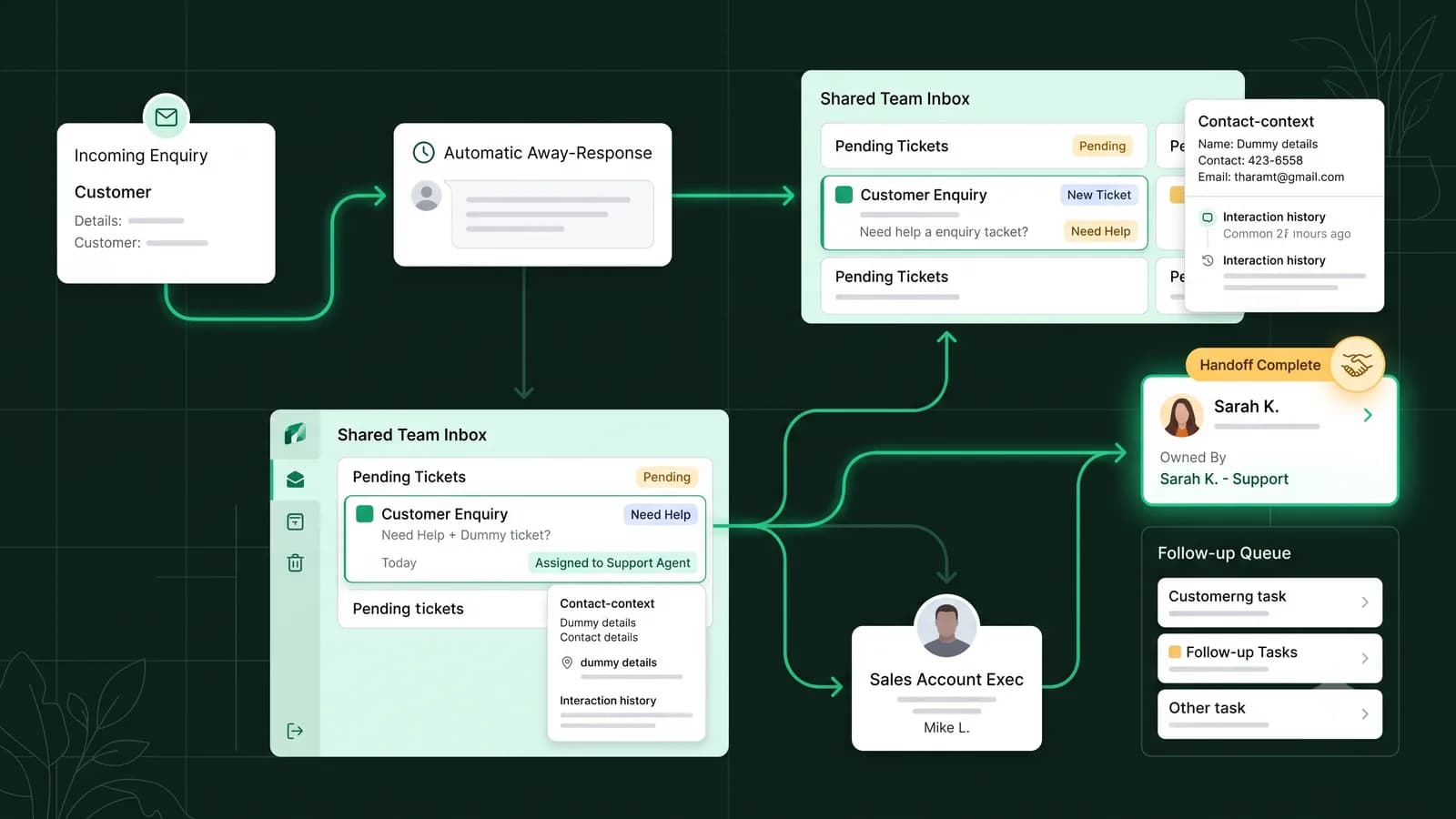
An automatic reply handles the waiting period; it does not resolve the conversation. When the team returns, agents need a clear queue, ownership, and the customer context collected earlier. For a growing team, this is where a shared inbox and workflow tools become more useful than a single phone with a basic automatic reply.
TalkWagon supports shared WhatsApp conversation handling, contact context, assignment, workflow automation, visual flows, tags, and human handoff. A business can use those capabilities to route an enquiry and preserve context after the away period. TalkWagon does not make a closed team available; your schedule, staffing, and escalation policy still need to reflect real operations.
Explore the WhatsApp team inbox, automation workflows, visual flow builder, and WhatsApp sales CRM to see how follow-up can be organized after the initial automatic reply.
Frequently asked questions
What is a WhatsApp away message?
A WhatsApp away message is an automated reply that tells customers a business is unavailable or outside its response hours. It should explain when the team expects to return and what the customer can do next.
What should I write in a WhatsApp Business away message?
Include a short acknowledgement, the reason or timing of the absence, realistic business hours or a return date, and one useful next step. Avoid promising a reply time your team cannot reliably meet.
Is an away message the same as a greeting message?
No. A greeting message welcomes a new or returning customer. An away message sets expectations because the team is currently unavailable. The two messages should have different wording and purposes.
Can WhatsApp Business send an automatic reply outside business hours?
The WhatsApp Business app includes away-message scheduling options. The exact labels and choices can vary by app version and device, so confirm the current options inside Business tools and test the schedule from another account.
Should I include an emergency contact in an away message?
Only include an alternative contact if it is approved, monitored, and appropriate for the request. If the inbox is not an emergency service, say so clearly rather than implying continuous monitoring.
Do WhatsApp away messages need Meta template approval?
An away message configured in the WhatsApp Business app is different from a WhatsApp Business Platform message template. Platform templates have separate category, content, and approval requirements.
Official references
Product menus and platform requirements can change. These official resources are the reference points used to distinguish app away messages, greetings, and WhatsApp Business Platform templates.
Keep every follow-up visible after your team returns
Use TalkWagon to organize shared WhatsApp conversations, customer context, assignment, follow-ups, automations, and team permissions in one CRM workspace.
See TalkWagon plans