Production-ready WhatsApp CRM for sales, support, broadcasts, and AI automation.
- Team Inbox
- Flows
- Automation
- Broadcasts
- Secure Workspaces
WhatsApp automation for sales and support workflows
WhatsApp Automation for Follow-Ups and CRM Workflows
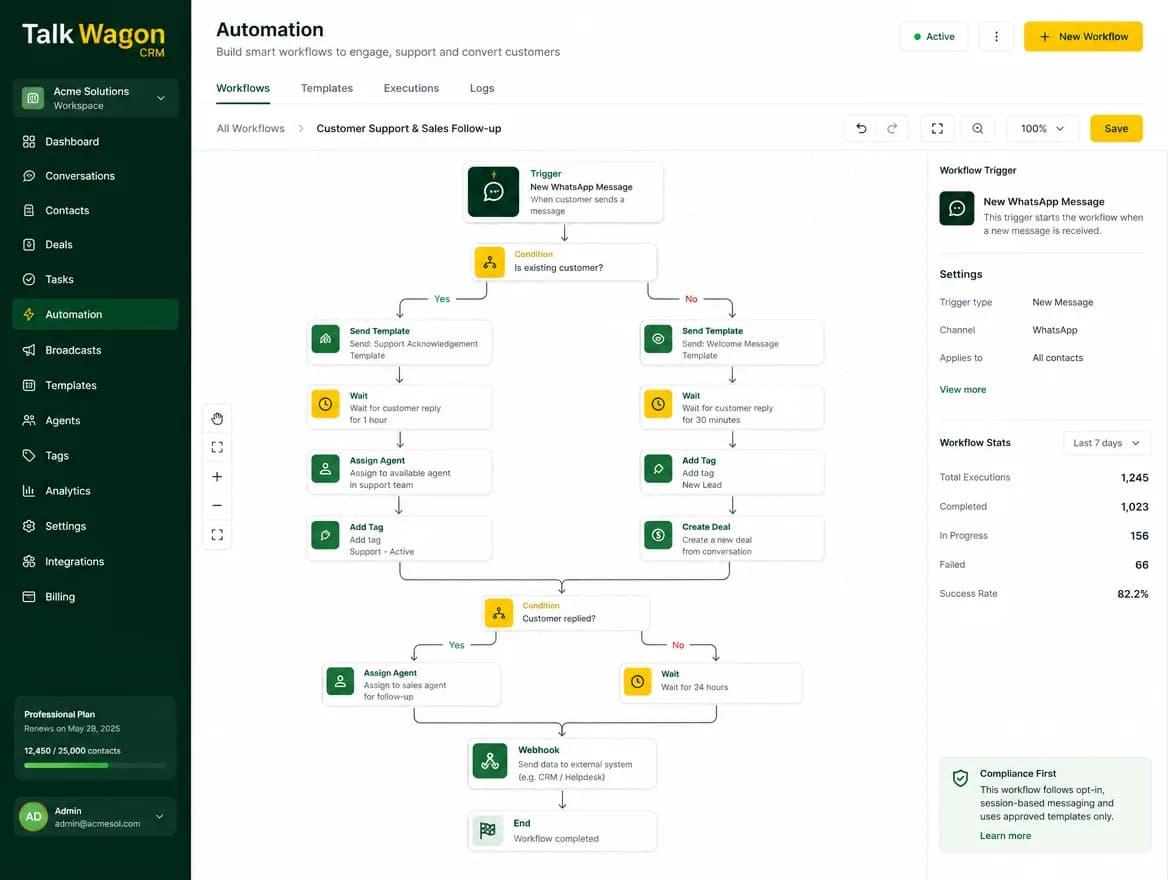
Automate repetitive WhatsApp CRM tasks such as no-reply follow-ups, agent assignment, contact updates, tags, deal creation, webhooks, and customer lifecycle actions from one organized dashboard.
Follow-Up AutomationAI WorkflowsWebhooksAgent AssignmentDeal Creation
The problem
Manual Follow-Ups Slow Down Every WhatsApp Team
When teams rely on memory, spreadsheets, and manual reminders, customer replies get delayed, leads are missed, and agents repeat the same tasks again and again.
Repetitive customer messages
Manual agent assignment
Slow lead routing
Disconnected tools
No clear workflow logic
The solution
Turn Customer Communication Into Automated CRM Workflows
Talk Wagon turns customer messages, tags, templates, assignments, waits, deals, and webhooks into repeatable workflows that help your team move faster without losing control.
Automation actions
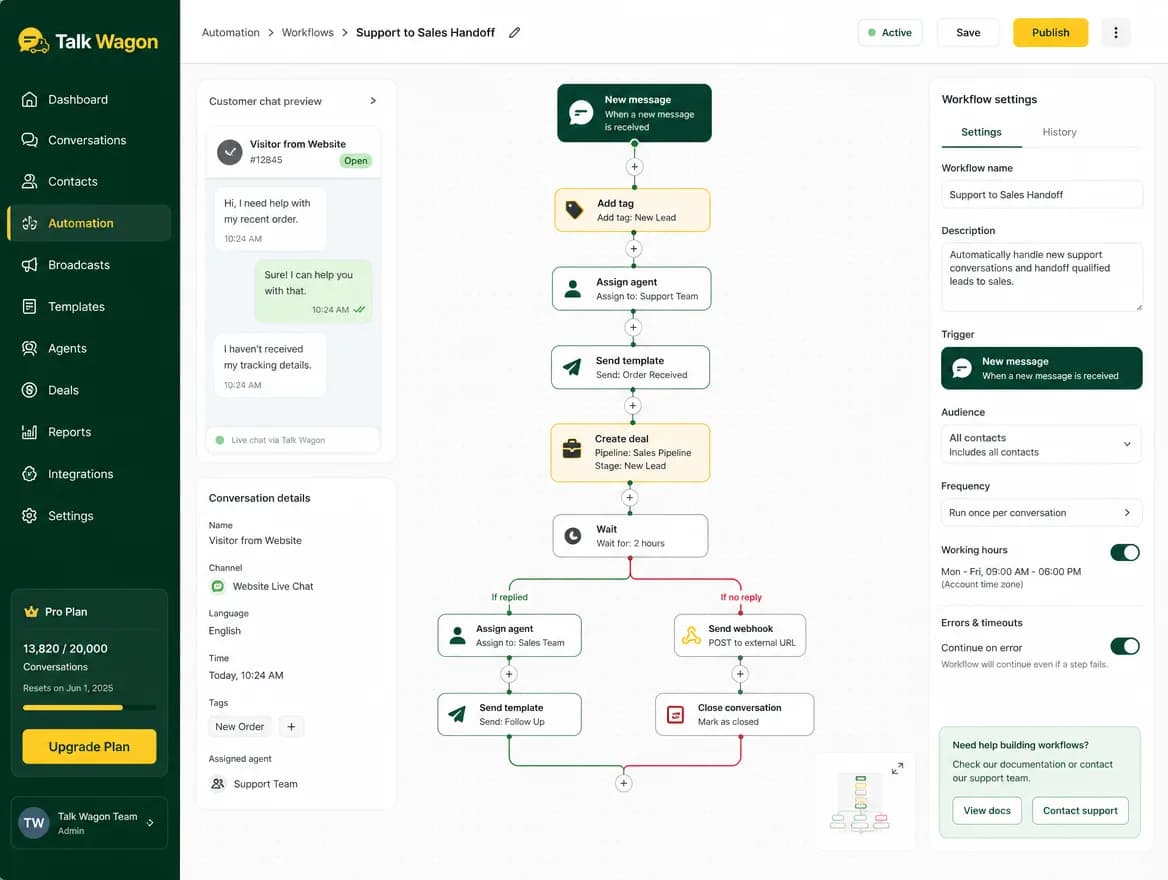
Automation Actions Built for Real Business Workflows
Build WhatsApp workflow automation with practical CRM steps your sales and support teams understand.
Send Message
Send a normal WhatsApp response when the conversation context allows your team to reply directly.
Send Template
Use approved WhatsApp templates for consistent follow-ups, reminders, and structured customer messages.
Add Tag
Mark contacts as Interested, New Lead, Support, Renewal, or any segment your team uses.
Remove Tag
Clean up old segments automatically when a customer moves to a new stage or no longer matches a group.
Assign Conversation
Route a customer chat to a specific agent, a round-robin queue, or the least-busy team member.
Update Contact Field
Change CRM details such as status, source, interest level, or follow-up notes as the workflow runs.
Create Deal
Open a sales opportunity when a WhatsApp lead asks for price, service details, renewal, or purchase help.
Wait
Pause a workflow for a planned delay before sending a follow-up or moving to the next action.
Condition If/Else
Branch customer journeys based on message content, tags, contact fields, or workflow outcomes.
Send Webhook
Use a webhook as a controlled WhatsApp CRM integration point when a workflow reaches an important step.
Close Conversation
Close resolved customer conversations after a support answer, follow-up sequence, or completed handoff.
Example workflows
Example WhatsApp Automation Workflows
No-Reply Follow-Up
- Customer asks for pricing
- Agent replies with plan details
- Workflow waits before checking for a response
- Approved template follow-up is sent if the customer stays quiet
New Lead Routing
- A fresh WhatsApp lead sends a message
- CRM adds a New Lead tag
- Conversation is assigned to the right sales agent
- A pipeline deal is created for follow-up tracking
Broadcast Follow-Up
- Customer replies to a broadcast campaign
- CRM updates the contact status
- Interested contacts are tagged
- Sales follow-up workflow starts automatically
Support Escalation
- Customer uses a support keyword
- Conversation moves to a support agent
- Webhook notifies another system if needed
- Conversation is closed after the issue is resolved
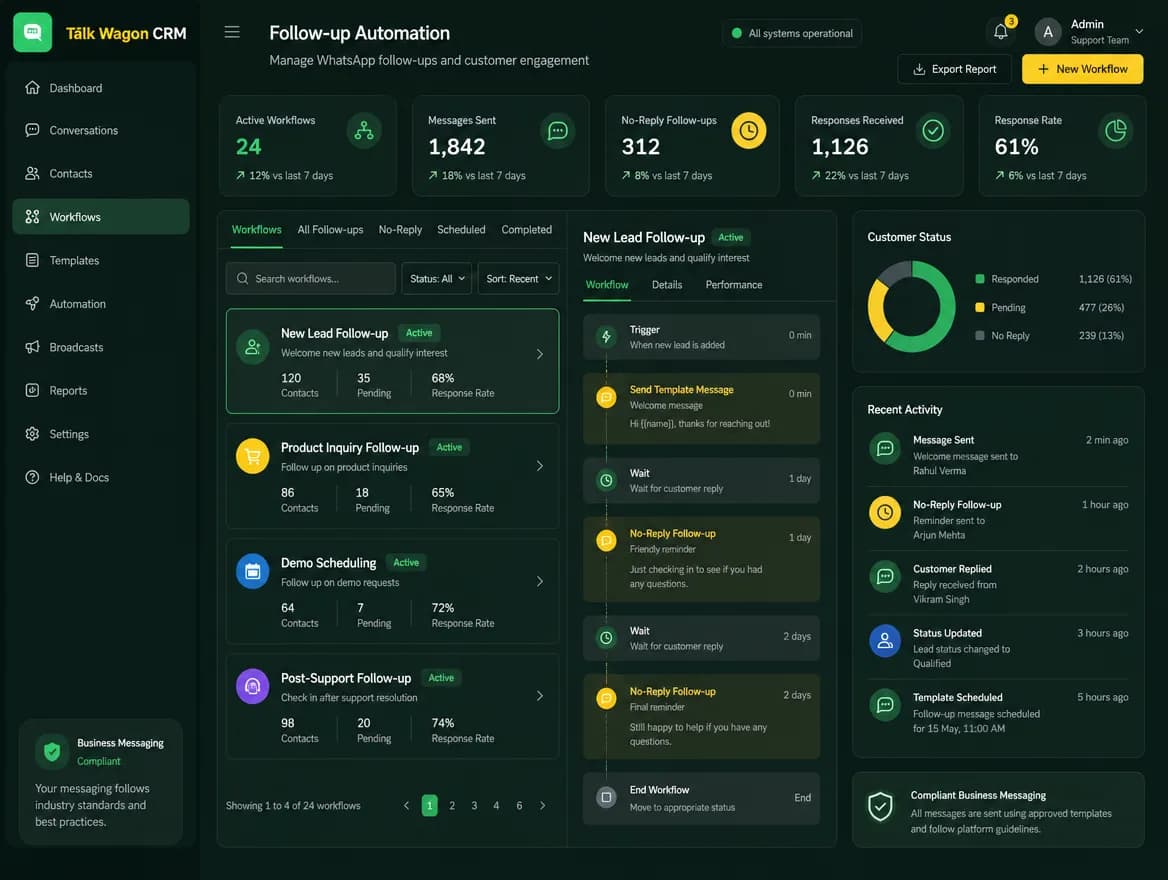
AI automation
AI-Assisted Automation for Smarter CRM Workflows
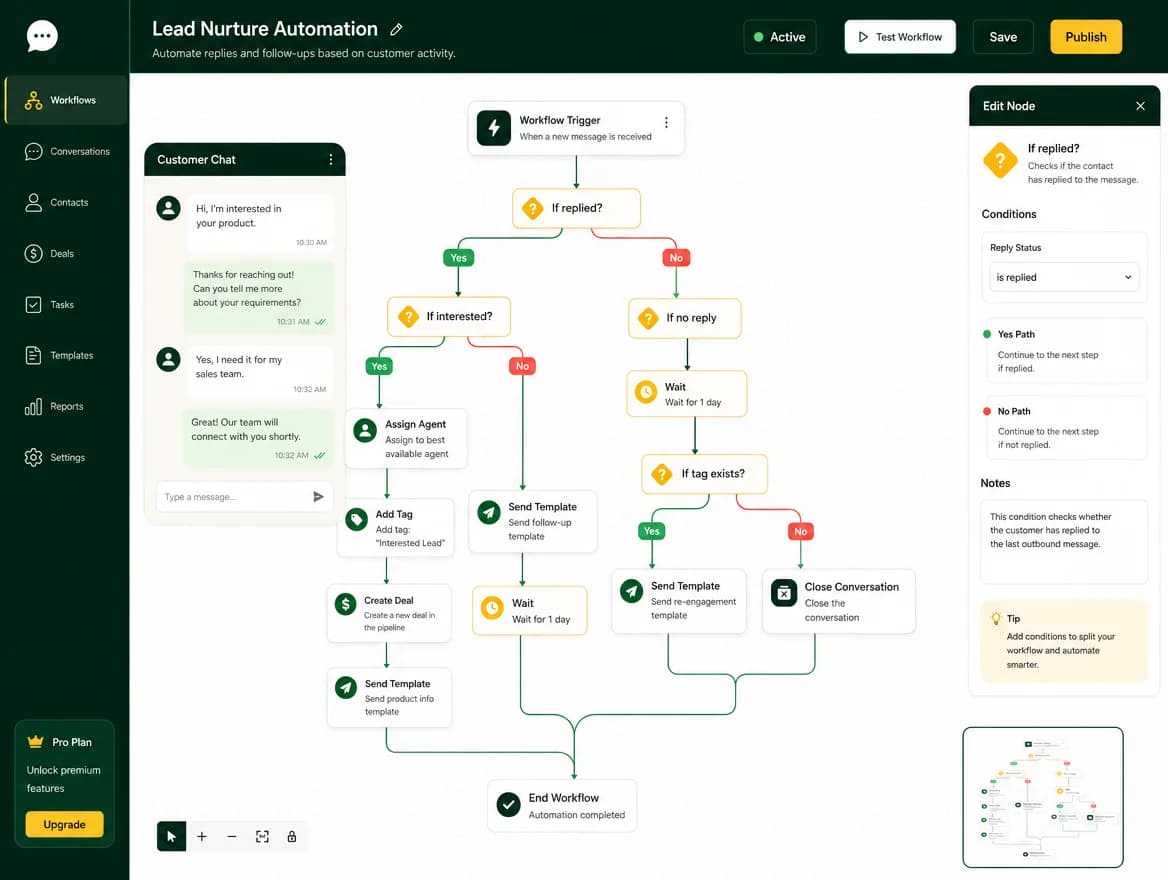
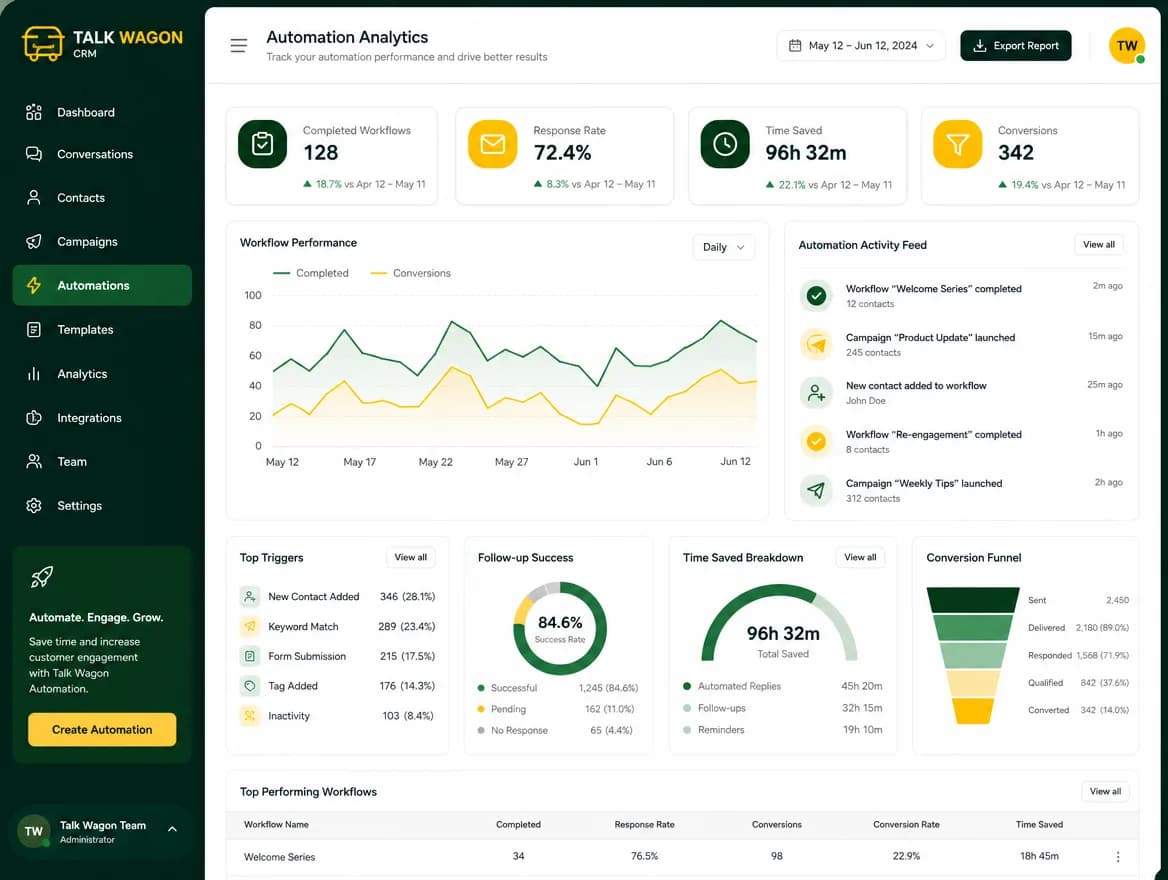
Talk Wagon helps teams plan smarter WhatsApp automation workflows, improve follow-up consistency, segment customers better, and create repeatable customer journeys while keeping owners in control.
AI workflow planning
Smarter follow-up suggestions
Faster workflow creation
Better customer segmentation
Repeatable customer journeys
Owner-controlled automation
Team safety
Automation With Team Permissions and Workspace Control
Owners can decide which team members can view, create, edit, or activate automations. Agents stay inside their permitted dashboard while sensitive workspace settings and WhatsApp configuration remain protected.
- Owner permissions
- Agent restrictions
- Workspace security
- Protected WhatsApp config
- Controlled automation access
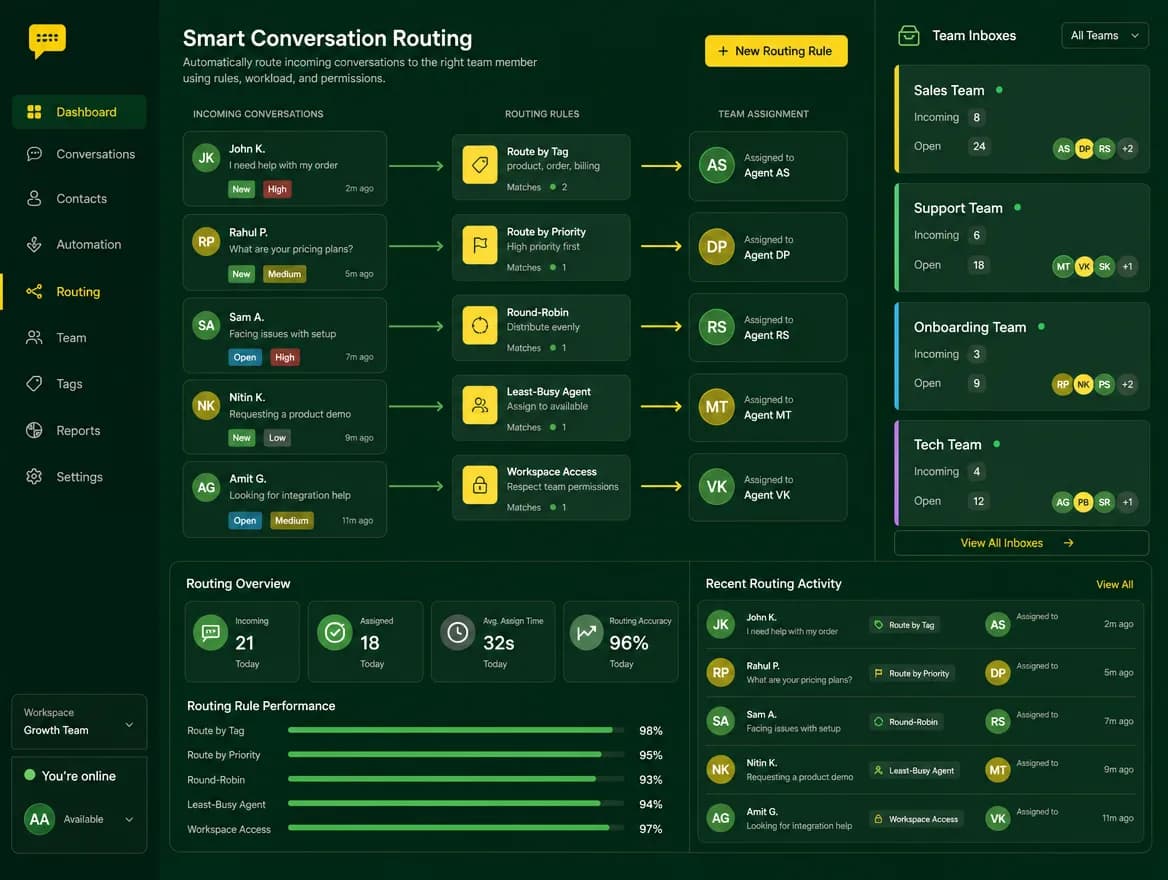
Comparison
Manual CRM Work vs Automated WhatsApp Workflows
Manual CRM Work
- Repeated messages
- Forgotten follow-ups
- Manual assignments
- Slow lead tracking
- No clear workflow history
Talk Wagon Automation
- Automatic follow-ups
- Template-based messages
- Agent assignment
- Contact updates
- Deal creation
- Webhook integration
- Consistent workflow tracking
FAQ
WhatsApp Automation FAQ
What is WhatsApp automation?
WhatsApp automation uses rules, triggers, delays, and CRM actions to handle repetitive customer communication tasks such as follow-ups, tagging, assignment, and deal creation.
Can Talk Wagon automate follow-ups?
Yes. Talk Wagon can run follow-up workflows with waits, approved template messages, contact updates, tags, and assignment steps.
Can automations assign conversations to agents?
Yes. Automations can assign conversations to a specific team member, a round-robin rotation, or the least-busy available agent.
Can I use approved WhatsApp templates in automation?
Yes. Template automation is designed for approved WhatsApp templates, including variable mapping for customer details such as name or phone.
Can automation update contact fields?
Yes. Automation can update contact fields and tags so your customer records stay aligned with the latest conversation workflow.
How can webhooks support a WhatsApp CRM integration?
The Send Webhook action can notify a configured external system when a workflow reaches a specific step, providing a controlled integration point without exposing workspace credentials.
Is AI automation included in Talk Wagon?
Talk Wagon supports AI-assisted workflow planning, WhatsApp chatbot handoff patterns, and smarter CRM automation patterns while keeping owners in control of the final workflow.
Can I use automation for sales and support workflows?
Yes. Sales teams can automate lead routing and follow-ups, while support teams can automate assignment, tagging, escalation, and closure workflows.
WhatsApp automation for repeatable customer journeys
Build Smarter WhatsApp Workflows With Talk Wagon
Start automating follow-ups, assignments, contact updates, deals, and customer workflow steps from one secure WhatsApp CRM dashboard.