Production-ready WhatsApp CRM for sales, support, broadcasts, and AI automation.
- Team Inbox
- Flows
- Automation
- Broadcasts
- Secure Workspaces
WhatsApp broadcast CRM for organized campaigns
WhatsApp Broadcast Software With CRM Tracking
Use WhatsApp broadcast software to prepare opt-in campaigns with selected contacts, approved templates, preflight checks, team permissions, delivery status, and follow-up workflows connected to your CRM.
Approved TemplatesContact SelectionCampaign WorkflowTeam AccessCRM Tracking
The problem
Broadcasting Without a CRM Gets Messy Fast
When campaign contacts, message templates, sent status, replies, and follow-ups are managed manually, the team loses visibility and customers fall through the cracks.
Manual campaign tracking
Hard to segment customers
No clear follow-up workflow
Agents lose context
Campaign results are hard to organize
The solution
How WhatsApp Broadcast Software Organizes Campaign Work
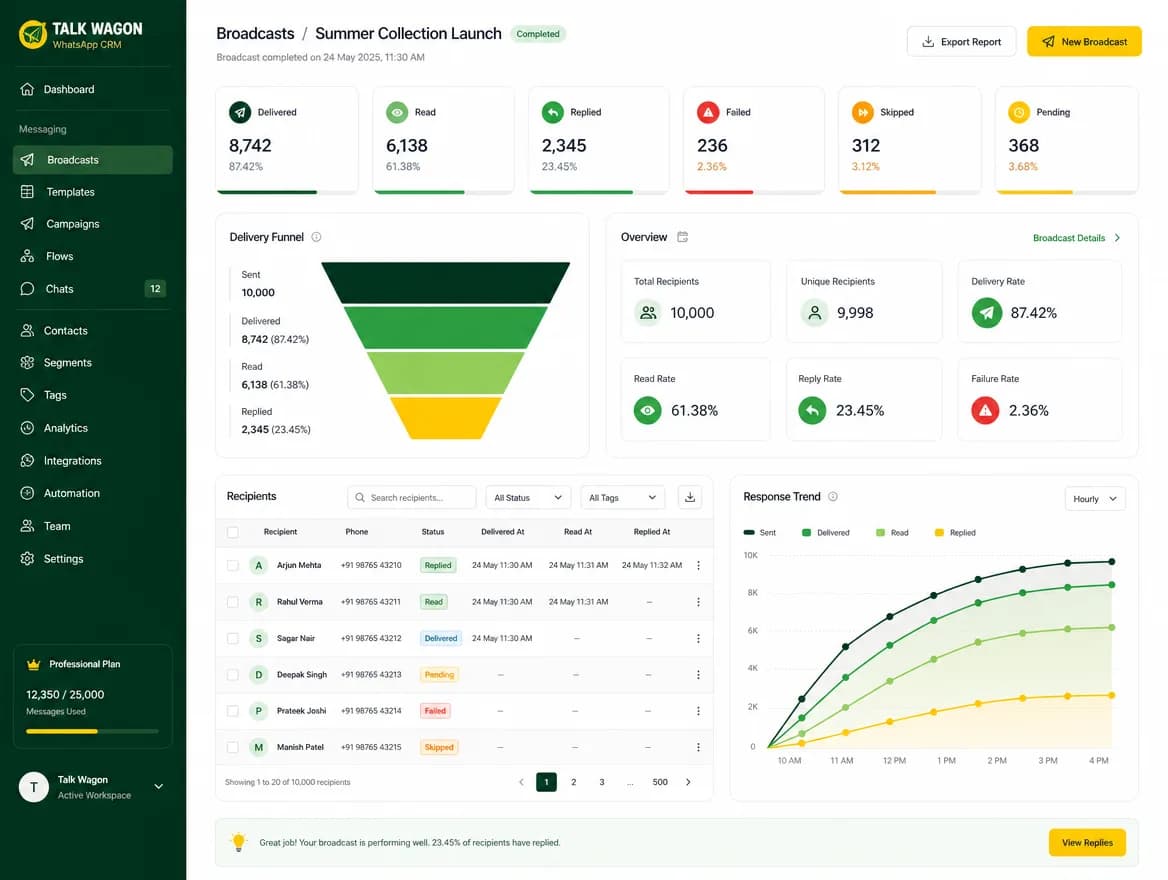
Talk Wagon connects your contacts, approved WhatsApp templates, campaign preparation, queue workflow, and follow-up process so broadcasts stay organized from planning to reply handling.
Campaign workflow
How Talk Wagon Broadcast Campaigns Work
Import or select contacts
Build your campaign audience from organized CRM contacts instead of scattered spreadsheets.
Choose an approved WhatsApp template
Use approved template messages for consistent, business-ready campaign communication.
Prepare the campaign
Name the broadcast, choose the audience, and keep the campaign attached to your CRM workflow.
Review selected contacts
Check who is included before sending so the final audience is clear to your team.
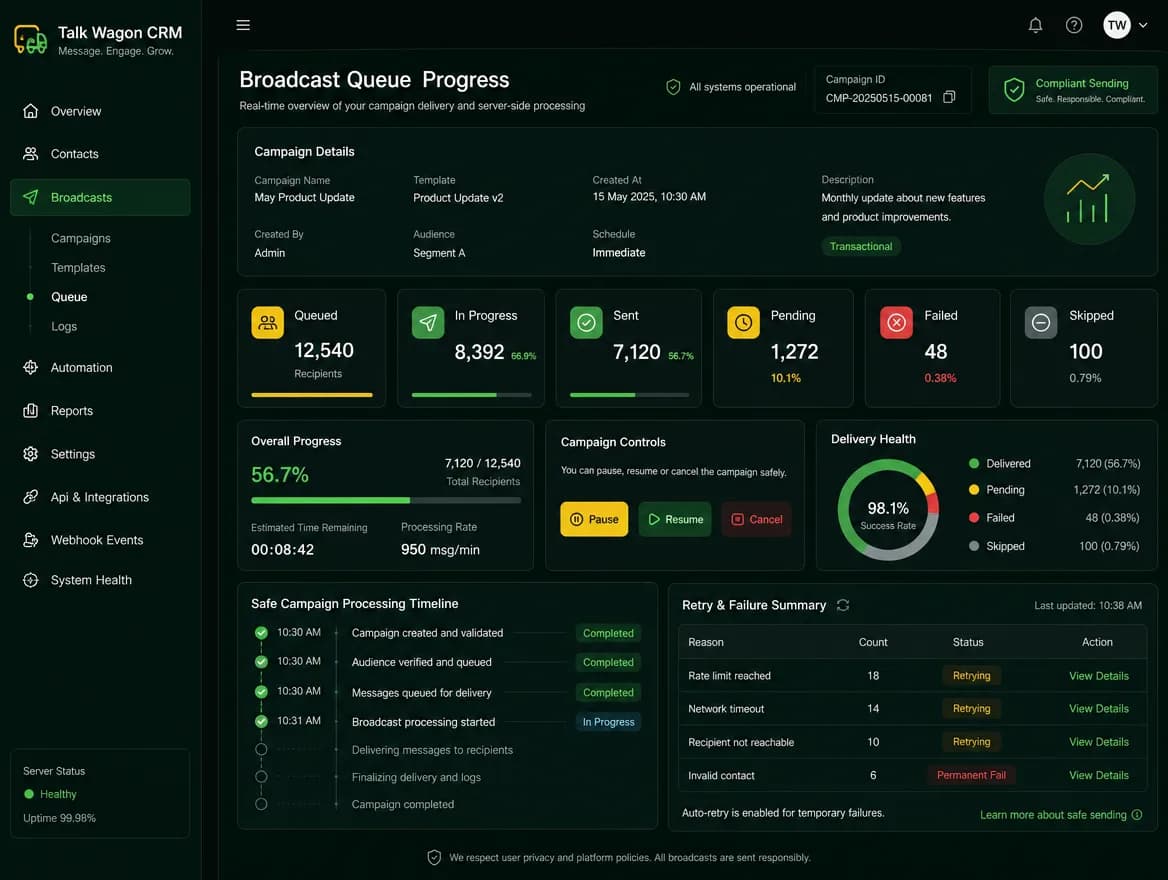
Send or queue the broadcast workflow
Queue campaigns through a structured workflow instead of sending manually one contact at a time.
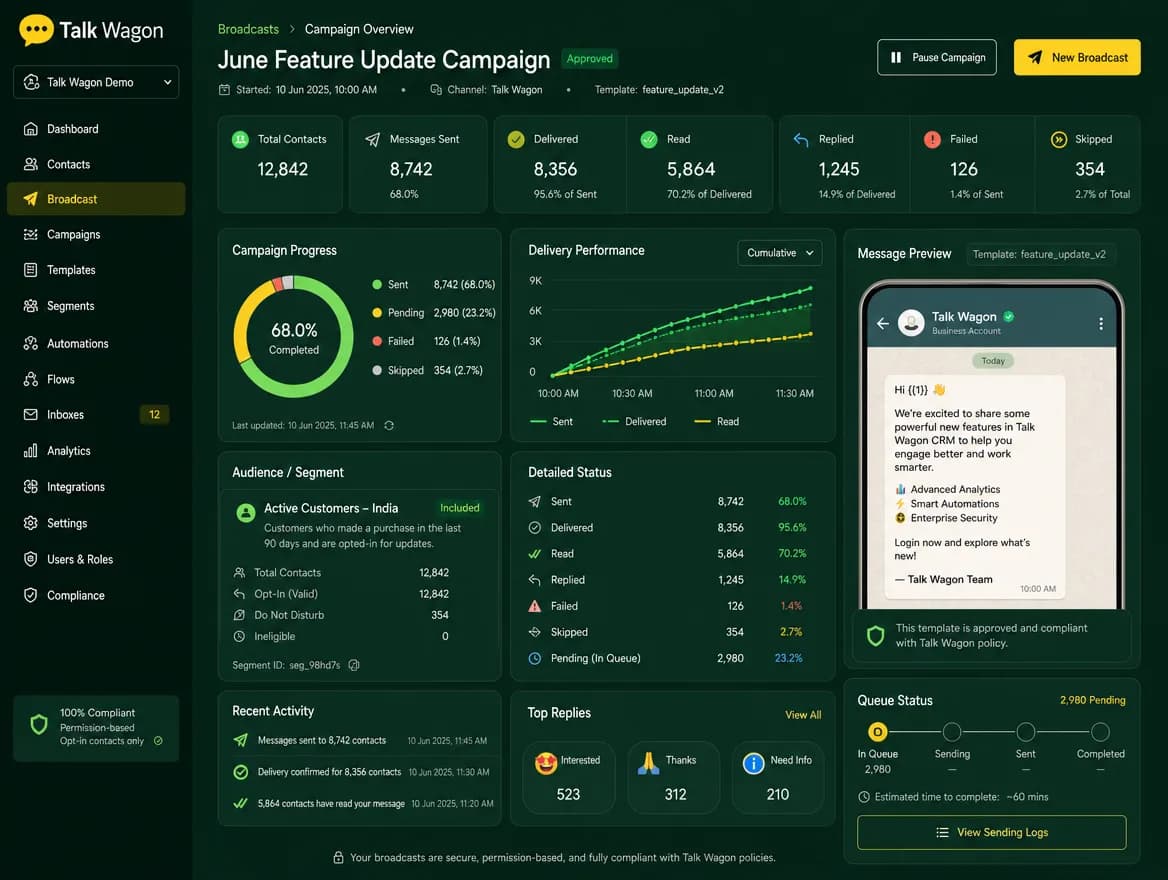
Track sent/pending status
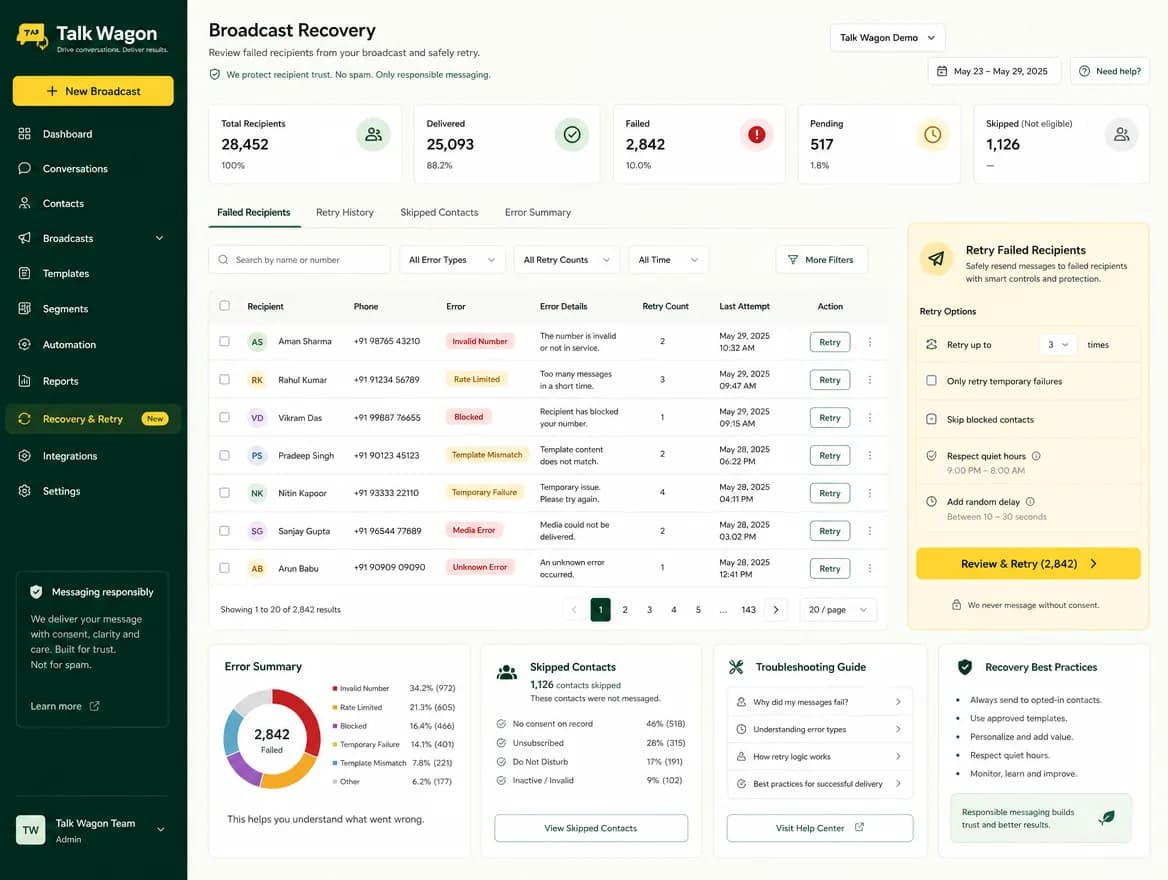
Follow campaign progress so pending, sent, failed, and skipped records stay visible.
Follow up with interested customers
Turn replies into assigned conversations, tags, deals, and automation follow-up workflows.
Template campaigns
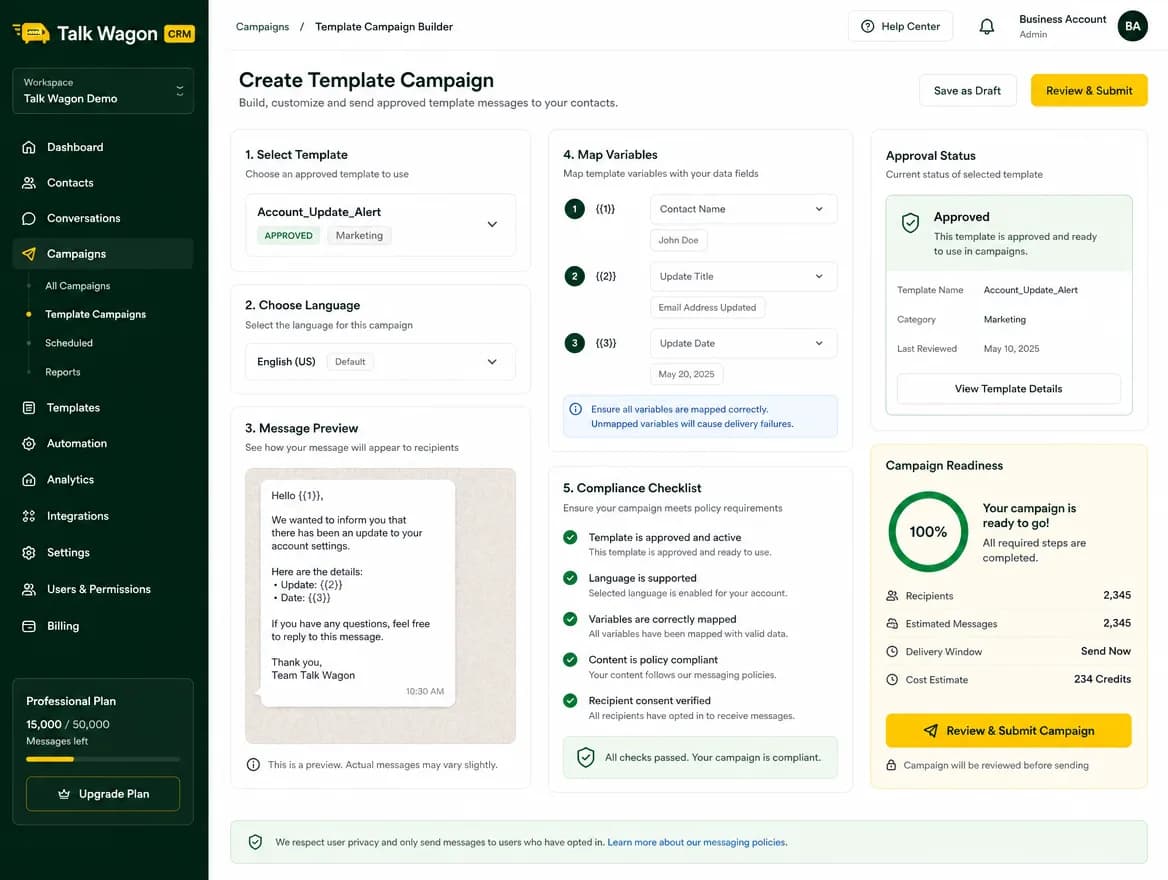
Use Approved WhatsApp Templates for Consistent Campaigns
Talk Wagon helps teams organize approved templates, prepare safer business communication, and keep campaign messaging consistent. WhatsApp or Meta charges may be separate depending on your provider and official account.
Approved templates
Consistent messaging
Safer business communication
Campaign readiness
Contact selection
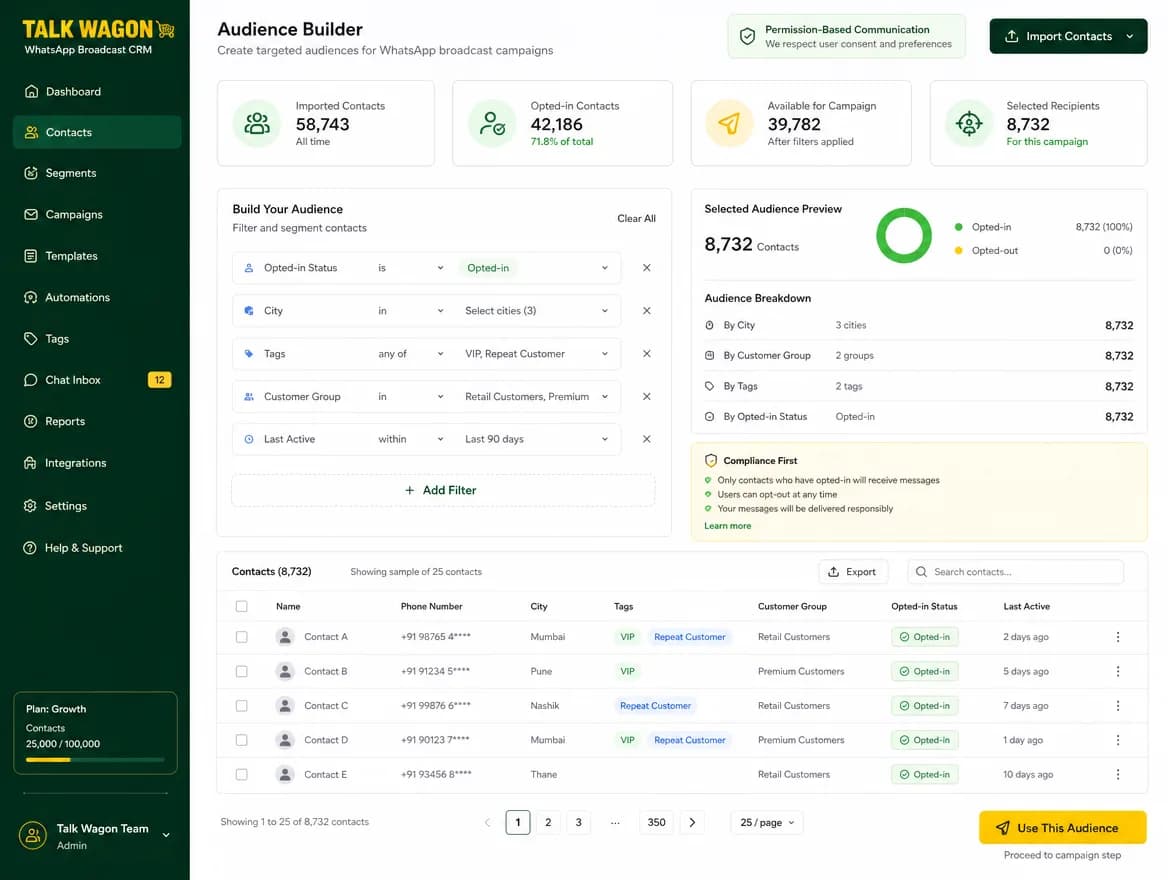
Send Broadcasts to the Right Contacts
Import contacts, search your customer list, use pagination, select the right audience, and keep campaign contact work scoped inside the correct workspace.
Contact importSearchPaginationSelect contactsWorkspace-scoped listsBulk actions
Follow-up workflow
Turn Broadcast Replies Into Follow-Up Workflows
When customers reply, your team can assign conversations, add tags, update contact fields, create deals, run automation follow-ups, and track progress in the sales pipeline.
Official API style workflows
Built for Official WhatsApp API Style Workflows
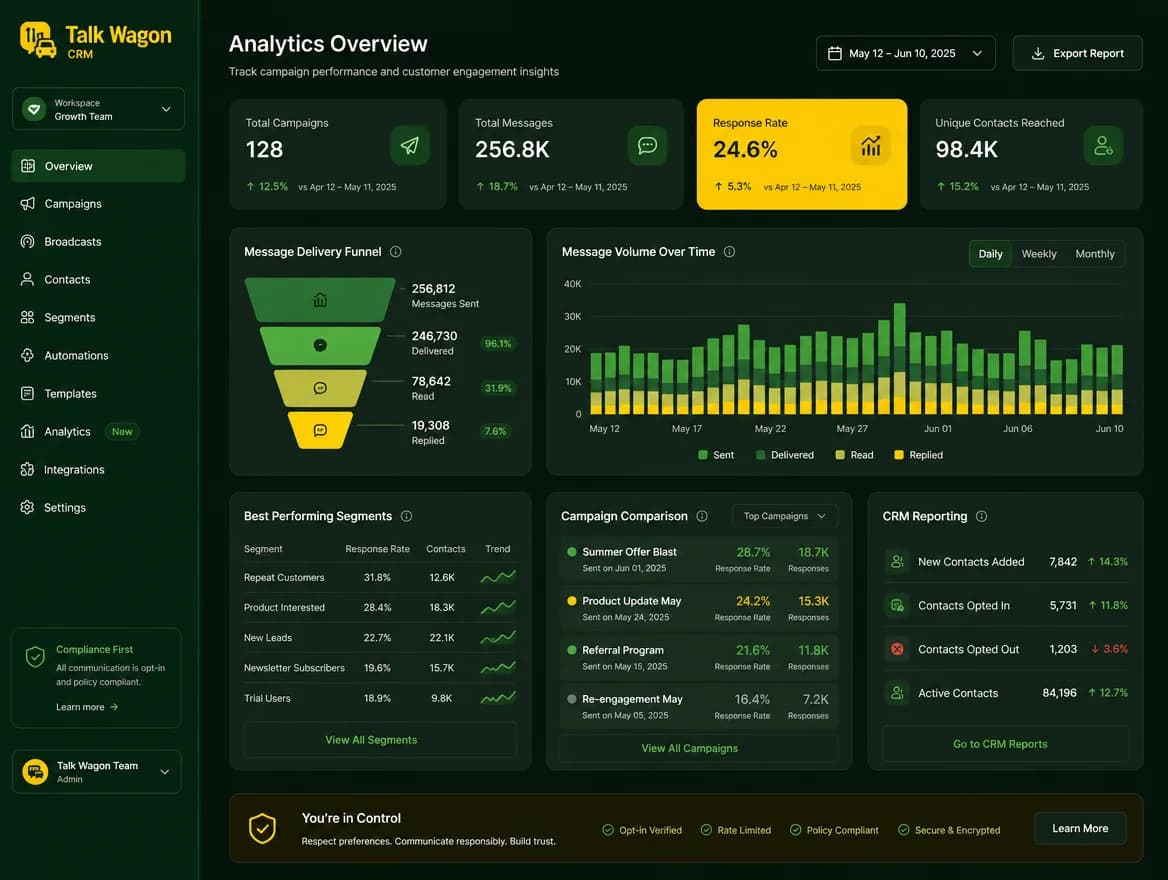
Talk Wagon keeps broadcasts organized around approved template workflows, contact selection, CRM tracking, and team permissions. It is built to support official WhatsApp Business Platform style communication while reminding teams that actual provider billing and policy requirements can vary.
Template readiness
Campaign tracking
Selected audiences
Cost awareness
Comparison
Manual Broadcast Lists vs Broadcast CRM Workflow
Manual Broadcast Lists
- Scattered spreadsheets
- Unclear sent status
- Hard to select contacts
- No follow-up process
- No team visibility
- Disconnected customer history
Talk Wagon Broadcast CRM
- Organized contacts
- Selected campaign audience
- Template-based workflow
- Broadcast tracking
- Team assignment
- Follow-up automation
- Pipeline connection
Use cases
Broadcast Campaigns for Sales, Support and Marketing
Product updates
Tell opted-in customers about new services, features, or package changes.
Appointment reminders
Send structured reminders for bookings, renewals, or service windows.
Lead follow-ups
Reconnect with customers who asked for price, plan, or order details.
Service notifications
Share support, maintenance, or account-related updates from one CRM workflow.
Offer announcements
Run organized campaigns for selected customer segments and tracked follow-ups.
Customer reactivation
Bring inactive contacts back into a conversation with approved template campaigns.
Onboarding messages
Guide new customers through next steps after signup, purchase, or inquiry.
Support updates
Keep customers informed when a support issue or service request changes status.
FAQ
WhatsApp Broadcast Software FAQ
What is a WhatsApp broadcast CRM?
A WhatsApp broadcast CRM works like WhatsApp broadcast software for opted-in campaigns: it helps a business organize contacts, choose campaign audiences, use approved templates, track campaign status, and connect replies with follow-up workflows.
Can I send campaigns to selected contacts?
Yes. Talk Wagon is designed around contact selection and campaign organization so each WhatsApp broadcast message can be prepared for the right audience.
Does Talk Wagon support WhatsApp templates?
Yes. Talk Wagon supports approved WhatsApp template workflows for structured broadcast and follow-up messaging.
Can broadcasts connect with follow-up automation?
Yes. Broadcast replies can connect with CRM workflows such as tagging, assignment, deal creation, and follow-up automation.
Can agents manage broadcast replies?
Yes. Replies can be handled through the team inbox and assigned to sales or support agents based on workspace permissions.
Are WhatsApp/Meta API charges included?
Talk Wagon organizes the CRM workflow. WhatsApp, Meta, or provider API charges may be separate depending on your official account and provider setup.
Is this useful for sales and marketing teams?
Yes. Sales and marketing teams can use Talk Wagon as a WhatsApp marketing tool for lead follow-up, offers, product updates, reminders, and customer reactivation workflows.
Can I organize contacts before sending campaigns?
Yes. Contacts can be imported, searched, paginated, segmented, and managed inside the CRM before a campaign is prepared.
What WhatsApp broadcast limit should teams plan for?
The normal WhatsApp broadcast limit in the consumer app is different from official business template workflows. Talk Wagon helps teams prepare opted-in campaigns through approved templates, CRM contact selection, and workspace tracking.
How many contacts can be added in a WhatsApp broadcast workflow?
The number depends on your official WhatsApp account, approved template use, contact consent, and provider rules. Talk Wagon keeps the campaign organized in the CRM so teams can review contacts before sending.
How does WhatsApp broadcast work in Talk Wagon?
A team chooses an approved template, selects eligible contacts, reviews the campaign, queues the broadcast, and then tracks replies and follow-ups from the CRM.
Can I create an example of WhatsApp broadcast message before sending?
Yes. Teams can prepare the approved template, review the message variables, check the selected audience, and confirm the campaign before it is queued.
Campaigns, contacts, templates and follow-ups in one CRM
Launch Organized WhatsApp Broadcast Campaigns With Talk Wagon
Start preparing campaigns, selecting contacts, using approved templates, and connecting replies to CRM follow-up workflows from one workspace.