Evidence-based comparison
DelightChat Alternative: A Practical Comparison for WhatsApp Teams
If your team is comparing DelightChat with TalkWagon, the real question is not which product has the longest feature list. It is whether you need a Shopify-centered omnichannel support platform or a WhatsApp-first CRM for conversations, contacts, pipelines, broadcasts, automation, AI answers, and team ownership.
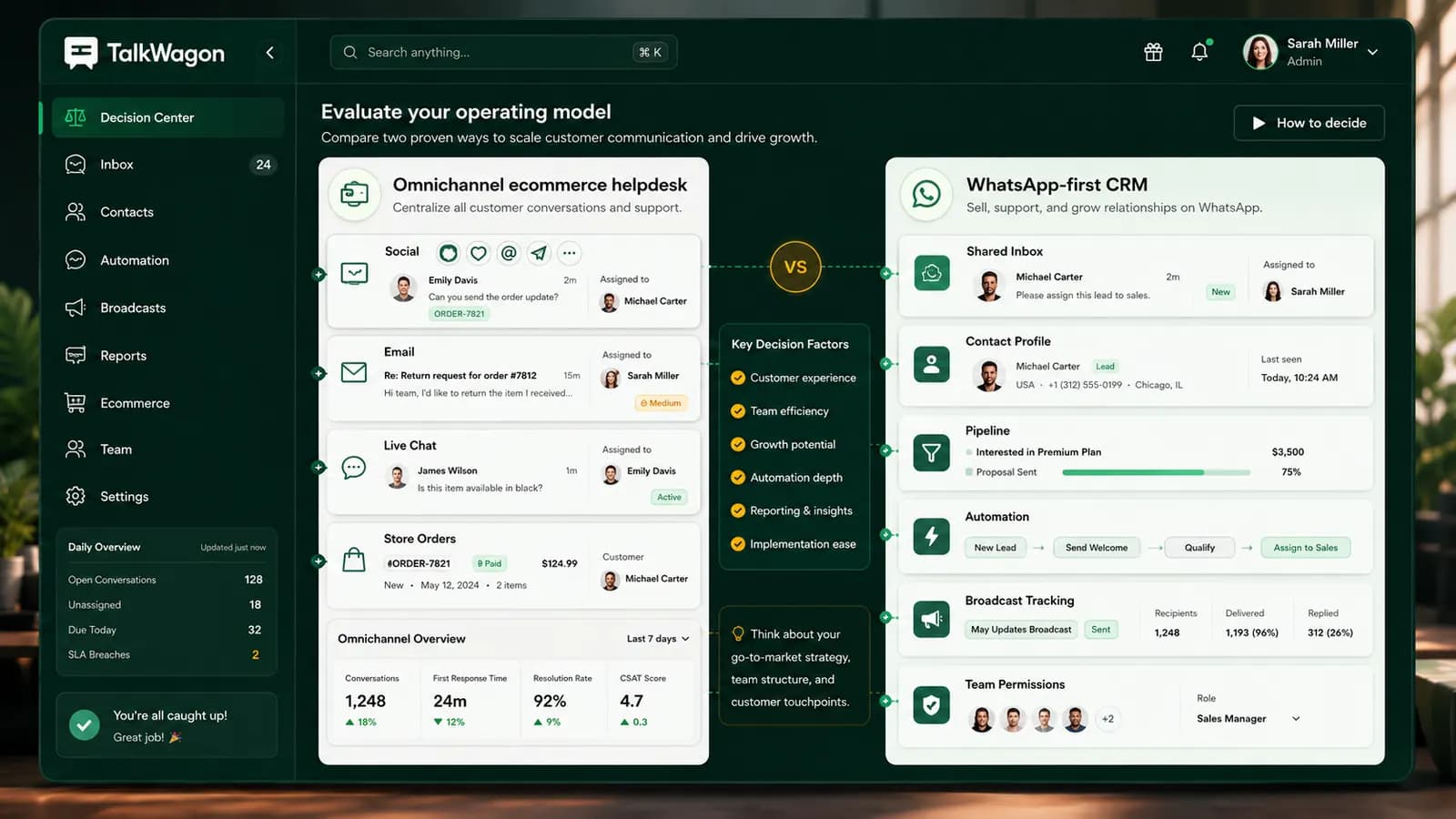
Short answer: DelightChat is a stronger natural fit when a Shopify/D2C team wants omnichannel support around ecommerce context. TalkWagon is a stronger natural fit when a team wants WhatsApp conversations to become organized CRM work: assigned threads, contact records, sales pipeline follow-up, broadcasts, visual flows, AI knowledge answers, and workspace permissions.
Direct answer
The practical DelightChat alternative decision
A good DelightChat alternative page should not pretend that every business has the same problem. DelightChat and TalkWagon overlap around WhatsApp business messaging, team conversations, broadcasts, and automation, but they start from different centers of gravity.
DelightChat presents itself as an ecommerce support and marketing platform for D2C brands, with channels such as WhatsApp, Instagram, Facebook, email, and live chat, plus Shopify context. TalkWagon is built as a WhatsApp CRM: the work starts from the conversation and moves into contacts, ownership, pipelines, broadcasts, automations, flows, AI-assisted answers, and team permissions.
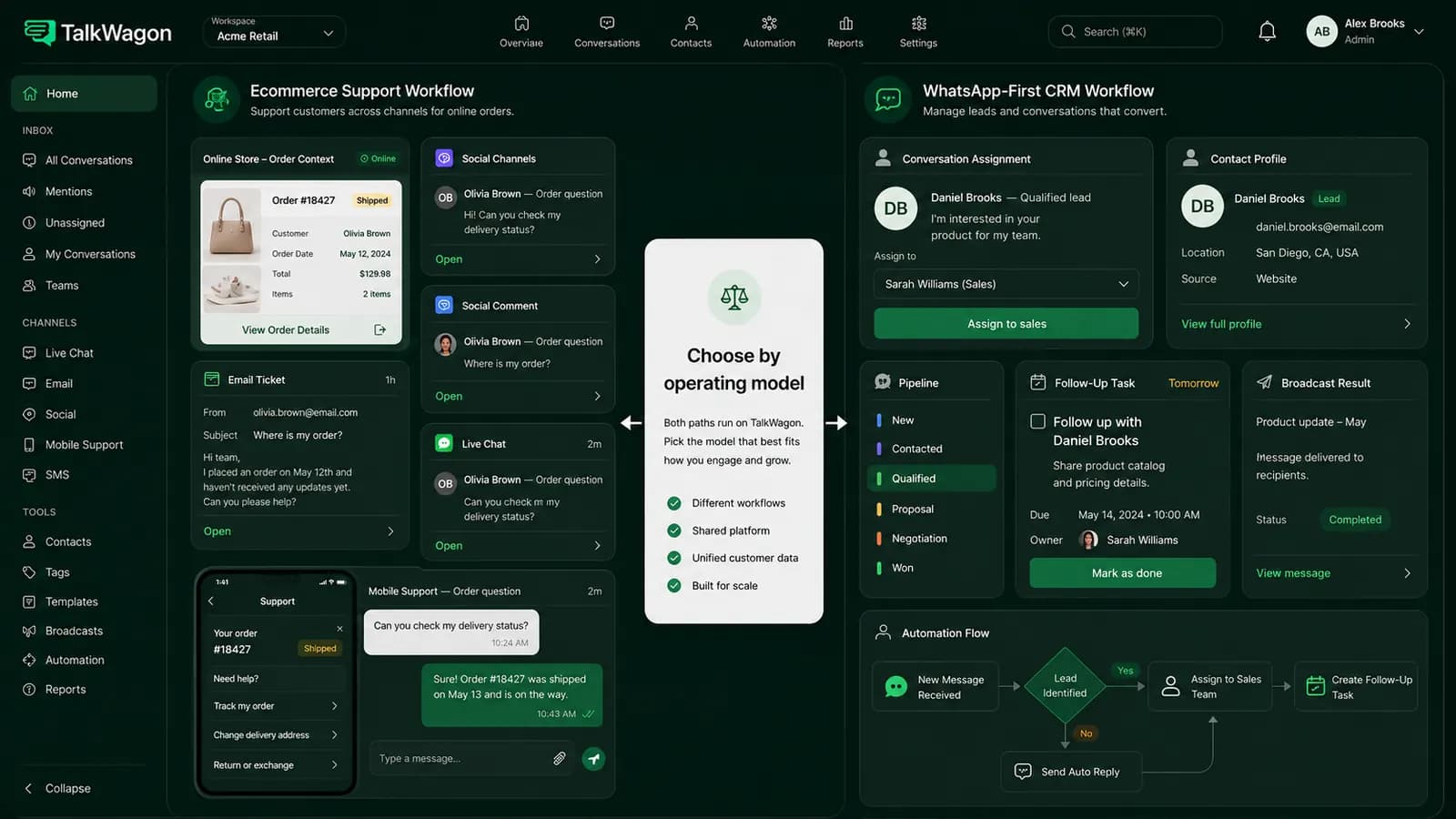
Choose DelightChat if Shopify context is central
If order lookup, ecommerce support, social comments, live chat, and Shopify-specific workflows are the heart of your support operation, DelightChat deserves serious evaluation.
Choose TalkWagon if WhatsApp is the operating channel
If most customer work begins in WhatsApp and your team needs assignment, contacts, pipelines, broadcasts, flows, AI help, and permissions around those conversations, TalkWagon is the more direct fit.
Choose by workflow, not by feature count
A longer feature list is not always a better business system. The better choice is the product your team can use daily without losing ownership or customer context.
Competitor evidence
What DelightChat currently offers
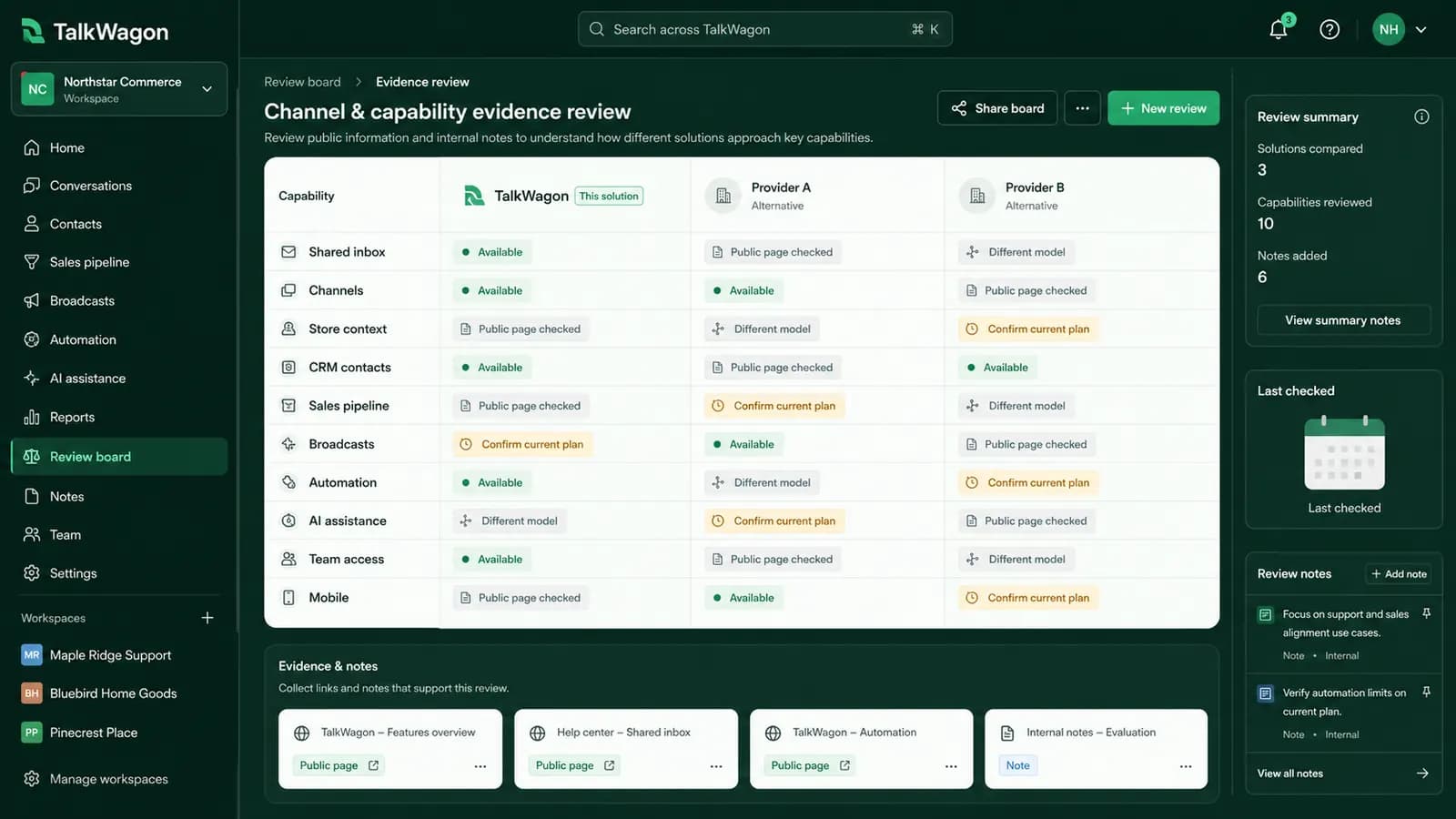
DelightChat's public pages describe an omnichannel support inbox and WhatsApp marketing product for ecommerce teams. Official pages and help-center materials mention WhatsApp Business API, Instagram, Facebook, email, live chat, Shopify order context, broadcasts, automated replies, catalog or chatbot-related workflows, AI features, analytics, and mobile apps.
That matters because some comparison pages on the web are stale. For example, older competitor pages may describe DelightChat as missing capabilities that its current official docs list. This article uses official DelightChat pages for DelightChat facts, TalkWagon pages for TalkWagon facts, and dates volatile pricing observations.
Evaluation trigger
Why teams look for a DelightChat alternative
A business usually starts looking for an alternative when the product orientation no longer matches the team's daily work. If the team is not primarily Shopify-centered, an ecommerce-first support workspace can feel broader than needed. If the team mainly sells, supports, qualifies, and follows up through WhatsApp, a WhatsApp-first CRM can be easier to operate.
Other common triggers are seat limits, workflow complexity, pricing uncertainty, the need for sales pipeline ownership, a desire for simpler WhatsApp broadcasts, or the need to connect AI answers to approved business knowledge without turning the inbox into a generic helpdesk queue.
Side by side
TalkWagon versus DelightChat comparison table
Use this table as a decision framework, not as a claim that one product wins every category. The useful question is which product matches your operating model.
| Area | DelightChat | TalkWagon |
|---|---|---|
| Primary orientation | Shopify and D2C-focused omnichannel support with WhatsApp marketing, social channels, email, live chat, and ecommerce context. | WhatsApp-first CRM for shared inbox ownership, contacts, pipelines, broadcasts, visual flows, AI knowledge answers, and permissions. |
| Best-fit team | Ecommerce teams that want Shopify order context and multiple customer-support channels in one helpdesk-style workspace. | Teams that mainly work from WhatsApp and need customer conversations organized into CRM follow-up, assignments, and sales workflows. |
| Channels | Official pages describe WhatsApp, Instagram, Facebook, email, live chat, and related ecommerce support workflows. | TalkWagon focuses on WhatsApp CRM workflows rather than becoming a broad omnichannel helpdesk. |
| Sales pipeline | Useful where ecommerce support, order conversations, broadcasts, and Shopify context drive the workflow. | Includes contact records and pipeline-style follow-up so WhatsApp enquiries can move through sales stages. |
| Automation | Official docs describe automated replies, campaign workflows, Shopify-related automation, and AI features. | Provides automations and visual flows for routing, waits, conditions, tags, broadcasts, and human handoff. |
| Pricing review | Public pricing surfaces observed on July 24, 2026 showed different plan figures, so teams should verify the current checkout or quote. | Public pricing is listed as $1 first month, then $9.99/month for Pro, with Meta/WhatsApp charges separate. |
Inbox model
Omnichannel support queue versus WhatsApp CRM ownership
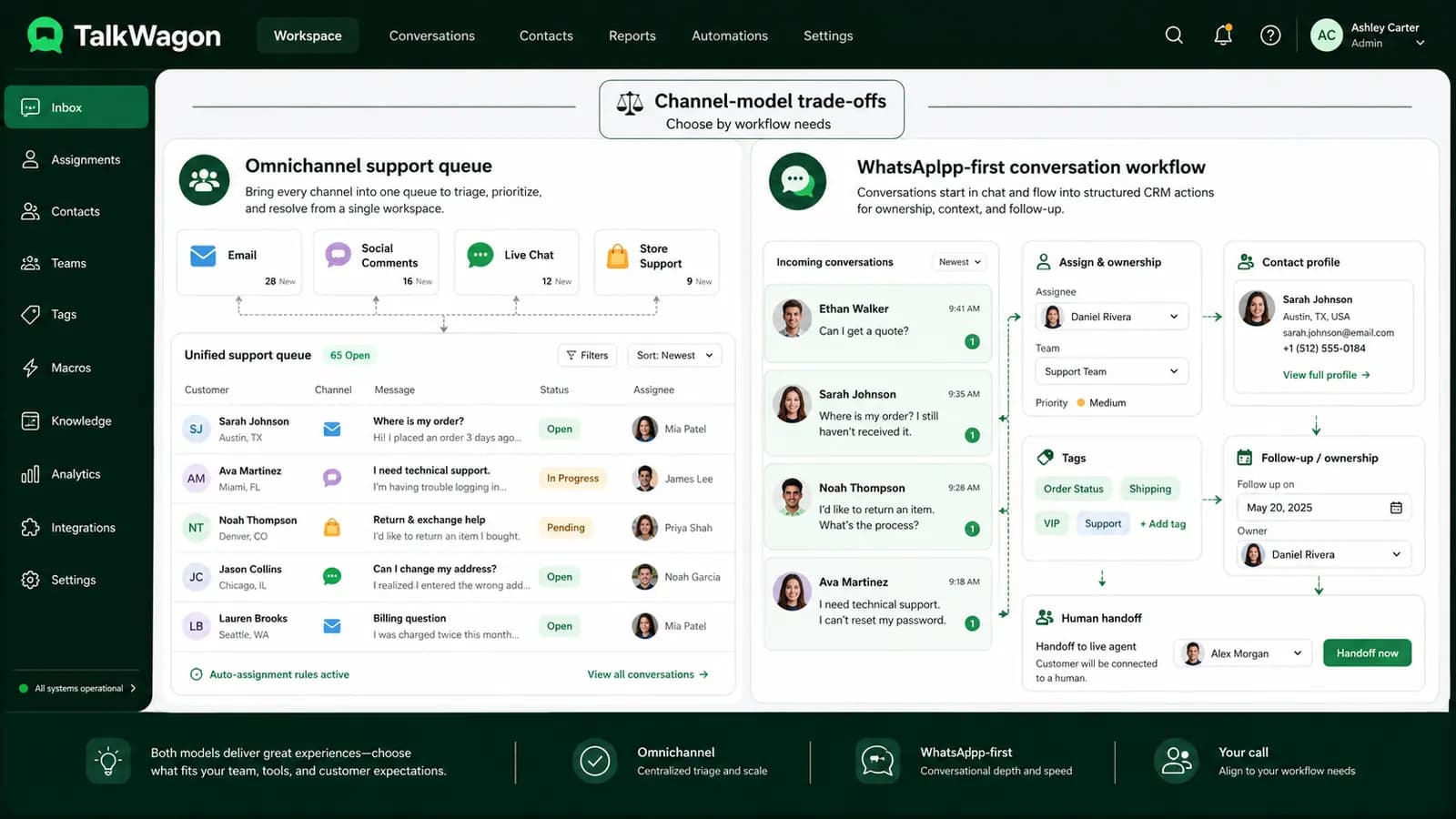
An omnichannel support inbox is useful when customer questions arrive from several different places and the team needs one helpdesk-like view. That is a natural ecommerce-support pattern: social comments, email, live chat, WhatsApp, and order context all need to meet somewhere.
A WhatsApp CRM workflow starts from a different pressure. The team may not need every support channel in one helpdesk. It may need every WhatsApp conversation connected to a customer record, owner, tag, pipeline stage, next follow-up, broadcast history, and escalation path. That is where TalkWagon's team inbox, contacts, and pipeline pages become central.
Workflow fit
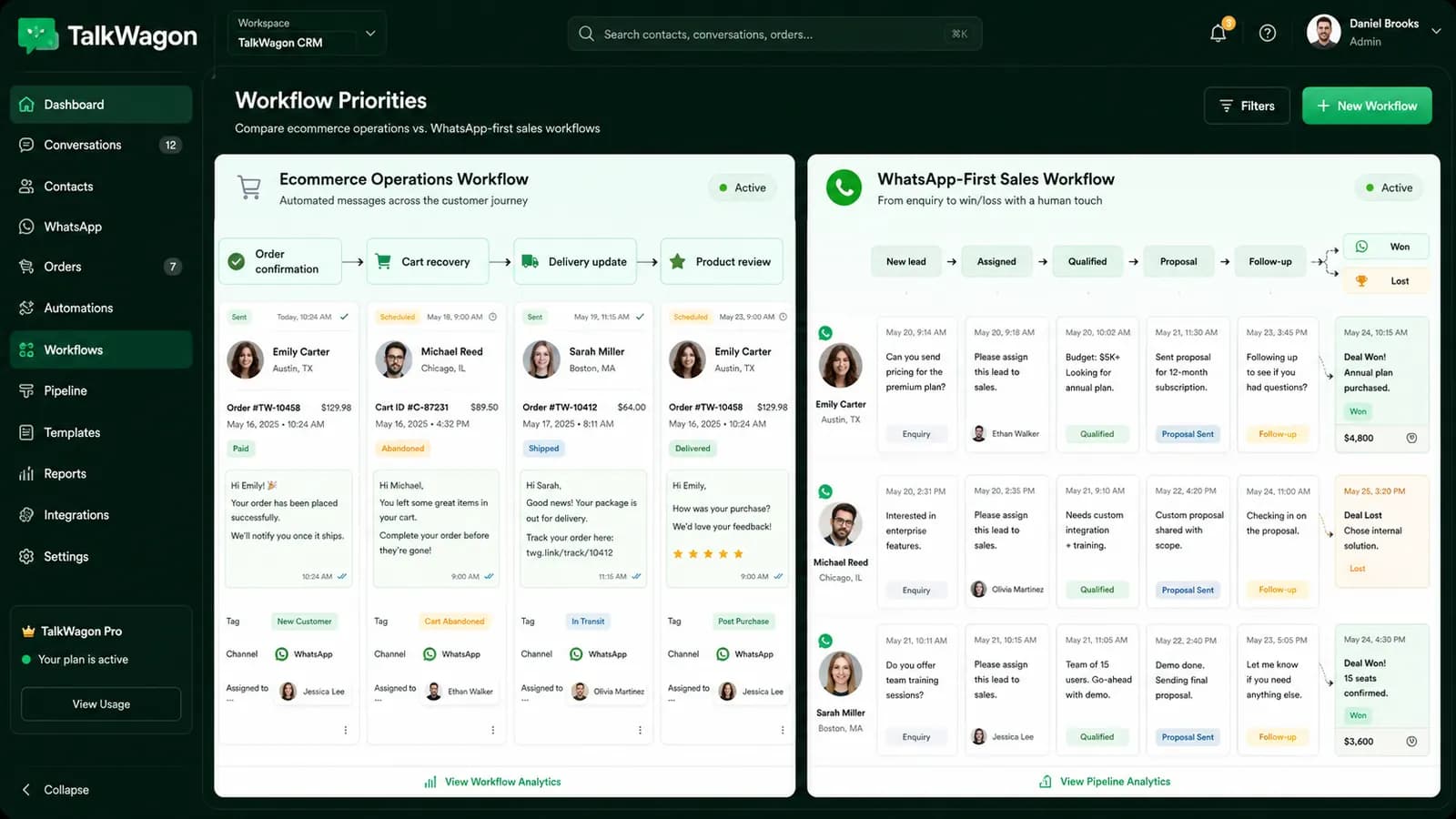
Shopify workflows versus CRM pipeline follow-up
DelightChat is especially relevant when Shopify order context drives the support experience. If agents constantly need order details, ecommerce statuses, abandoned cart workflows, or customer purchase history from a Shopify store, that orientation can be valuable.
TalkWagon should be evaluated differently. It is not trying to be a Shopify-native helpdesk. It is for teams that want WhatsApp messages to become CRM work: a lead is assigned, moved through a pipeline, followed up with, included in approved broadcast workflows when appropriate, and handed to a human when automation should not decide.
For a sales-led team, see the WhatsApp sales workflow. For a team still deciding how to organize messages, compare team inbox, automation, and visual flows.
Pricing review
How to compare pricing and total cost
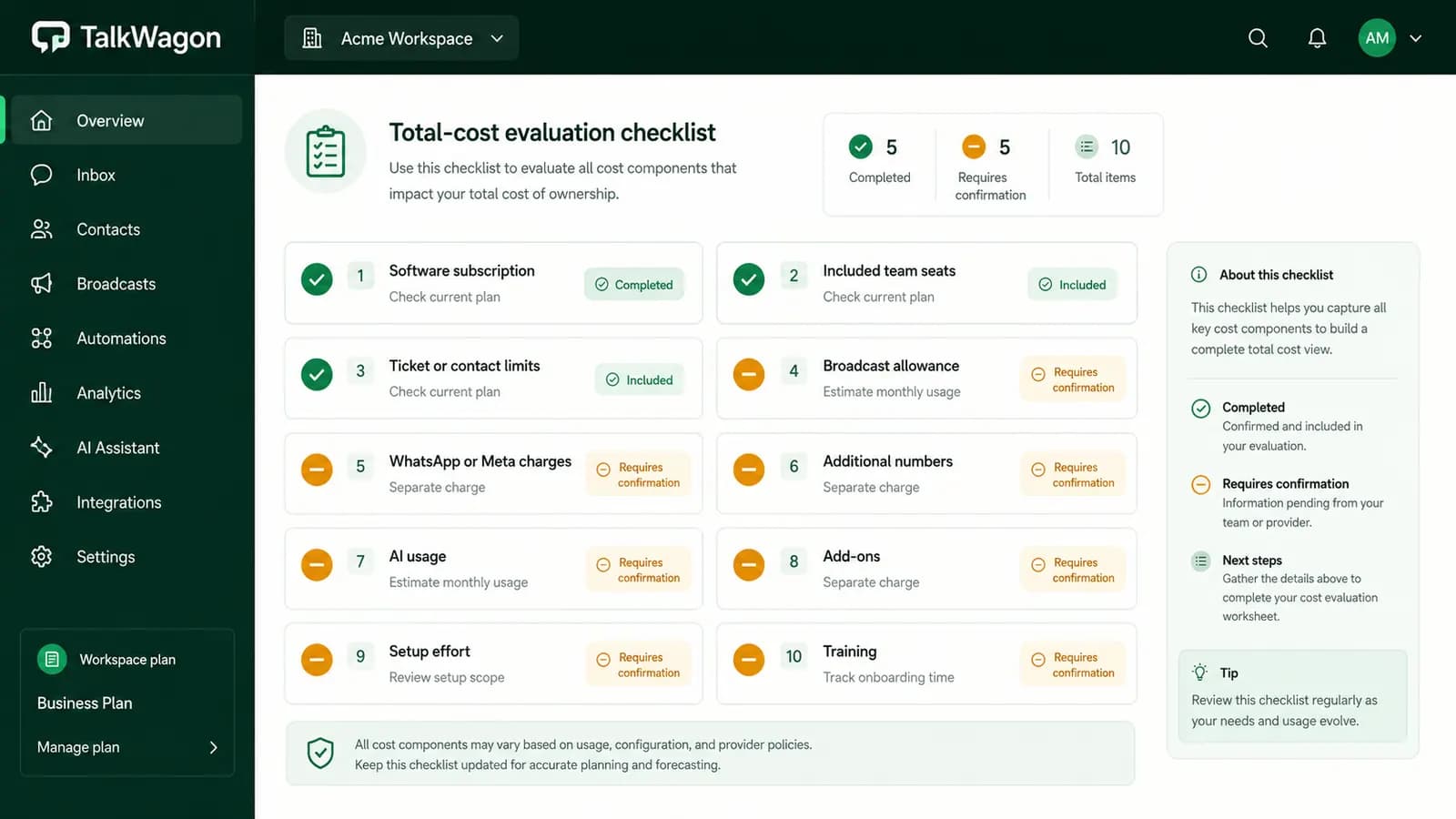
Do not compare only the first subscription price you see. Pricing pages, promotional offers, plan packaging, WhatsApp messaging charges, and usage limits can change. During research on July 24, 2026, DelightChat public surfaces showed inconsistent plan figures, so a serious buyer should verify the current checkout or quote before deciding.
TalkWagon's public pricing lists Pro at $1 first month, then $9.99/month, with 1,000,000 broadcast messages per billing period and up to 10 team members. WhatsApp/Meta charges are still separate because official messaging charges are not the same as CRM subscription fees.
Migration
A safe migration checklist
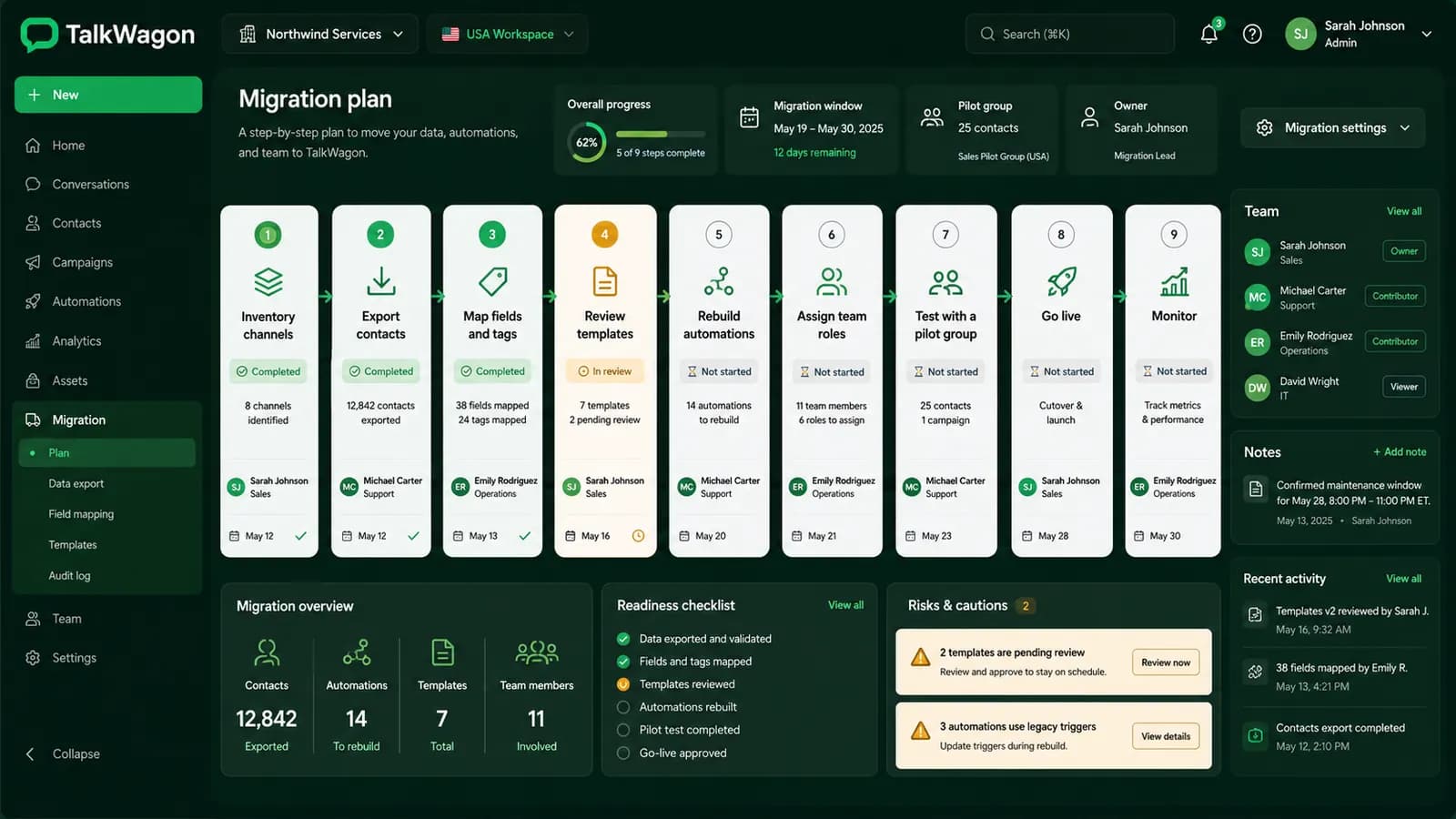
Switching tools is not only a software decision. It changes how agents see customers, who owns conversations, which templates are used, how broadcasts are prepared, and how managers review work. Before moving, document what must survive the switch.
- Export or document active customer conversations and key customer fields before switching.
- List the WhatsApp templates, tags, segments, automations, and handoff rules your team relies on.
- Confirm which historical conversations must remain searchable and which can stay archived elsewhere.
- Rebuild team permissions before inviting agents into the new workspace.
- Test inbound messages, broadcasts, template failures, assignment changes, AI answers, and human handoff.
- Run both systems in a controlled overlap period if message volume or revenue risk is high.
Decision framework
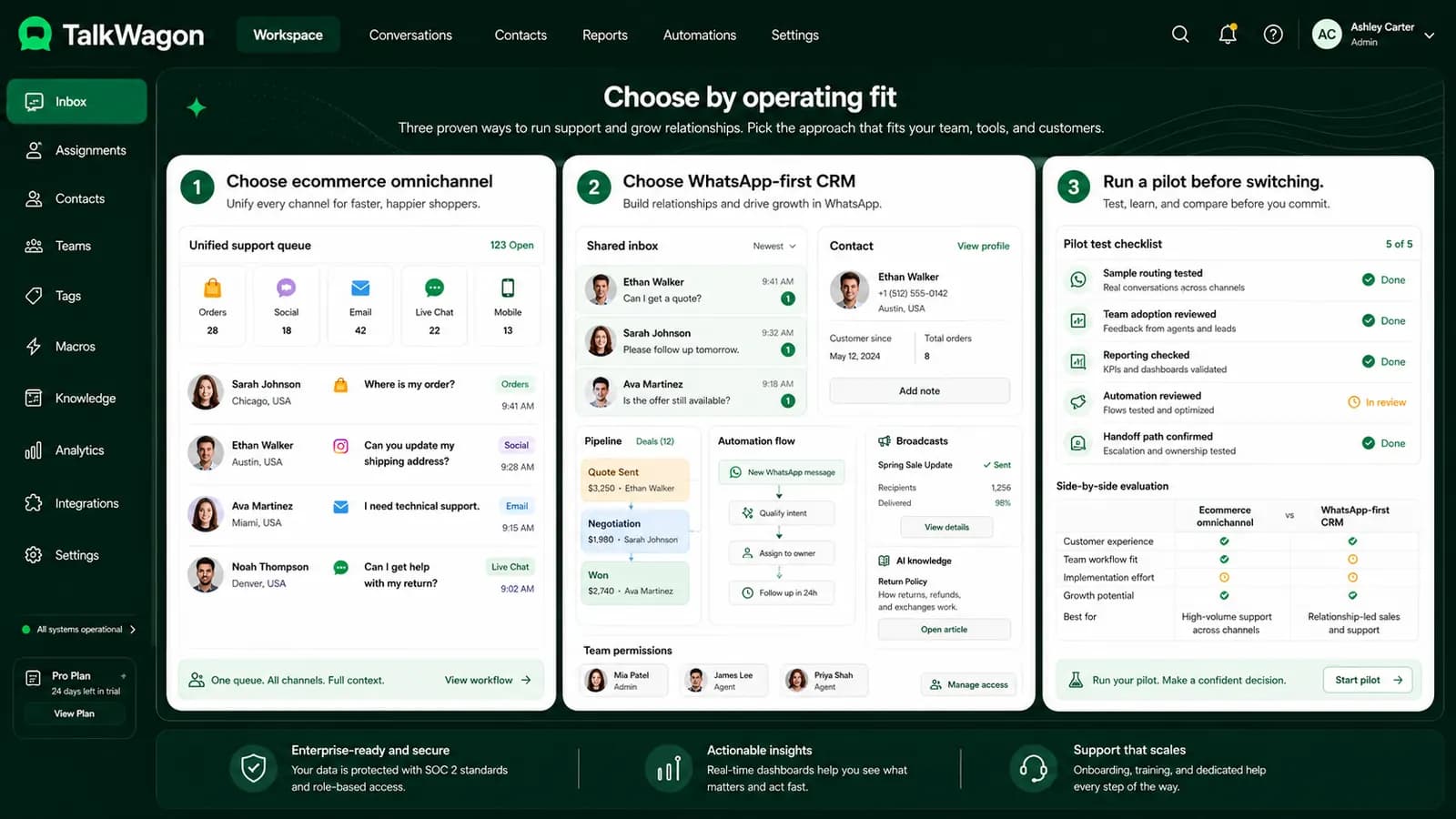
Choose by fit, not by slogans
Choose DelightChat when your team is primarily an ecommerce support operation that needs Shopify context, multiple support channels, and D2C messaging workflows in one place. Choose TalkWagon when WhatsApp is your main customer channel and your team needs CRM ownership around messages, contacts, assignments, pipeline follow-up, broadcasts, flows, AI answers from approved knowledge, and permissions.
If you are comparing multiple WhatsApp tools, you may also find the WATI alternative comparison useful. If the real project is implementation rather than vendor selection, read the guide to integrating WhatsApp with a CRM and the explainer on WhatsApp commerce. For messaging costs outside the CRM plan, review WhatsApp API pricing.
Non-affiliation and evidence note
DelightChat, Shopify, WhatsApp, and Meta are referenced for comparison only. TalkWagon is not claiming endorsement by those companies. Competitor capabilities and pricing are volatile, so verify current vendor pages before purchase.
FAQs
Helpful FAQs about DelightChat alternatives
What is the best DelightChat alternative?
The best alternative depends on your workflow. Shopify-centered ecommerce support teams may prefer an omnichannel product with deep ecommerce context. WhatsApp-first sales and support teams may prefer TalkWagon because it organizes WhatsApp conversations into CRM contacts, assignments, pipelines, broadcasts, automation, AI knowledge answers, and team permissions.
Is TalkWagon a Shopify helpdesk replacement?
No. TalkWagon should be evaluated as a WhatsApp-first CRM, not as a Shopify-native omnichannel helpdesk. If Shopify order context is your main requirement, compare that requirement carefully before switching.
Why do DelightChat pricing numbers differ across sources?
Pricing is a volatile product detail. During research on July 24, 2026, different public DelightChat surfaces showed different plan figures. The safest approach is to treat any comparison article as dated guidance and verify the current price in the vendor checkout or sales quote.
Does a DelightChat alternative still need WhatsApp API charges?
Usually yes. CRM subscription pricing and Meta or WhatsApp Business Platform messaging charges are separate. Any team comparing tools should check both the software price and the WhatsApp messaging cost.
Can I migrate from DelightChat to TalkWagon in one step?
Small teams may move quickly, but a safe migration should still review contacts, templates, tags, automation, team permissions, historical conversations, and handoff rules before live customer traffic moves to the new workspace.
Build the workflow around how your team actually works
A WhatsApp CRM should make customer ownership easier to see: who is talking, what was promised, what happens next, and when a human should take over.
Start with TalkWagonSources
- DelightChat official pricing page: plan and packaging evidence
- DelightChat Help Center: official product documentation
- DelightChat WhatsApp setup documentation: WhatsApp Business API workflow
- DelightChat support inbox guide: inbox, tags, assignment, and Shopify context
- Meta Developers: WhatsApp Business Platform pricing context
- TalkWagon public product pages: pricing, team inbox, broadcasts, automation, flows, AI chatbot, and WhatsApp API pricing pages checked for TalkWagon claims.