Triggers
Start a flow from customer messages, tags, statuses, or business events.
Production-ready WhatsApp CRM for sales, support, broadcasts, and AI automation.
WhatsApp flow builder for sales, support and customer journeys
Coordinate WhatsApp chatbot handoffs, follow-ups, reminders, routing, approved template messages, and customer journeys in one visual CRM workflow without repetitive manual work.
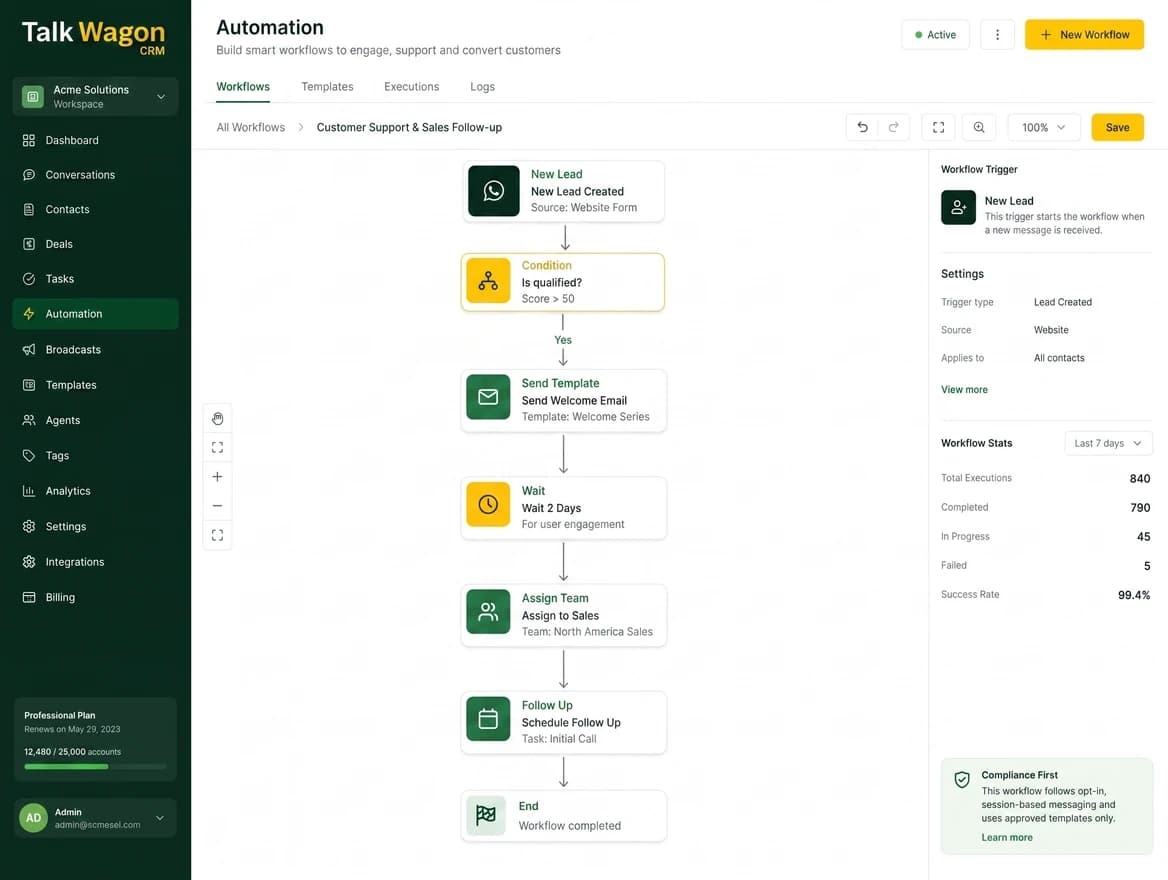
Visual Flow Builder
Create customer journeys visually by connecting blocks on a canvas. A business can decide what starts a flow, when it should branch, and which customer action should happen next.
Start a flow from customer messages, tags, statuses, or business events.
Branch customer journeys with if/else logic based on tags, fields, or behavior.
Send messages, assign conversations, update contacts, create deals, and call webhooks.
Delay follow-ups and reminders so teams can build realistic customer journeys.
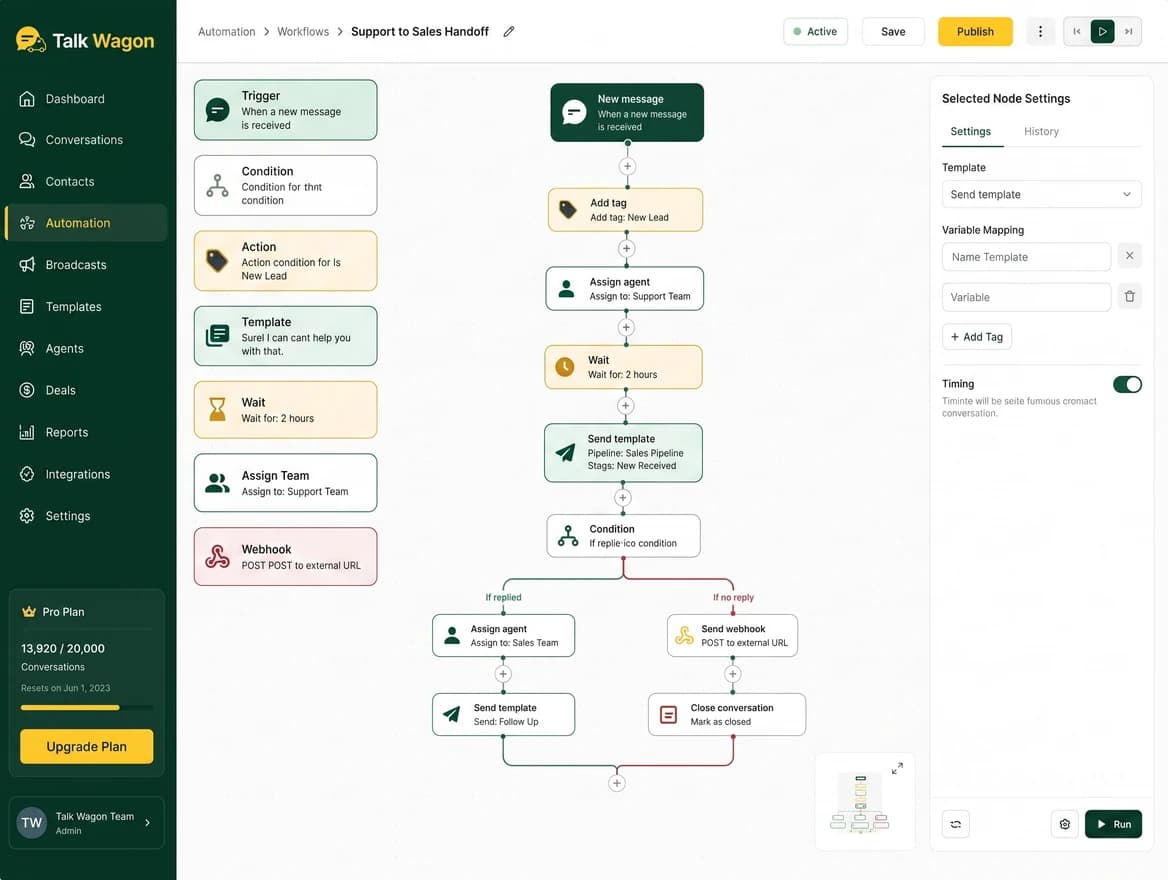
Automate customer conversations
The chatbot handles grounded answers from approved knowledge, while flows coordinate configured waits, conditions, routing, and human handoffs. This keeps each journey connected to contacts, conversations, templates, and CRM history.
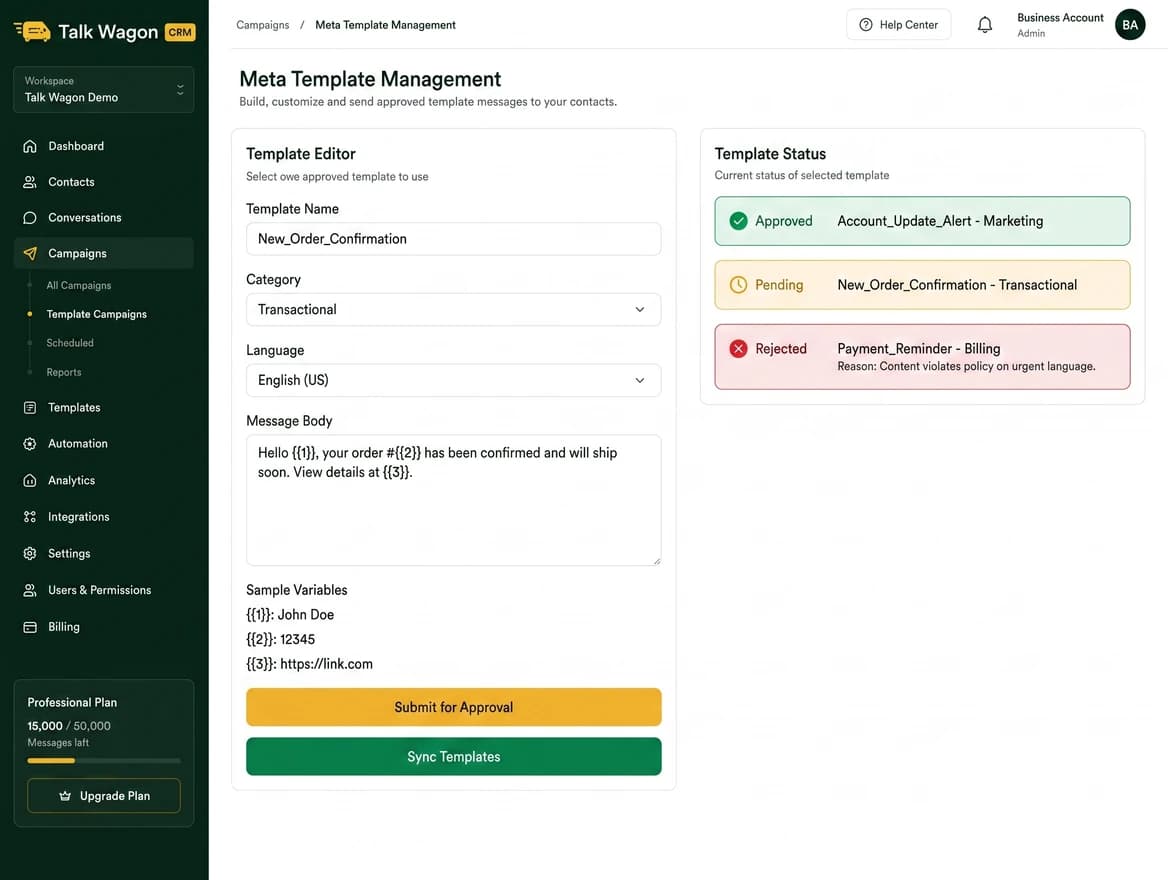
WhatsApp Template Integration
Teams can create WhatsApp message templates inside the CRM, submit them to Meta/Facebook for approval, sync approved templates back into the workspace, and connect those templates to flow actions.
Smart conditions and branching
Branch flows with clear if/else style logic, then route customers by behavior, tags, contact data, support status, or sales pipeline stage.
Start with a customer message, tag, contact update, status change, or another workspace event.
Split journeys by customer type, tag, response, pipeline stage, or support status.
Send approved templates, wait, assign work, create deals, update records, or send a webhook.
See what happened, where a journey paused, and which steps should be improved.
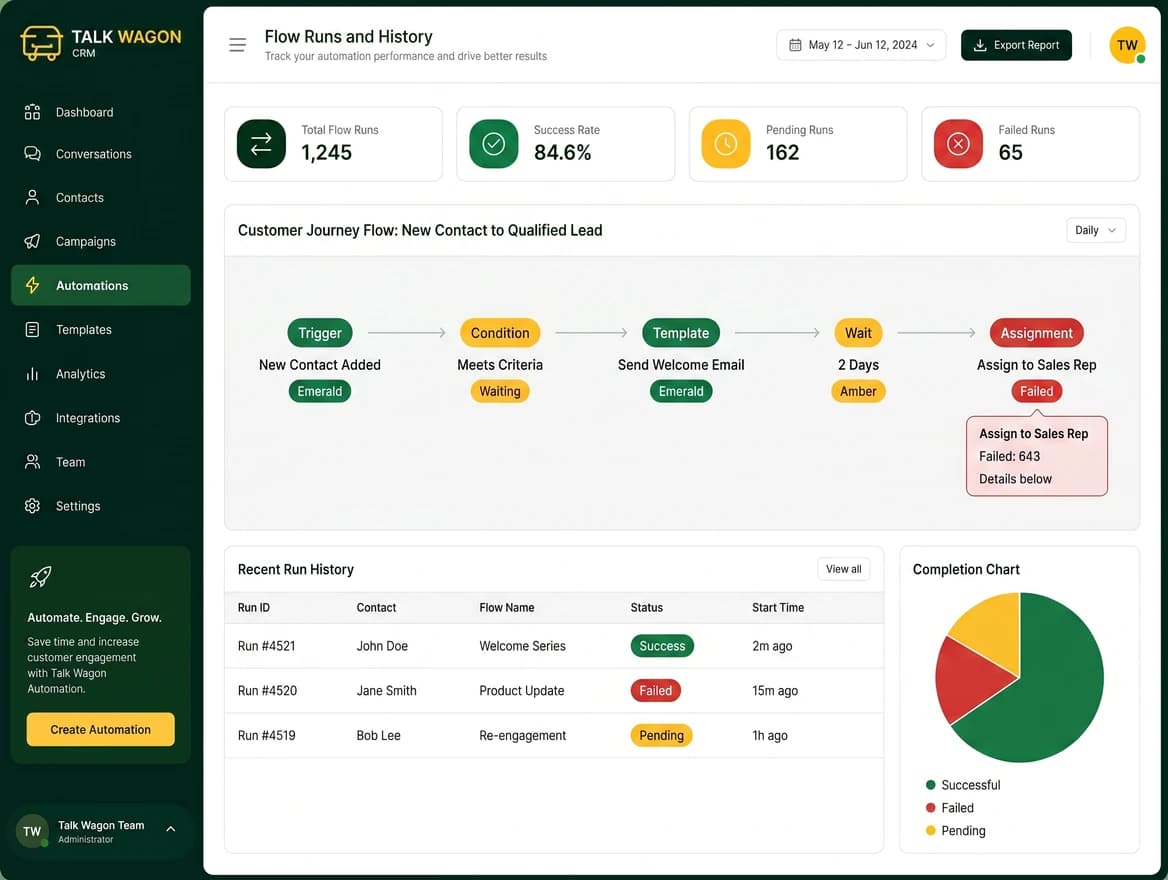
Flow Runs / History
Flow history helps teams understand which steps completed, which actions paused, where a journey failed, and how customer follow-ups can be improved.
Business use cases
Flows are not built for one industry. They help any business turn repeated WhatsApp customer steps into consistent, trackable workflows.
FAQ
A WhatsApp automation flow is a visual CRM workflow that connects triggers, conditions, waits, messages, approved templates, assignments, contact updates, deals, WhatsApp chatbot handoffs, and webhooks into a repeatable customer journey.
Yes. Talk Wagon provides a visual WhatsApp flow builder so teams can connect workflow steps and manage customer journeys without writing code.
Yes. Approved WhatsApp templates can be connected to Flow actions for structured follow-ups, reminders, and business messages.
Yes. The CRM supports creating WhatsApp templates, submitting them to Meta/Facebook for approval, and syncing approved templates back into the workspace.
Yes. Flows can help route conversations, assign work, update contact data, and support sales or support handoff workflows based on workspace permissions.
A configured WhatsApp chatbot can answer from approved business knowledge, while a visual flow can route the conversation, apply waits or conditions, and hand it to a team member when the workflow requires human help.
Yes. Teams can combine message actions, approved templates, wait steps, conditions, and assignments to automate follow-ups, reminders, nurturing, and support handoffs.
Yes. Flow run history shows completed, waiting, and failed steps so teams can understand what happened and improve their customer journeys.
No. Flows are general-purpose and can support agencies, ecommerce stores, clinics, local service businesses, course providers, real estate teams, sales teams, and support teams.
Design follow-ups, reminders, routing, approved templates, and customer journeys from one secure Talk Wagon CRM workspace.