Production-ready WhatsApp CRM for sales, support, broadcasts, and AI automation.
- Team Inbox
- Flows
- Automation
- Broadcasts
- Secure Workspaces
WhatsApp team inbox for sales, support and agencies
WhatsApp Team Inbox for Sales, Support and Follow-Ups
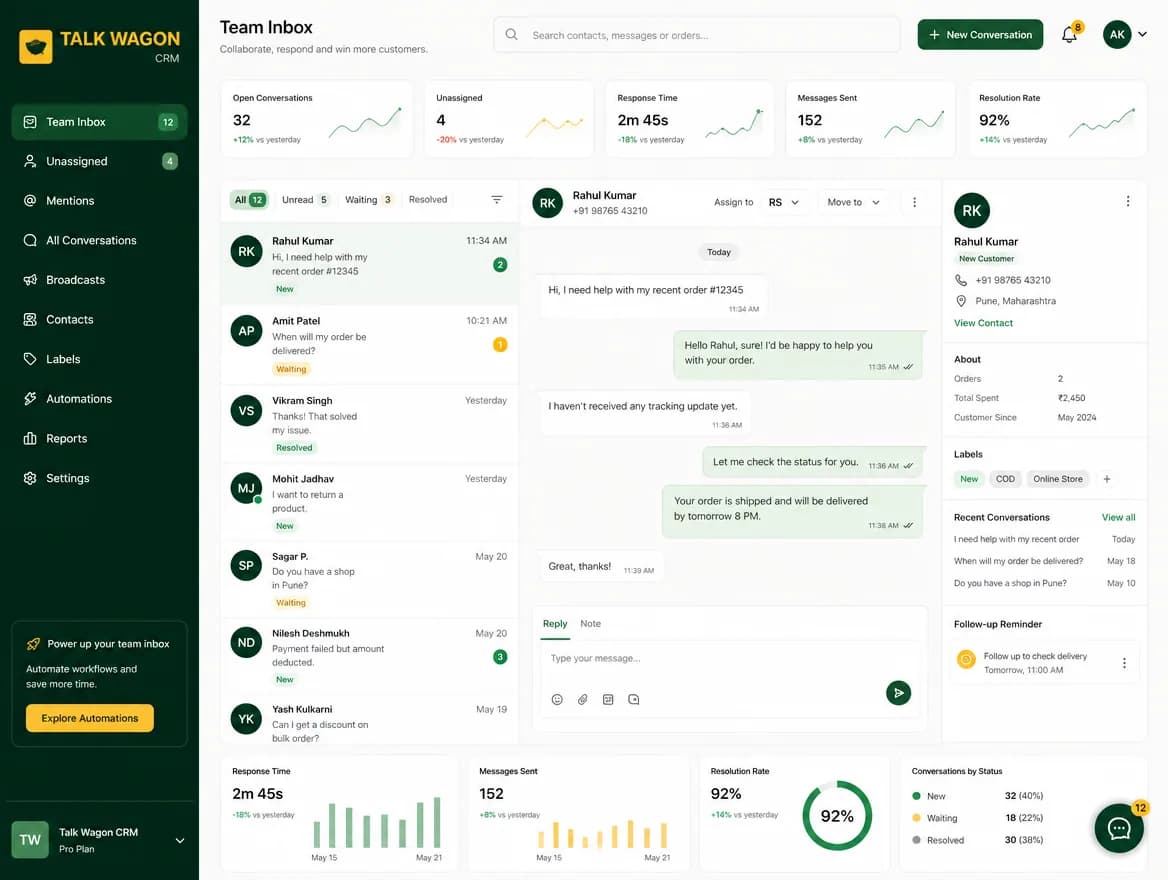
Give sales and support agents a WhatsApp shared inbox where customer conversations, contact history, assignments, permissions, and follow-up workflows stay organized in one CRM workspace.
Shared InboxAgent AssignmentContact HistoryRole-Based AccessFollow-Up Workflow
The problem
Manual WhatsApp Work Gets Messy When Your Team Grows
When customer messages are spread across personal phones, agents, spreadsheets, and manual notes, follow-ups are missed and teams lose visibility. Talk Wagon turns WhatsApp communication into a structured CRM workflow.
No shared team visibility
Missed follow-ups
No assignment tracking
Hard to manage agents
No clean customer history
The solution
One Shared Inbox for Every WhatsApp Customer Conversation
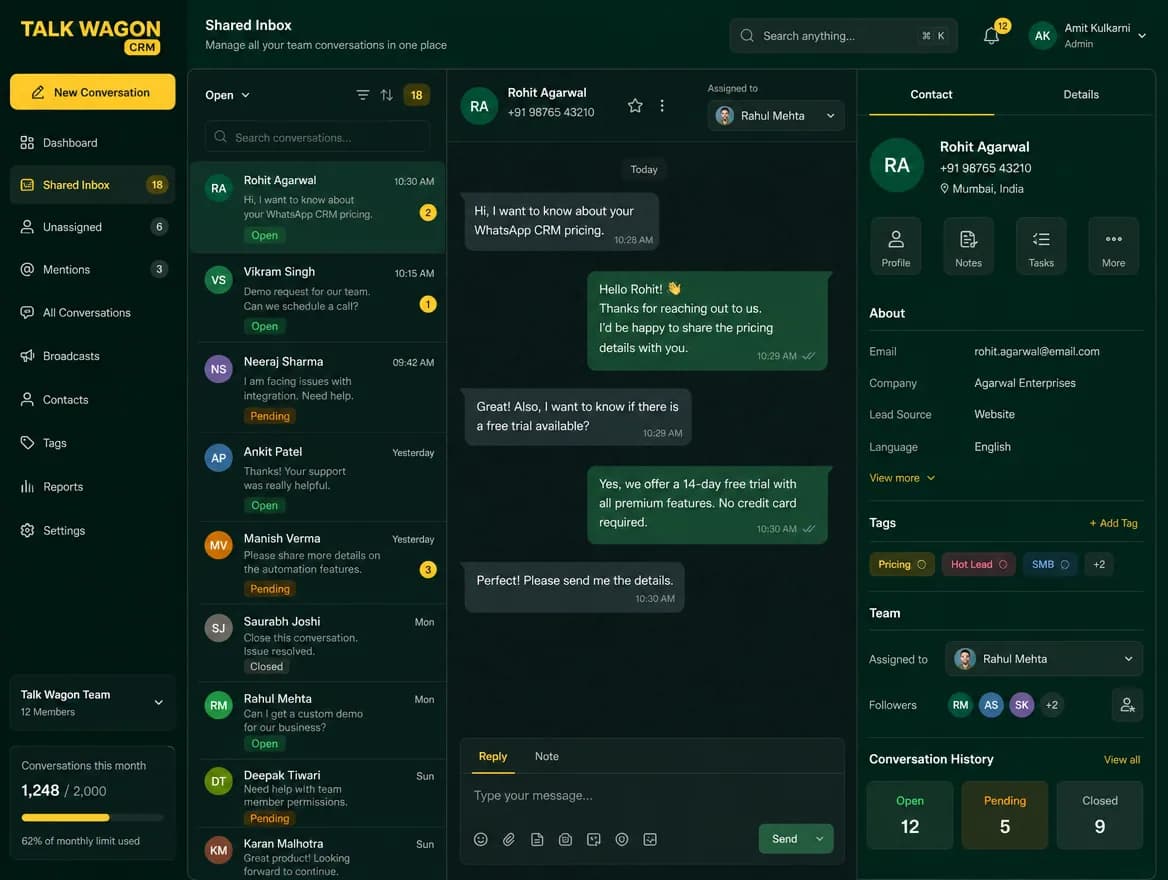
Talk Wagon helps teams manage customer conversations from one workspace. Owners can create agents, control permissions, assign conversations, and keep customer context visible without exposing sensitive CRM settings.
Shared WhatsApp conversation workspace
Team agent access
Conversation assignment workflow
Customer contact history
Follow-up visibility
Secure permission controls
Customer context and productivity
Keep History and Team Performance Visible
A useful team inbox is more than a message list. Agents need customer history, follow-up context, and performance visibility so every reply is easier to prioritize.
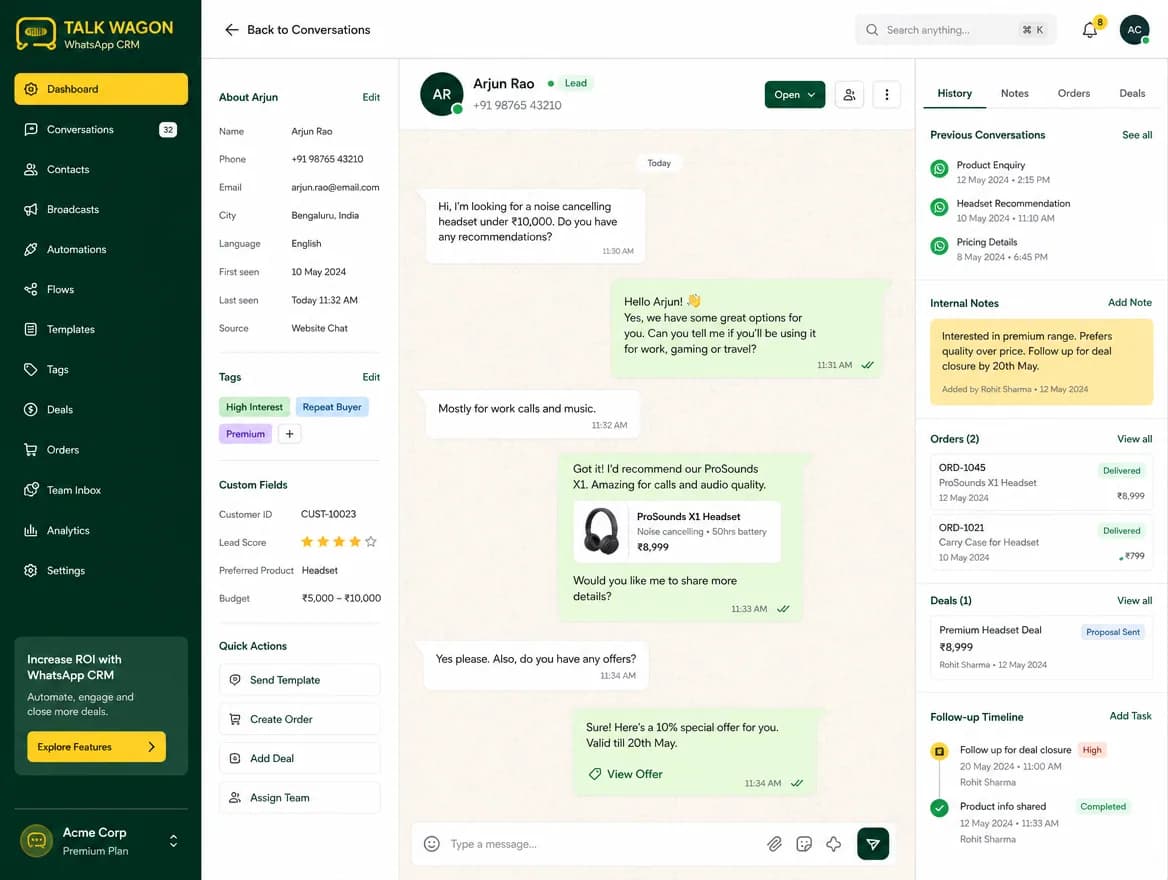
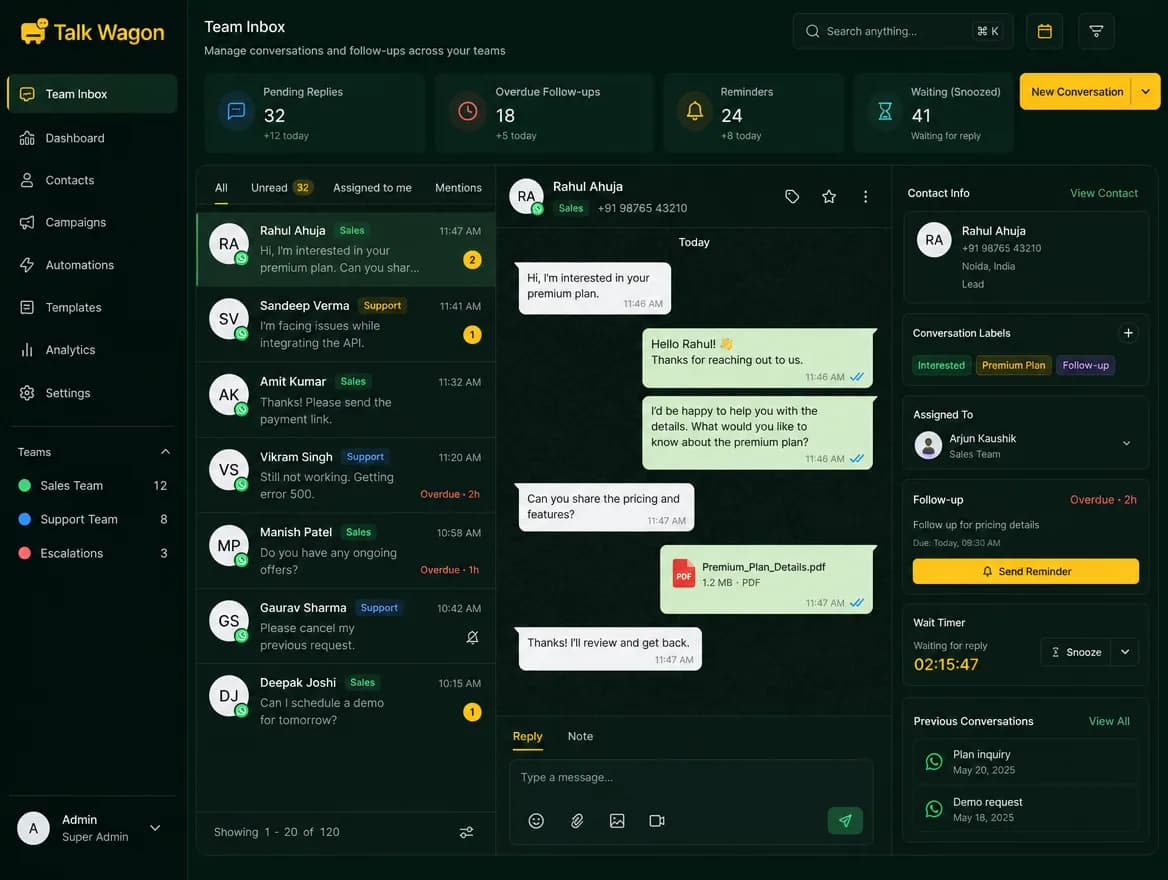
Contact history beside every conversation
See previous messages, notes, tags, deals, and follow-up context while your team handles the chat.
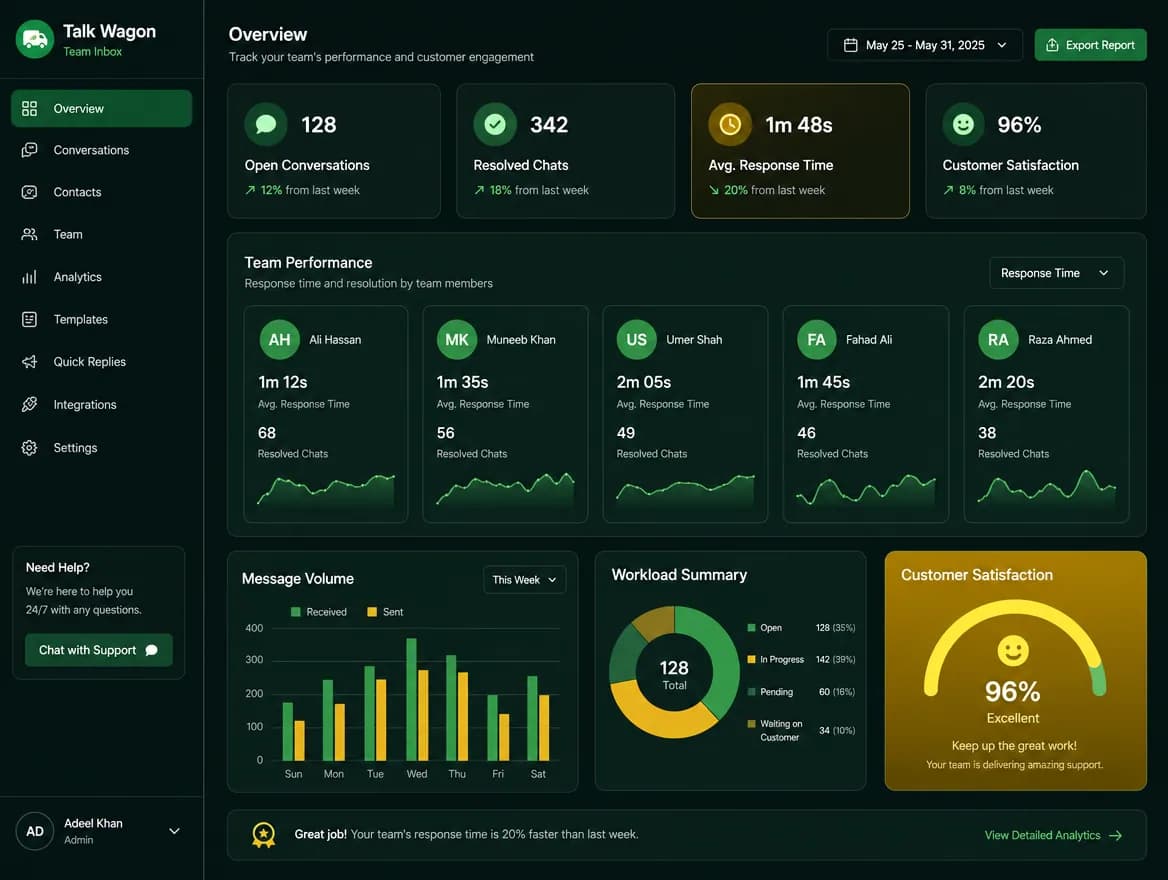
Team inbox productivity signals
Track open conversations, resolved chats, response activity, and team workload without losing the customer workflow.
How it works
How the Talk Wagon Team Inbox Works
Connect your official WhatsApp API workflow
Use your approved WhatsApp setup so customer communication flows into one CRM workspace.
Import or organize contacts
Keep names, phone numbers, tags, consent status, and customer context in one place.
Receive and manage customer conversations
Give your team a shared view of incoming customer messages instead of relying on personal chat lists.
Assign conversations to team agents
Route each lead or support request to a clear owner so responsibility is visible.
Track follow-up activity
Keep no-reply follow-ups, next actions, and customer updates organized inside the CRM.
Move leads into your pipeline when needed
Turn important WhatsApp conversations into sales opportunities and track them through each stage.
Agent permissions
Give Agents the Right Access — Nothing More
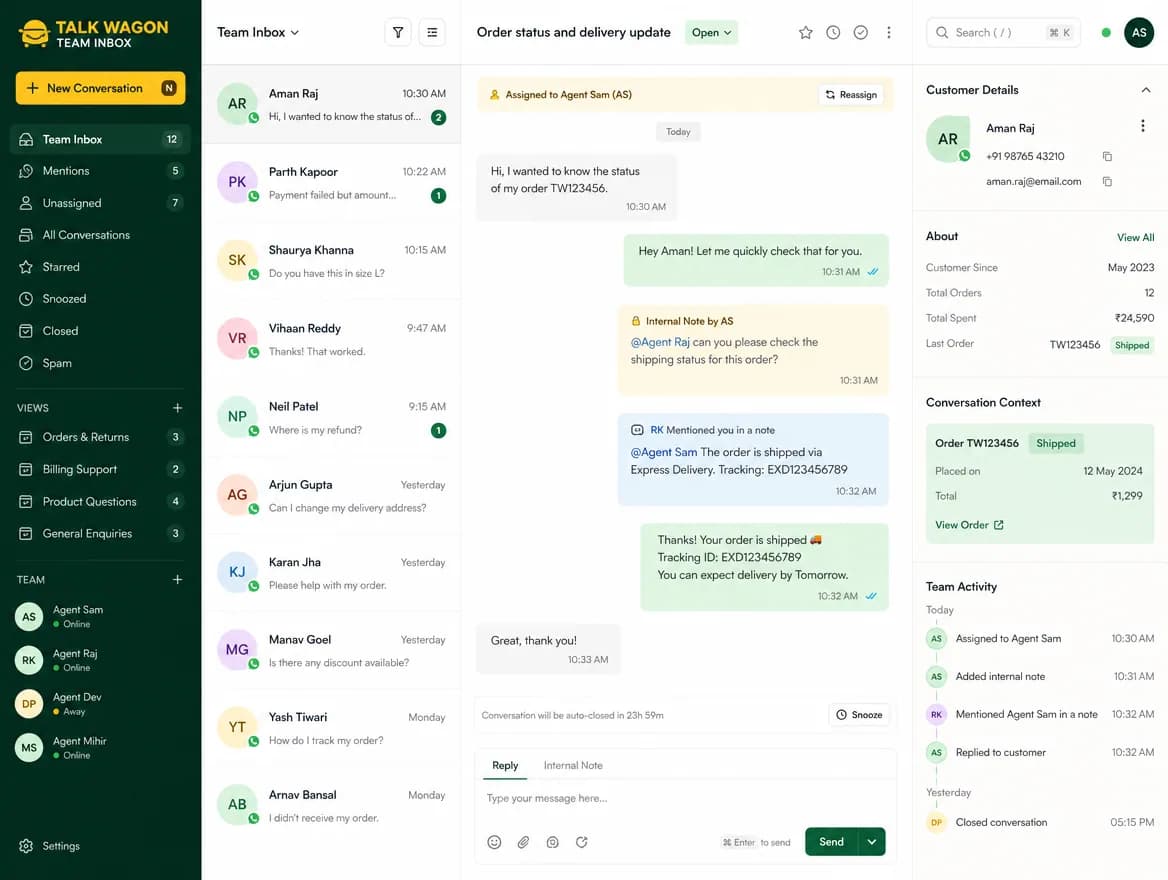
Talk Wagon is built for teams that need control. Owners can create agent accounts, assign permissions, and decide what each team member can access inside the CRM.
- Owner-created agent accounts
- Temporary password setup
- Forced password change on first login
- Permission-based dashboard
- Protected admin settings
- Workspace-based access
Use cases
Built for Sales Teams, Support Teams and Agencies
Sales teams
Manage new leads from WhatsApp, follow up faster, and move opportunities into a pipeline.
Support teams
Keep customer questions organized, assign agents, and avoid losing context between conversations.
Agencies
Manage client communication workflows with team members, contacts, broadcasts, and permissions.
Service businesses
Handle customer bookings, follow-ups, reminders, and support messages from one CRM dashboard.
Team Inbox Features
Team Inbox Features Inside Talk Wagon
Conversation Assignment
Assign customer conversations to the right team member so every lead or support request has a clear owner.
Learn moreContact Context
See customer information, notes, status, and history alongside the conversation workflow.
Learn moreAgent Dashboards
Give team members access to the tools they need without showing sensitive owner/admin settings.
Learn moreFollow-Up Workflow
Keep no-reply follow-ups, customer updates, and next actions organized inside the CRM.
Learn moreRole-Based Permissions
Control access to contacts, conversations, broadcasts, settings, and team tools.
Learn morePipeline Connection
Turn important conversations into deals and track progress through your sales pipeline.
Learn more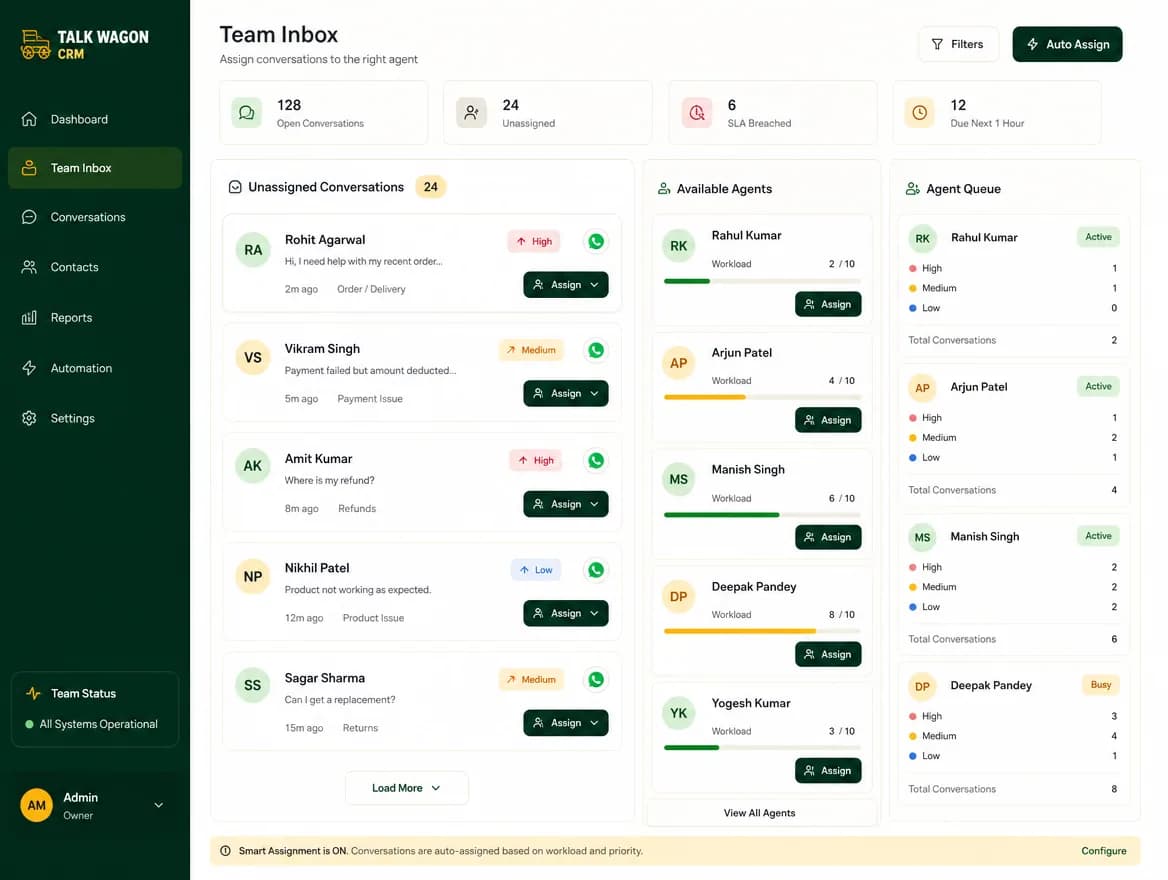
Comparison
WhatsApp Shared Inbox vs Manual WhatsApp Handling
Manual WhatsApp
- Messages stay on personal devices
- Hard to assign responsibility
- Follow-ups are easy to miss
- No central contact history
- No agent permission control
Talk Wagon Team Inbox
- Shared CRM workspace
- Team agent assignment
- Organized customer history
- Follow-up workflows
- Permission-based access
- Pipeline and automation connection
Automation connection
Connect Your Team Inbox With Automation
The team inbox becomes more powerful when connected with Talk Wagon automation. Trigger follow-ups, assign conversations, update contact fields, create deals, send webhooks, and keep customer workflows moving.
Explore automation workflowsSend TemplateAdd TagAssign ConversationUpdate Contact FieldCreate DealWaitIf/Else ConditionSend WebhookClose Conversation
FAQ
WhatsApp Team Inbox FAQ
What is a WhatsApp team inbox?
A WhatsApp team inbox, sometimes called a WhatsApp shared inbox, lets multiple team members manage customer conversations from one CRM workspace instead of relying on scattered personal chats.
Can I assign WhatsApp conversations to agents?
Yes. Talk Wagon is built for team workflows where owners and managers can assign conversations and control what agents can access.
Can agents see all CRM settings?
No. Agents only see what their permissions allow. Sensitive workspace, admin, and configuration settings can stay protected.
Does the team inbox connect with contacts?
Yes. Customer conversations are connected with contact management so your team can keep customer details, notes, and follow-up context organized.
Can the team inbox work with automation?
Yes. You can connect team inbox workflows with WhatsApp automation, follow-up automation, contact updates, conversation assignment, deal creation, and webhooks.
Is this suitable for sales and support teams?
Yes. Sales teams can manage leads and follow-ups, while support teams can handle customer questions and service workflows in one CRM dashboard.
Shared WhatsApp inbox for real teams
Bring Your WhatsApp Conversations Into One Team Inbox
Start managing customer conversations, agents, contacts, follow-ups, and pipeline activity from one organized WhatsApp CRM workspace.