WhatsApp Team Inbox
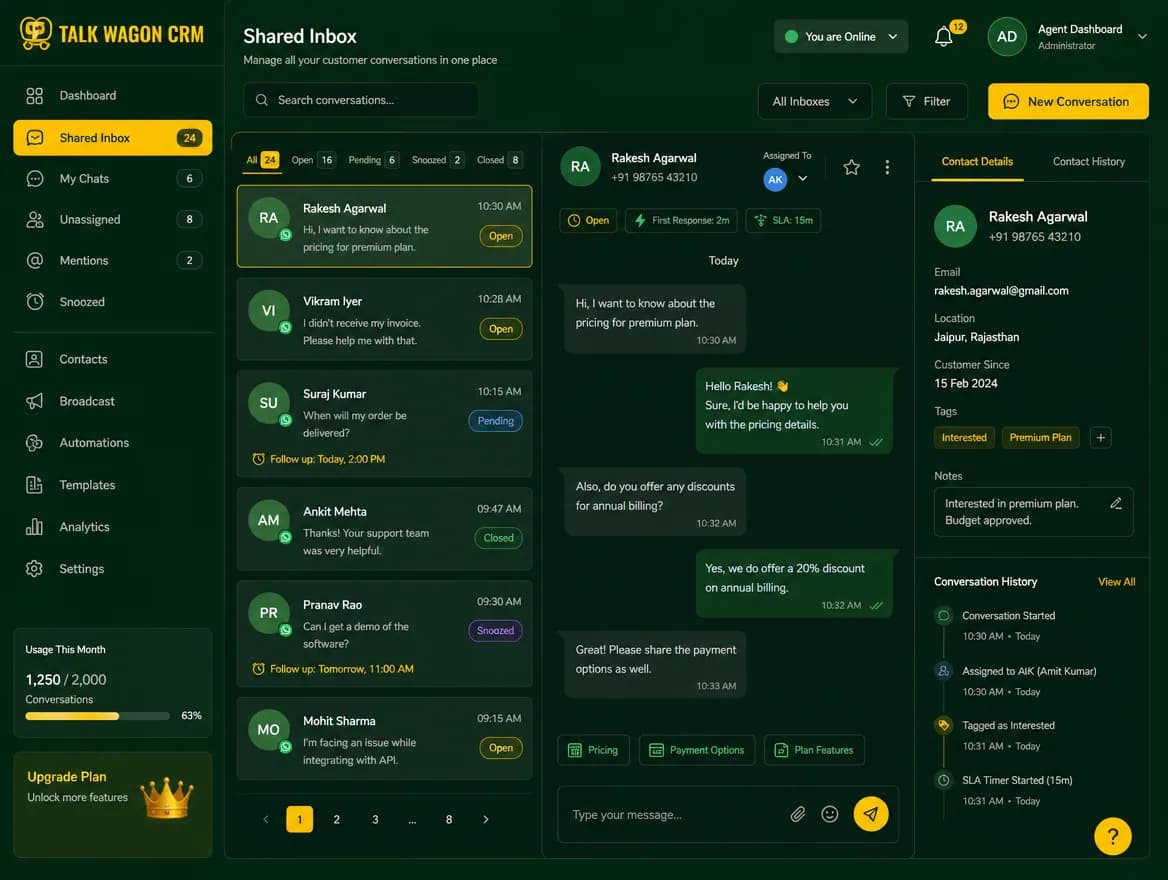
Manage customer chats in a shared inbox instead of scattered phones. Agents can work assigned conversations, managers can monitor queues, and every customer message stays connected to CRM history.
Explore WhatsApp Team InboxProduction-ready WhatsApp CRM for sales, support, broadcasts, and AI automation.
WhatsApp CRM features for growing teams
Explore WhatsApp Business API CRM tools for shared inboxes, contact management, visual flows, approved template broadcasts, automation, role-based agents, analytics, and sales pipeline tracking around your business's own approved WhatsApp configuration.
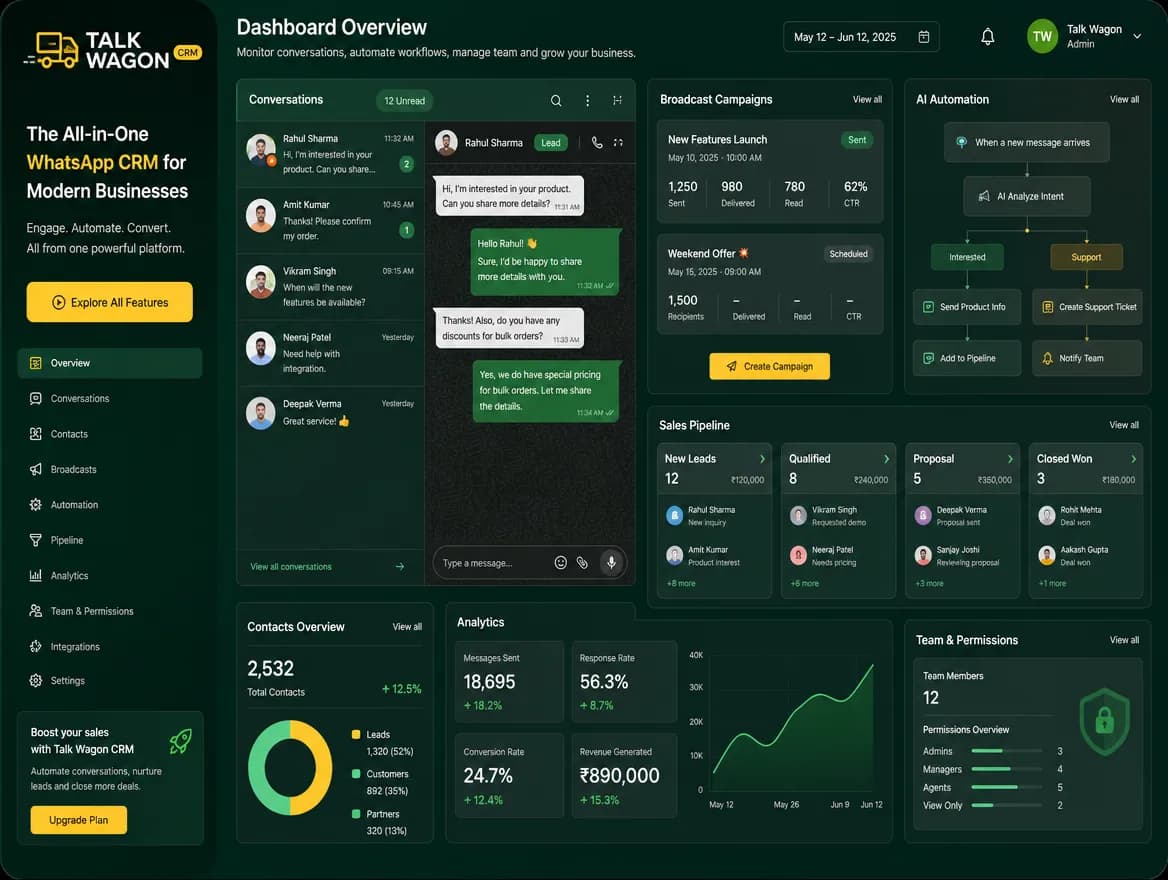
WhatsApp CRM features
Talk Wagon combines daily communication, visual flows, team workflows, broadcasts, template approval, permissions, and sales tracking around your customer-provided official WhatsApp setup. Talk Wagon provides the CRM layer; it does not sell API access or control Meta pricing.
Manage customer chats in a shared inbox instead of scattered phones. Agents can work assigned conversations, managers can monitor queues, and every customer message stays connected to CRM history.
Explore WhatsApp Team InboxCreate visual WhatsApp automation flows for follow-ups, reminders, routing, approved template messages, and customer journeys. Teams can connect triggers, conditions, waits, actions, and run history in one builder.
Explore FlowsStore customer names, phones, tags, consent status, and activity in one searchable workspace. Imports, pagination, selection tools, and safe bulk actions help large lists stay manageable.
Explore Contact ManagementPrepare WhatsApp template broadcasts with eligibility checks, consent controls, preflight review, queue processing, and live delivery updates. This gives campaigns structure before they reach customers.
Explore Broadcast CampaignsCreate WhatsApp message templates, submit them to Meta/Facebook for approval, sync approved templates back into the CRM, and use them inside broadcasts or automation flows.
Explore Meta Template ApprovalAutomate repetitive customer workflows such as welcome replies, keyword responses, assignment, tagging, follow-ups, webhooks, and deal creation. Automation reduces manual work while keeping agents in control.
Explore AI Workflow AutomationTrack WhatsApp leads from first message to quote, payment pending, won, or lost. Deals can be assigned to agents so sales work is visible and follow-ups do not disappear.
Explore Sales PipelineCreate team member accounts for sales or support agents without sharing the owner password. Agents get their own login, workspace access, and first-login password change flow.
Explore Team AgentsControl which tabs and actions each member can use, including inbox, contacts, broadcasts, automations, pipeline, settings, and team management. Owners can keep sensitive tools limited.
Explore Role-Based PermissionsEach company workspace keeps contacts, conversations, templates, broadcasts, pricing, automations, and agents separated. Team members use workspace data without seeing platform admin areas.
Explore Workspace SecurityNew company owners can sign up, then wait for platform approval before accessing the CRM. This protects production access while keeping the customer onboarding path clean.
Explore Admin Approval FlowReview recent sent activity, broadcast status, recipient outcomes, automation logs, and pipeline progress. These views help owners spot what happened without refreshing pages constantly.
Explore Reports and Recent SentUse automation steps that send webhooks, update contacts, close conversations, assign work, and create deals. This connects WhatsApp conversations with wider business workflows.
Explore Webhooks and Automation ActionsFlows and approved templates
Connect triggers, conditions, waits, team routing, and approved message templates in one workspace, then review how each customer journey runs.
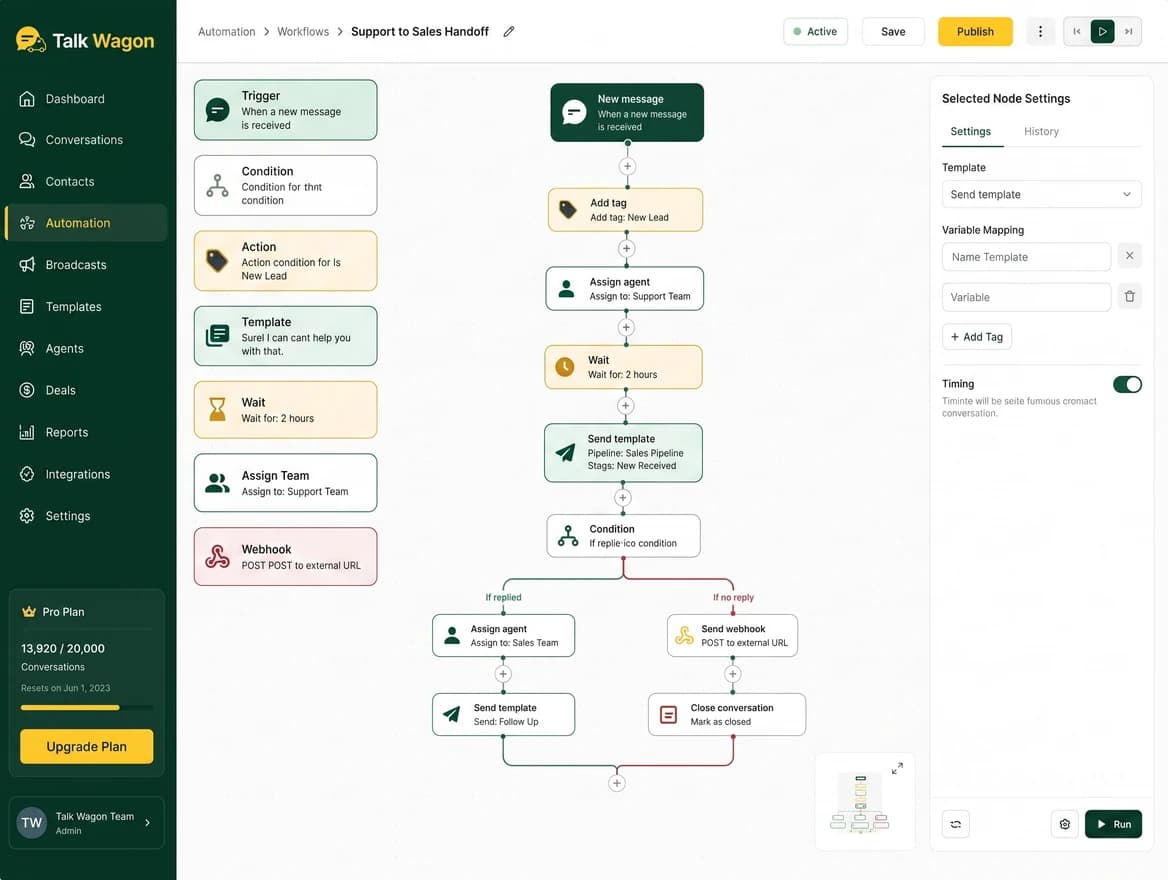
Design branching customer journeys with triggers, conditions, waits, messages, team assignments, webhooks, and transparent run history.
Explore Flows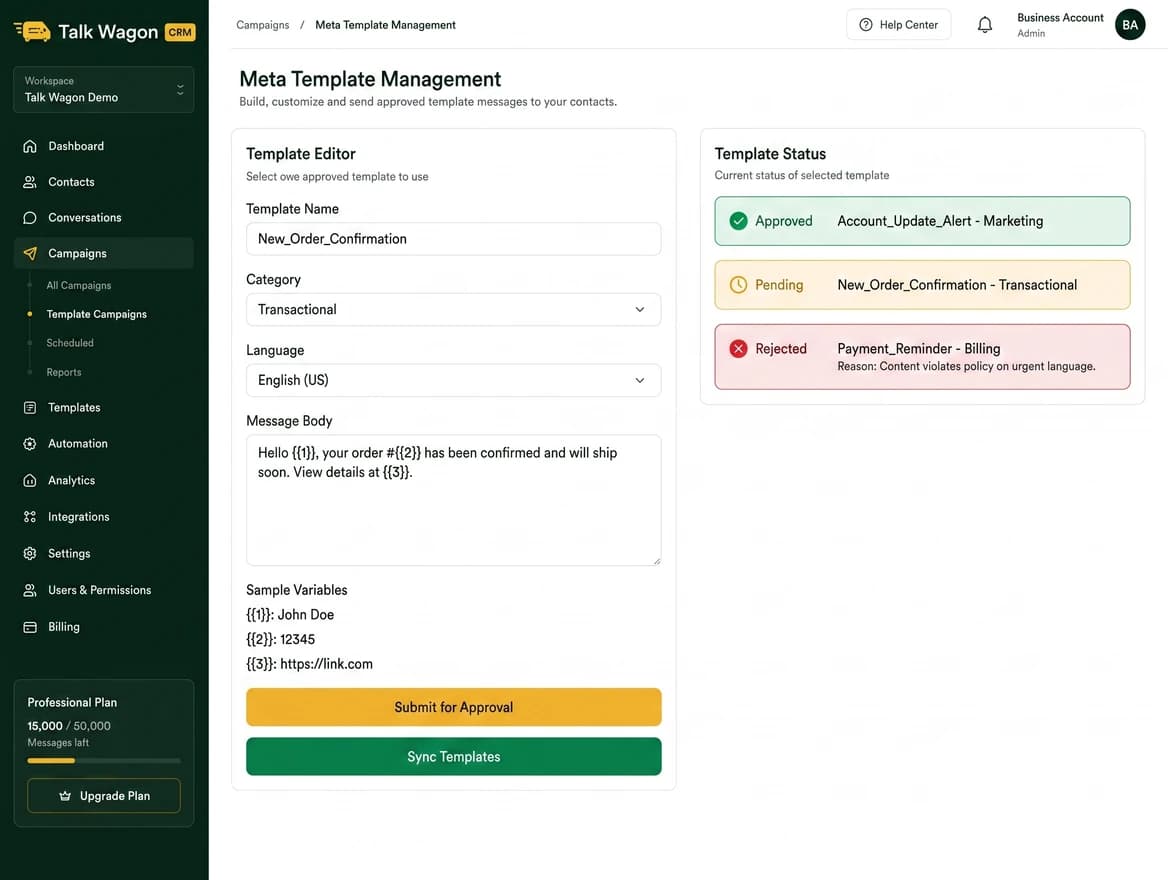
Create message templates, submit them for approval, track status, sync approved templates, and reuse them in broadcasts or Flows.
See Template WorkflowTeam Inbox
Keep customer conversations organized with assignment, agent access, conversation history, and owner-managed visibility. Teams can handle daily WhatsApp work without sharing one password or losing customer context.
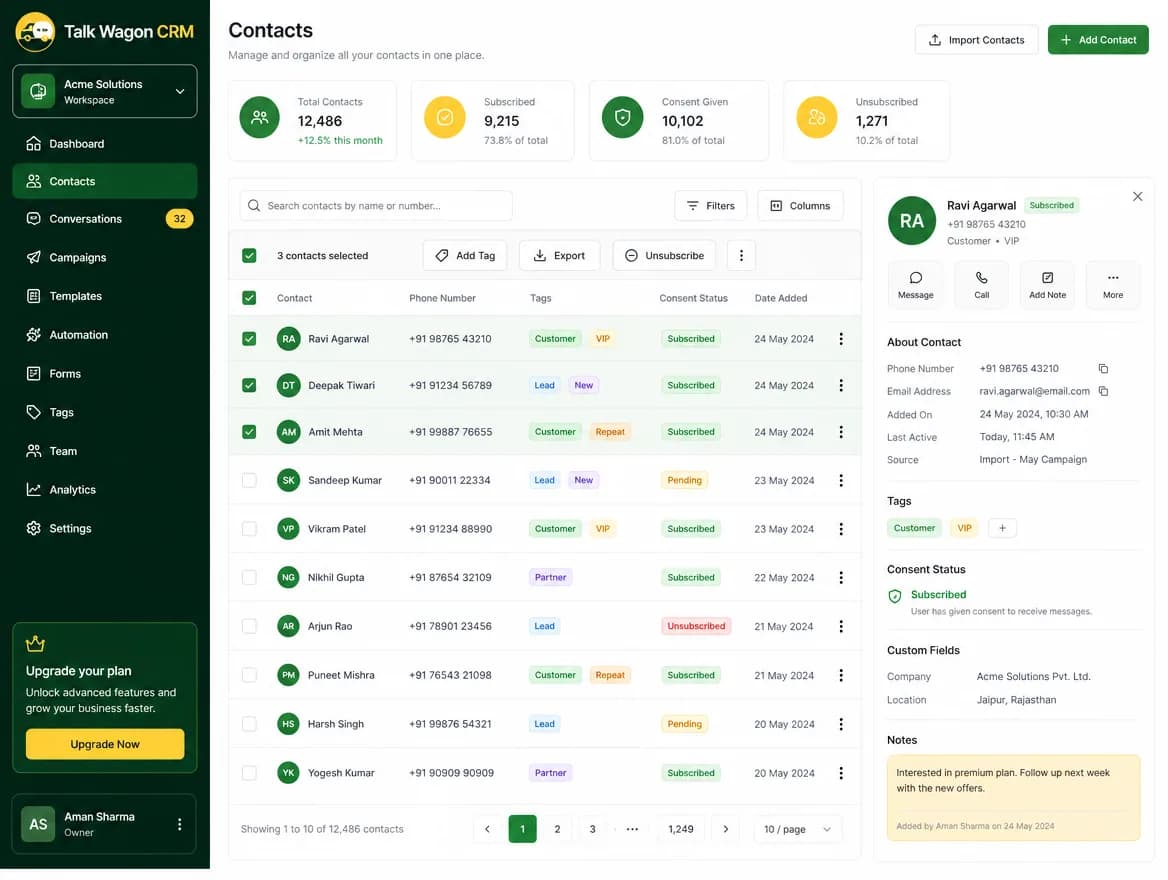
Contact Management
Talk Wagon keeps contact lists practical for real business use. Import contacts, manage workspace data, search and paginate large lists, select visible rows, and bulk delete safely when cleanup is needed.
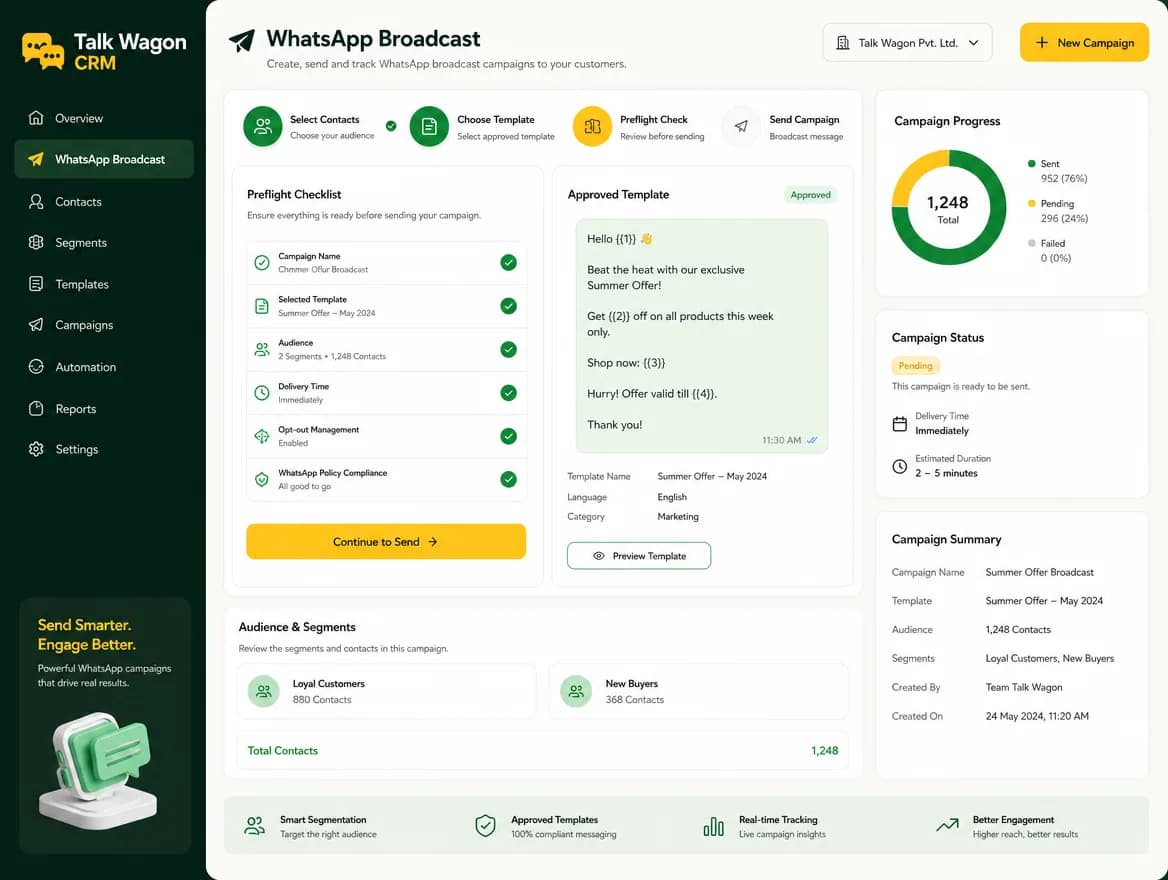
Broadcasts
Broadcasts use approved templates, opt-in checks, skipped recipient reasons, pricing estimates, and server-side queue processing. The result is a cleaner send workflow before messages leave your CRM.
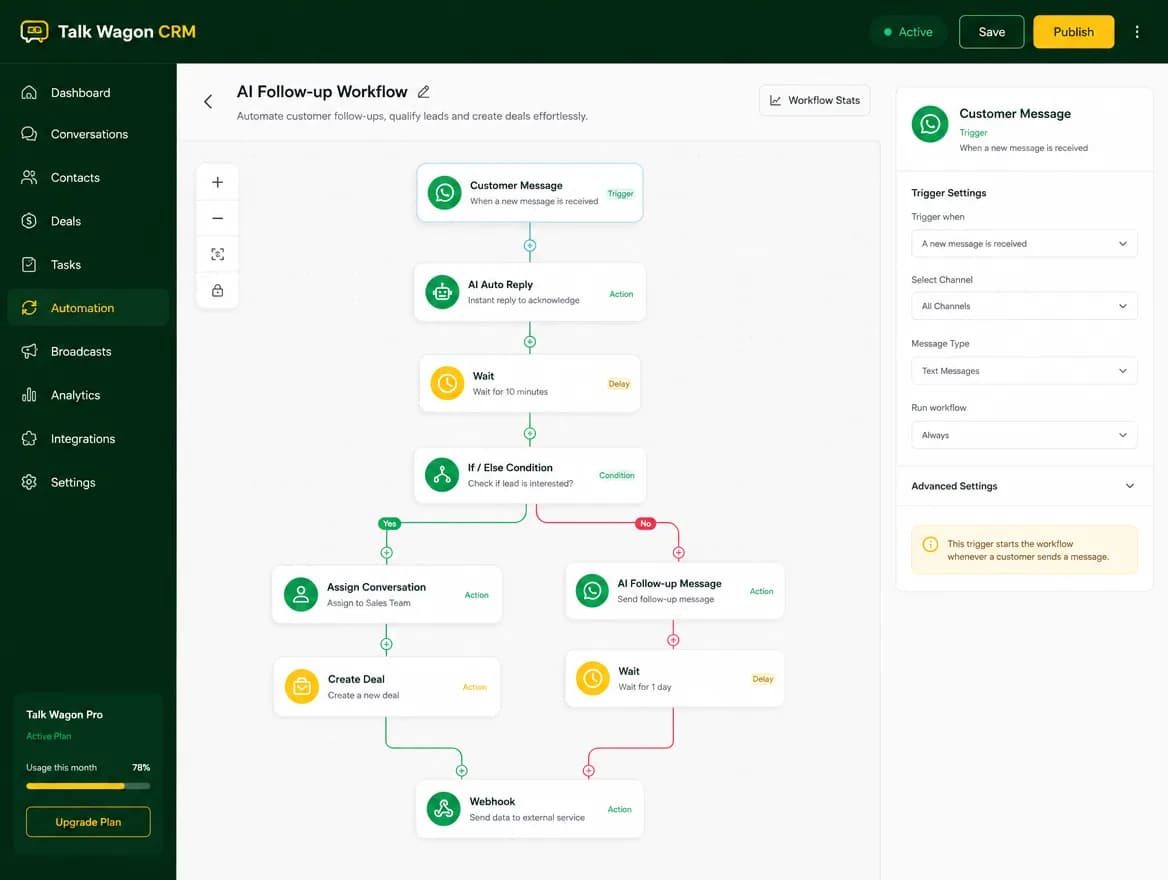
AI Automation
Build keyword replies, welcome messages, waits, template follow-ups, assignment rules, tag actions, deal creation, and webhook flows. Automation helps teams respond faster while preserving opt-out and permission safety.
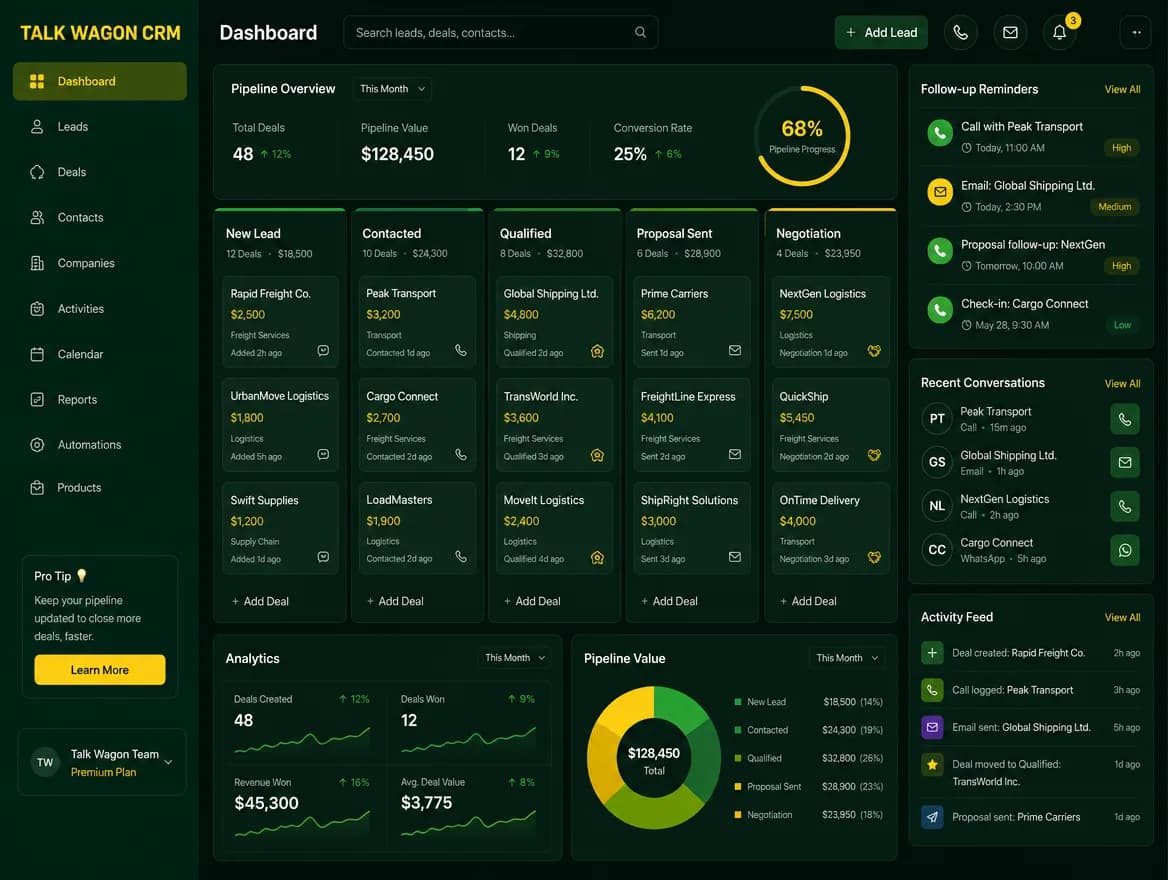
Sales Pipeline
Connect conversations and contacts with deals so sales teams can track lead value, assigned agent, status, and next steps. Pipeline work becomes visible instead of being hidden in chat threads.
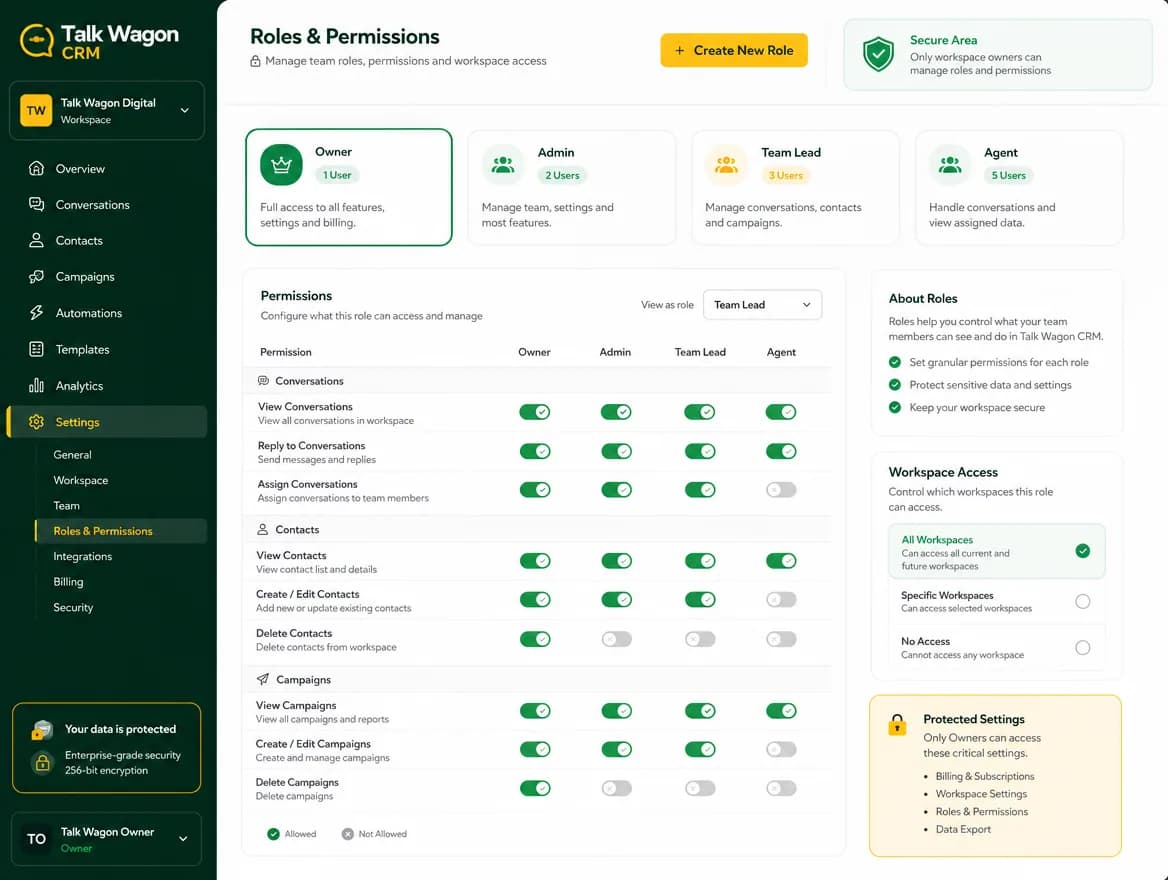
Team Agents and Permissions
Workspace owners can create agent accounts with temporary passwords, force a first-login password change, and choose the dashboard areas each member can access.
Automation Actions
Automations are useful when they do concrete business work. These actions help Talk Wagon move a customer from message to tag, assignment, follow-up, webhook, or deal.
Send a normal WhatsApp reply when the conversation context allows it.
Send an approved WhatsApp template with mapped variables.
Mark contacts with labels such as Interested, Support, or Follow Up.
Clean up tags when a contact no longer fits a segment.
Route a chat to a specific agent, round-robin pool, or least-busy member.
Change CRM contact details as part of a workflow.
Open a sales pipeline deal when a lead shows buying intent.
Pause a workflow for a defined delay before continuing.
Branch a workflow based on contact, message, or tag conditions.
Notify another business system when the automation reaches a step.
Close a conversation after a resolved support or sales workflow.
Comparison
Use Cases
See how the team inbox, contact context, pipeline, and automations support an organized WhatsApp sales workflow.
Read the guidePlan opt-in newsletter-style campaigns with approved templates, audience checks, queue processing, and follow-ups.
Read the guideUse a factual, dated framework to compare WhatsApp CRM workflows, cost layers, and current plan information.
Read the guideFAQ
WhatsApp CRM software features are tools that help a business manage conversations, contacts, visual flows, broadcasts, automations, agents, permissions, and sales follow-ups from one workspace.
Yes. Talk Wagon supports a WhatsApp team inbox where owners and permitted agents can view, assign, reply to, and manage WhatsApp conversations.
Yes. You can organize contacts, search lists, import contacts, manage consent, tag customers, and keep customer details connected to conversations.
Yes. Broadcasts use approved WhatsApp templates, queue processing, preflight checks, recipient eligibility, and live status updates, so Talk Wagon can work as a practical WhatsApp marketing tool for opted-in campaigns.
Yes. The CRM can create WhatsApp templates, submit them to Meta/Facebook for approval, sync approved templates back, and use them for broadcasts or automation template sends.
Yes. Talk Wagon supports visual WhatsApp automation flows for triggers, conditions, waits, approved template messages, team routing, follow-ups, and run history.
Yes. Keyword automations can match words such as price, cost, support, or buy and then run configured actions.
Yes. Workspace owners can create team members and control which features each member can view or manage.
Yes. The pipeline helps track leads, deals, assigned agents, stages, and sales progress from WhatsApp conversations.
Talk Wagon provides CRM tools around a business's own approved WhatsApp Business API or Meta Cloud API configuration. It organizes templates, webhooks, messages, contacts, and team workflows, but it does not sell API access or control Meta charges.
Yes. Agents can use the workspace WhatsApp connection without seeing sensitive API credentials unless the owner explicitly grants connection permissions.
Start with a workspace, connect your WhatsApp workflow, organize contacts, assign agents, and automate the follow-ups your team repeats every day.