Prepare an eligible audience
Use contact records, tags, custom fields, consent information, exclusions, or an uploaded recipient list so the campaign starts with the right audience instead of every number in the database.
Production-ready WhatsApp CRM for sales, support, broadcasts, and AI automation.
Opt-in WhatsApp newsletter campaign workflows
Plan opt-in WhatsApp newsletter campaigns with approved templates, audience checks, queue processing, delivery tracking, and CRM follow-ups.
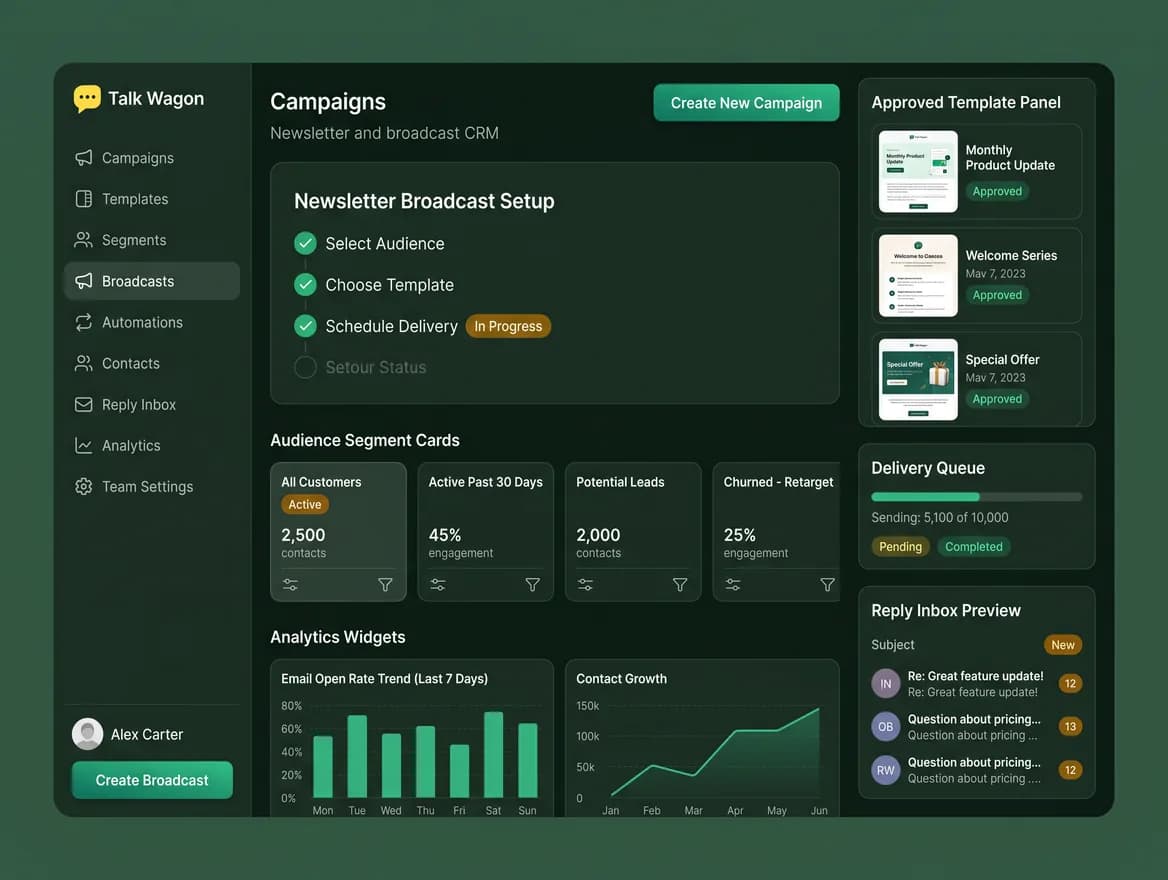
Campaign controls
Talk Wagon gives marketing and customer teams a structured workflow around the approved template, opted-in audience, campaign queue, and customer replies.
Use contact records, tags, custom fields, consent information, exclusions, or an uploaded recipient list so the campaign starts with the right audience instead of every number in the database.
Select a Meta-approved template and language from the connected WhatsApp Business Account before a business-initiated campaign enters the sending queue.
Check audience selection, template readiness, variable placeholders, exclusions, recipient count, and cost context during preflight.
Monitor queued, sent, delivered, read, and failed status information as Meta returns updates to the CRM.
Campaign workflow
Each stage keeps a separate operational concern visible before and after the campaign is queued.
Build a recipient list from customers who have agreed to receive updates from your business on WhatsApp.
Select the approved WhatsApp template, language, header/body variables, and call-to-action details for the message.
Use contacts, tags, custom fields, exclusions, or an uploaded list to define recipients.
Review template availability, recipient eligibility, duplicate or excluded contacts, message count, and estimated API cost context.
Let the server-side worker process the campaign and review status updates in the CRM.
Product workflow views
Each view highlights a different part of the same CRM workflow: setup, team execution, and ongoing performance tracking.
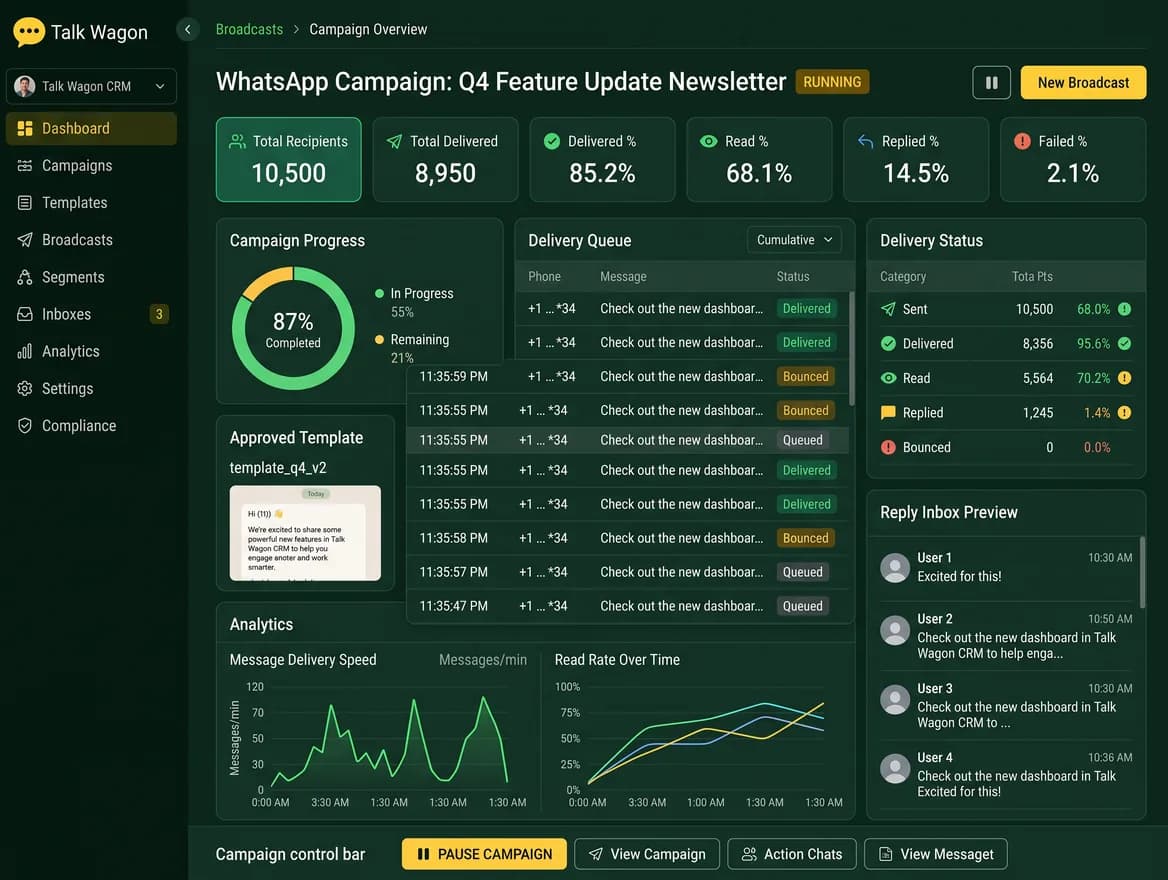
Show the planning side of newsletter work: approved templates, schedule controls, delivery checks, and reply management before sending.
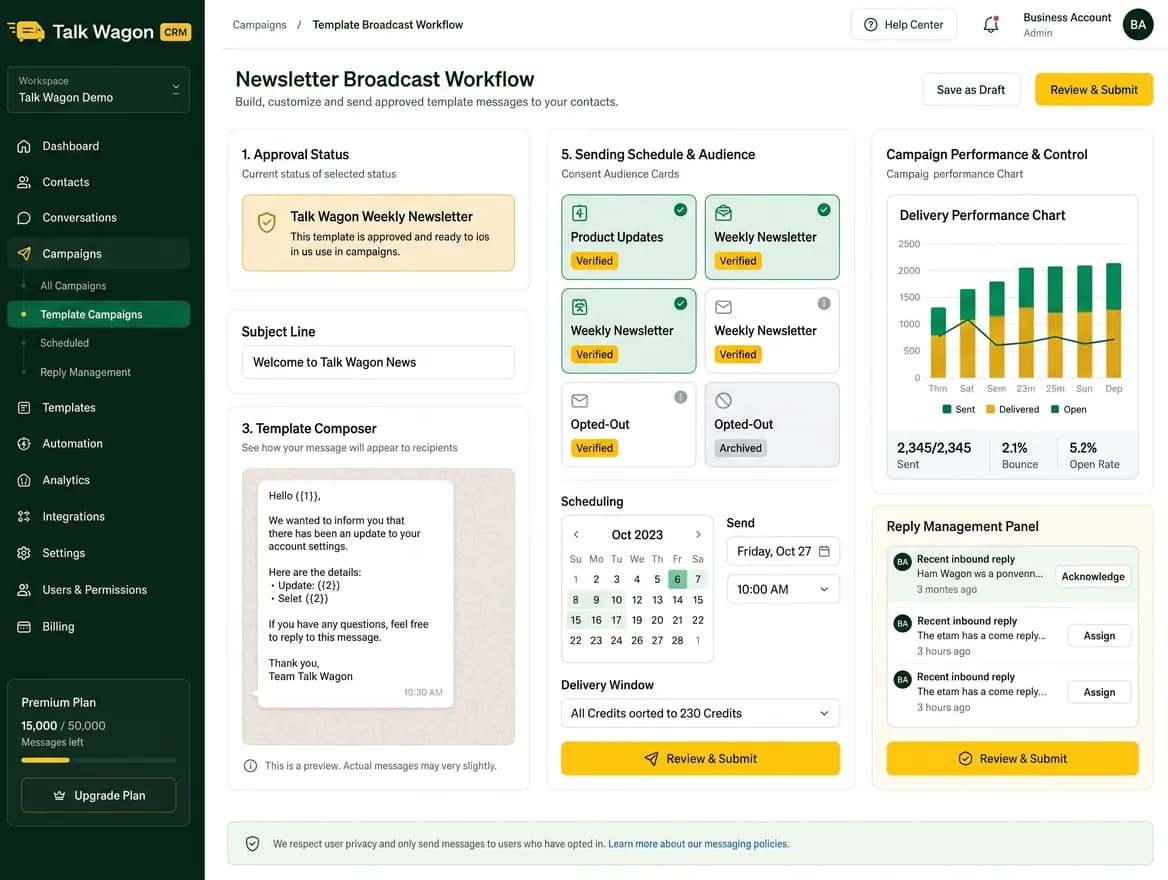
Reinforce that a campaign does not end at send time; replies, queue state, and customer follow-ups stay connected to the CRM.
Campaign preparation
A newsletter-style WhatsApp campaign needs more than a message box. Talk Wagon keeps the approved template, audience, exclusions, variables, opt-in discipline, and preflight review in one process before anything is queued.
Reliable processing
Campaigns are queued for server-side processing so the browser does not need to remain open while eligible recipients are handled and delivery states come back through the connected WhatsApp workflow.
Customer follow-up
A campaign is only one part of the customer journey. Replies can return to the shared inbox so permitted agents can continue the conversation with CRM context, tags, assignment, and follow-up workflows.
Talk Wagon does not create opt-in consent, guarantee delivery, or bypass WhatsApp template approval. Businesses remain responsible for lawful recipient consent, message content, Meta policy compliance, and all Meta or provider charges.
Explore Talk Wagon
Review the full broadcast workflow, preflight checks, queue processing, and tracking features.
Learn moreSee how permitted agents can manage customer replies and follow-up conversations.
Learn moreCompare CRM plans and understand the separate Meta WhatsApp API cost context.
Learn moreFAQ
A WhatsApp newsletter is a planned update sent to an eligible, opted-in audience through WhatsApp. It can be used for product updates, offers, reminders, event notices, community updates, or customer education. Business-initiated WhatsApp campaigns generally require an approved message template and must follow Meta policies.
Talk Wagon can help you select contacts, tags, exclusions, custom fields, and uploaded recipients, but businesses should send only to eligible recipients with the required consent. The CRM supports audience and preflight controls; the business remains responsible for lawful opt-in and message compliance.
Yes. Talk Wagon's broadcast workflow uses templates and languages available in the connected Meta account. This matters because Meta templates are the approved format for many business-initiated WhatsApp messages, including marketing, utility, and authentication-style communication.
Yes. Talk Wagon supports contact-based audience selection using CRM data such as tags, custom fields, exclusions, and uploaded recipient lists, so a campaign can target customers by interest, service type, location, stage, or any custom structure your workspace maintains.
Talk Wagon records campaign and recipient status updates such as queued, sent, delivered, read, and failed when those updates are available from the connected WhatsApp workflow. This helps teams separate messages that were actually sent from queued, failed, or pending recipients.
No. Talk Wagon CRM pricing is separate from Meta WhatsApp API messaging charges and any third-party provider fees. Those costs depend on the connected account and current Meta pricing.
Prepare approved templates, eligible audiences, preflight checks, queue processing, and customer follow-ups in one CRM.