Give every sales conversation an owner
Assign inbound WhatsApp conversations to permitted team members so new enquiries do not remain unowned in a shared queue.
Production-ready WhatsApp CRM for sales, support, broadcasts, and AI automation.
WhatsApp sales workflows for growing teams
Turn WhatsApp sales conversations into assigned leads, organized contact context, CRM pipeline stages, and timely follow-ups with Talk Wagon.
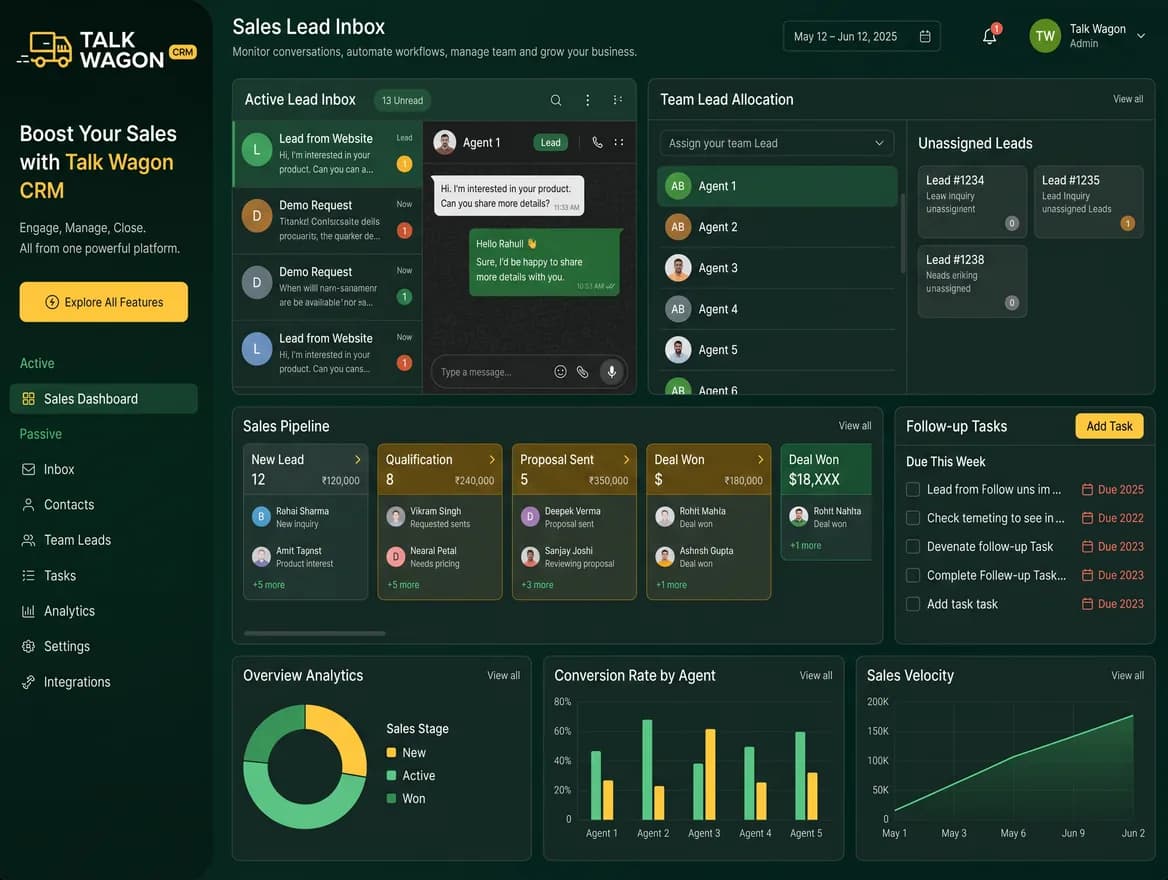
Sales workflow outcomes
Talk Wagon connects the customer conversation with the people, contact details, pipeline stages, and follow-up actions that a sales team needs to manage.
Assign inbound WhatsApp conversations to permitted team members so new enquiries do not remain unowned in a shared queue.
Use contact details, tags, notes, conversation history, and custom fields so agents can see who the customer is, what they asked, and what follow-up is already due.
Create and manage deals with stages and assigned owners so the sales team can see what needs attention next.
Use visual flows and automations for routing, waits, approved template sends, tags, field updates, deal creation, and human handoff when the sale needs a person.
How the workflow fits together
The CRM provides the structure; your team controls the sales process, customer communication, and final commercial decisions.
A customer starts a conversation through the business's connected WhatsApp setup, such as a website button, ad, QR code, wa.me link, or saved contact.
Route the conversation to a sales team member with the right workspace access.
Add tags, update custom fields, capture the request, and mark whether the lead is new, returning, urgent, high value, or ready for a deal stage.
Create a deal and move it through the sales pipeline as the conversation progresses.
Use permitted manual replies, approved templates, or configured automation steps when appropriate.
Product workflow views
Each view highlights a different part of the same CRM workflow: setup, team execution, and ongoing performance tracking.
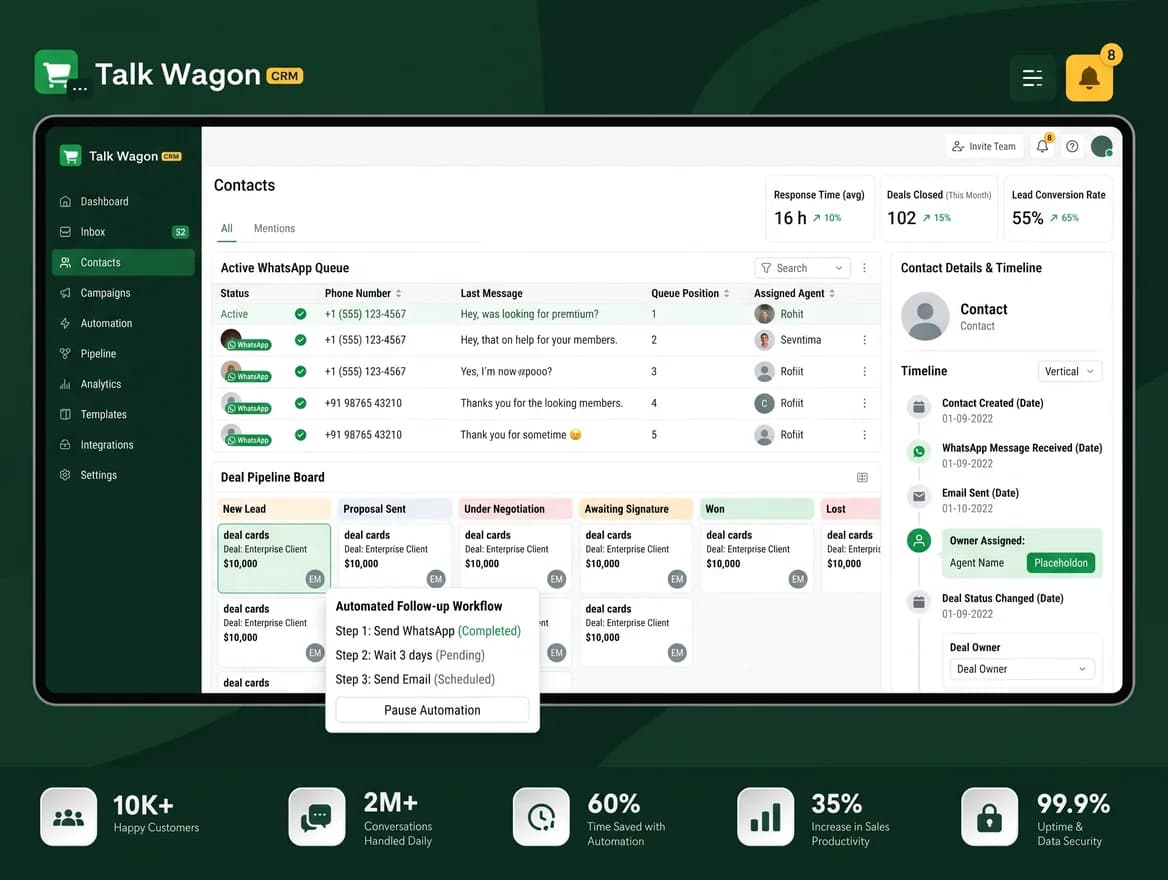
Show sales teams how conversations, contact details, assigned owners, and lead stages stay visible in one CRM workspace.
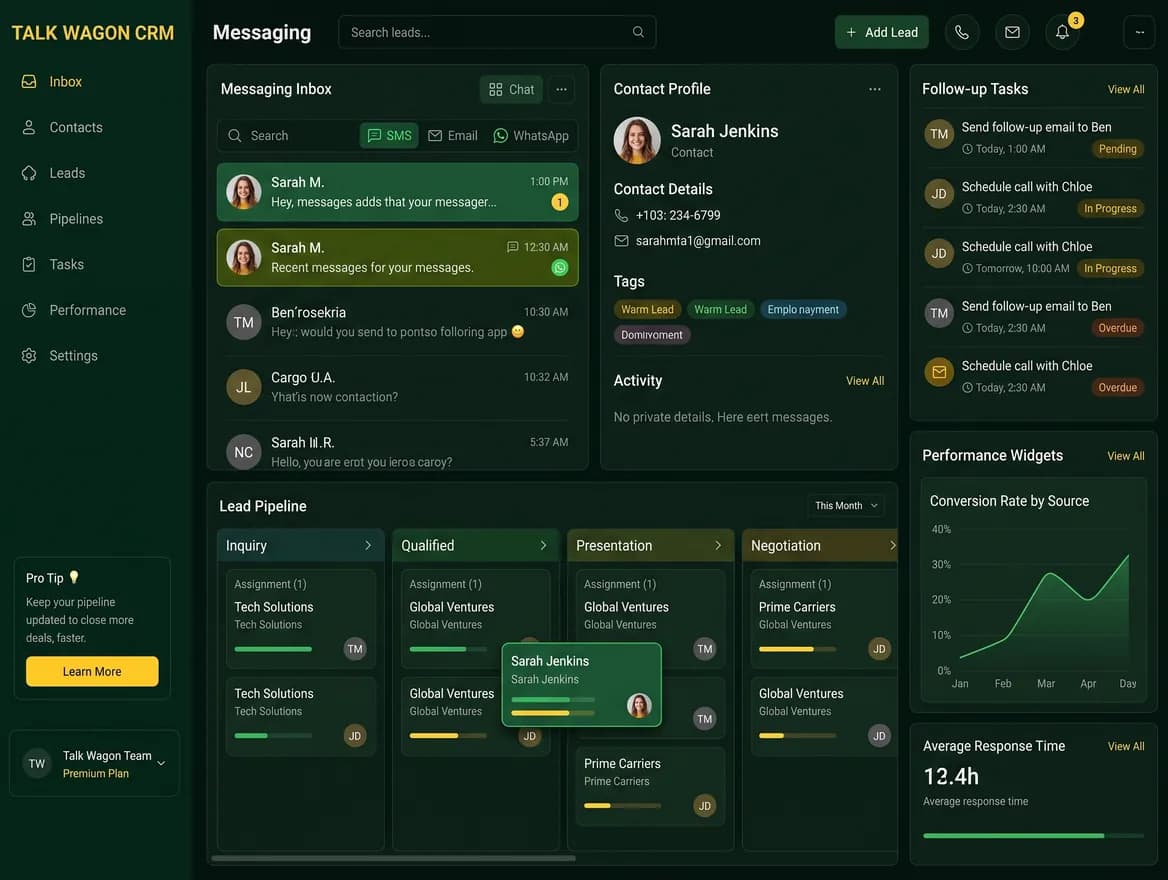
Use the second view to reinforce the path from a customer message to follow-up tasks, pipeline work, and team performance tracking.
Shared sales inbox
A shared workspace helps sales teams manage WhatsApp leads without sharing an owner's login, copying screenshots between agents, or losing context inside personal phones.
Pipeline visibility
Turn qualified enquiries into pipeline deals so the team can track progress after the first reply. A lead can move from new enquiry to quoted, follow-up, negotiation, won, or lost without disappearing in chat history.
WhatsApp commerce workflows
Use CRM workflows around product questions, quotations, abandoned conversations, reminders, payment follow-ups, and post-sale check-ins while keeping commercial communication inside your configured business process.
Talk Wagon does not bypass Meta rules or create customer consent. Businesses remain responsible for their WhatsApp Business API approval, opt-in records, message templates, policy compliance, and any Meta or provider charges.
Explore Talk Wagon
Review shared conversation, assignment, contact context, and agent-access workflows.
Learn moreSee the triggers and actions available for configured customer follow-up workflows.
Learn moreCompare current CRM plans and the separate WhatsApp API billing context.
Learn moreFAQ
WhatsApp sales CRM software helps a business turn WhatsApp messages into organized sales work: lead ownership, contact context, tags, notes, pipeline stages, follow-up reminders, approved template replies, and reporting in one workspace.
Yes. Workspace owners and permitted managers can use team and conversation assignment controls so a lead has a clear owner.
Yes. Talk Wagon includes a sales pipeline where teams can create deals, assign owners, add stages, and keep the opportunity connected to the customer workflow instead of treating chat and CRM as separate tools.
Talk Wagon supports configured automations and visual flows with actions such as waits, tags, assignment, contact updates, deal creation, approved template sends, and handoff to a human agent. It is designed to automate the repeatable steps while keeping final sales decisions with your team.
Talk Wagon provides the CRM workflow around a business's own approved WhatsApp Business API or Meta Cloud API configuration. Meta approval, template approval, messaging charges, phone number quality, and policy requirements remain separate from the CRM subscription.
No software can guarantee sales results. Talk Wagon helps organize the conversations, assignments, pipeline stages, and follow-ups that your team configures and manages.
Start with the team inbox, contact context, pipeline, and follow-up tools your sales team needs.