CRM Comparison
SleekFlow Alternative: WhatsApp CRM Workflow Comparison
A practical SleekFlow alternative guide for teams that want to compare omnichannel customer-engagement software with a focused WhatsApp CRM workflow.
If you are searching for a SleekFlow alternative, you probably do not need another generic list of messaging tools. You need to know whether your team should keep investing in a broader omnichannel customer-engagement platform or move to a more focused WhatsApp CRM that is easier to operate, price, and train.
SleekFlow is a serious product category competitor. Its public positioning includes omnichannel inboxes, automation flow building, broadcasts, analytics, live chat, AI features, and WhatsApp-related workflows. Its pricing page also explains a Monthly Active Contact model, where a contact can count as active when the person messages you or when your team messages them through supported SleekFlow channels and tools during a billing month.
That model can make sense for teams that want one broad customer-engagement suite. But it is not automatically the best fit for every WhatsApp-first sales or support team. If most of your customer work happens inside WhatsApp, the better comparison is not “which platform has more menu items?” It is “which system helps our people reply, assign, follow up, broadcast, automate, and report with the least operational friction?”
Quick answer: choose SleekFlow when your business needs a broader omnichannel customer-engagement suite. Consider TalkWagon as a SleekFlow alternative when WhatsApp is the main customer channel and you want team inboxes, contacts, broadcasts, visual flows, AI chatbot knowledge, pipeline follow-up, permissions, and simple CRM workflows in one focused workspace.
TalkWagon is not affiliated with SleekFlow. This guide is written as a practical buyer comparison for teams evaluating workflow fit, cost structure, migration effort, and day-to-day usability.
What a SleekFlow alternative should actually solve
A useful alternative should not simply copy the same feature list. It should solve the reason your team started looking elsewhere.
For WhatsApp-heavy teams, the common reasons are usually practical:
- The team wants a clearer shared inbox with ownership and follow-up.
- Managers want customer records, tags, pipeline status, and conversation history in the same place.
- Broadcasts need approved templates, audience checks, scheduling, and reply handling.
- Automations need to route conversations without trapping customers in a bot.
- Pricing needs to be easier to understand before the team scales.
- The CRM should be simple enough for agents to use every day.
Those are operating requirements, not abstract software preferences. A SleekFlow alternative is only better if it matches your workflow with less complexity, lower unnecessary cost, or stronger focus.
Use a decision board before comparing feature grids. The right product depends on the customer channel, team workflow, and total cost model.
SleekFlow versus TalkWagon: the core difference
SleekFlow is best understood as a broader customer engagement and omnichannel messaging platform. It can be attractive when a business wants several communication channels, advanced routing, automation, campaigns, and engagement features under one system.
TalkWagon is intentionally more focused. It is built around WhatsApp CRM work: team inboxes, contact management, broadcasts, automations, visual flows, AI chatbot knowledge, team permissions, pipelines, billing controls, and admin-managed workspaces.
That difference matters because “more channels” and “better WhatsApp CRM operations” are not the same thing.
| Decision area | SleekFlow-style evaluation | TalkWagon-style evaluation | What the buyer should ask |
|---|---|---|---|
| Main channel strategy | Omnichannel engagement | WhatsApp-first CRM | Are most revenue and support conversations happening on WhatsApp? |
| Cost review | Subscription, active contacts, channel usage, add-ons, WhatsApp costs | CRM plan plus WhatsApp usage costs | Which model is easier to forecast for our team? |
| Team inbox | Broad engagement inbox | Focused WhatsApp shared inbox | Can every conversation have an owner, status, notes, and follow-up? |
| Broadcasts | Campaign and engagement workflows | Approved-template broadcast workflow connected to contacts and replies | Can we prepare audiences, exclude contacts, send safely, and manage replies? |
| Automation | Flow builder and AI features | Visual flows, automation, AI chatbot, and human handoff around WhatsApp | Can automation stay helpful without hiding exceptions? |
| CRM depth | Engagement-first contact context | WhatsApp CRM contacts, pipelines, permissions, and workspace controls | Do sales and support need structured CRM ownership? |
The right choice depends on how your team works. If you need a wide customer-engagement suite, SleekFlow may stay on the shortlist. If you want a focused WhatsApp CRM that is easier to evaluate and operate, TalkWagon is worth testing.
When SleekFlow may still be the better fit
A good comparison should be honest. SleekFlow may be a better fit if your business depends on broad omnichannel engagement rather than a WhatsApp-first CRM.
For example, keep SleekFlow high on your shortlist if:
- your team needs several non-WhatsApp channels managed with similar priority;
- you want a customer engagement suite rather than a focused WhatsApp CRM;
- your current workflows already depend on SleekFlow-specific automation or integration behavior;
- your buying team prefers a larger omnichannel product category;
- your migration cost would be higher than the benefit of switching.
This is why a proper SleekFlow review should start with workflow requirements, not brand preference. A product can be powerful and still be too broad for a small WhatsApp-first team. A focused CRM can be cleaner and still be too narrow for a company that truly needs omnichannel coverage.
When TalkWagon is a strong SleekFlow alternative
TalkWagon becomes more compelling when WhatsApp is the central workspace for sales, support, broadcasts, and follow-up.
Consider TalkWagon if your team wants:
- a shared WhatsApp team inbox with conversation ownership;
- contact records connected to customer history;
- campaign and broadcast workflows with approved templates;
- visual flows for routing, tagging, waiting, and handoff;
- an AI chatbot that answers from approved business knowledge;
- pipeline tracking for WhatsApp-originated leads;
- team permissions and workspace controls;
- a simple pricing page and a public WhatsApp API price estimator to separate CRM pricing from official messaging costs.
If that sounds closer to your daily work, then the question is not whether TalkWagon has every omnichannel feature. The question is whether it gives your team the WhatsApp CRM workflow they actually need.
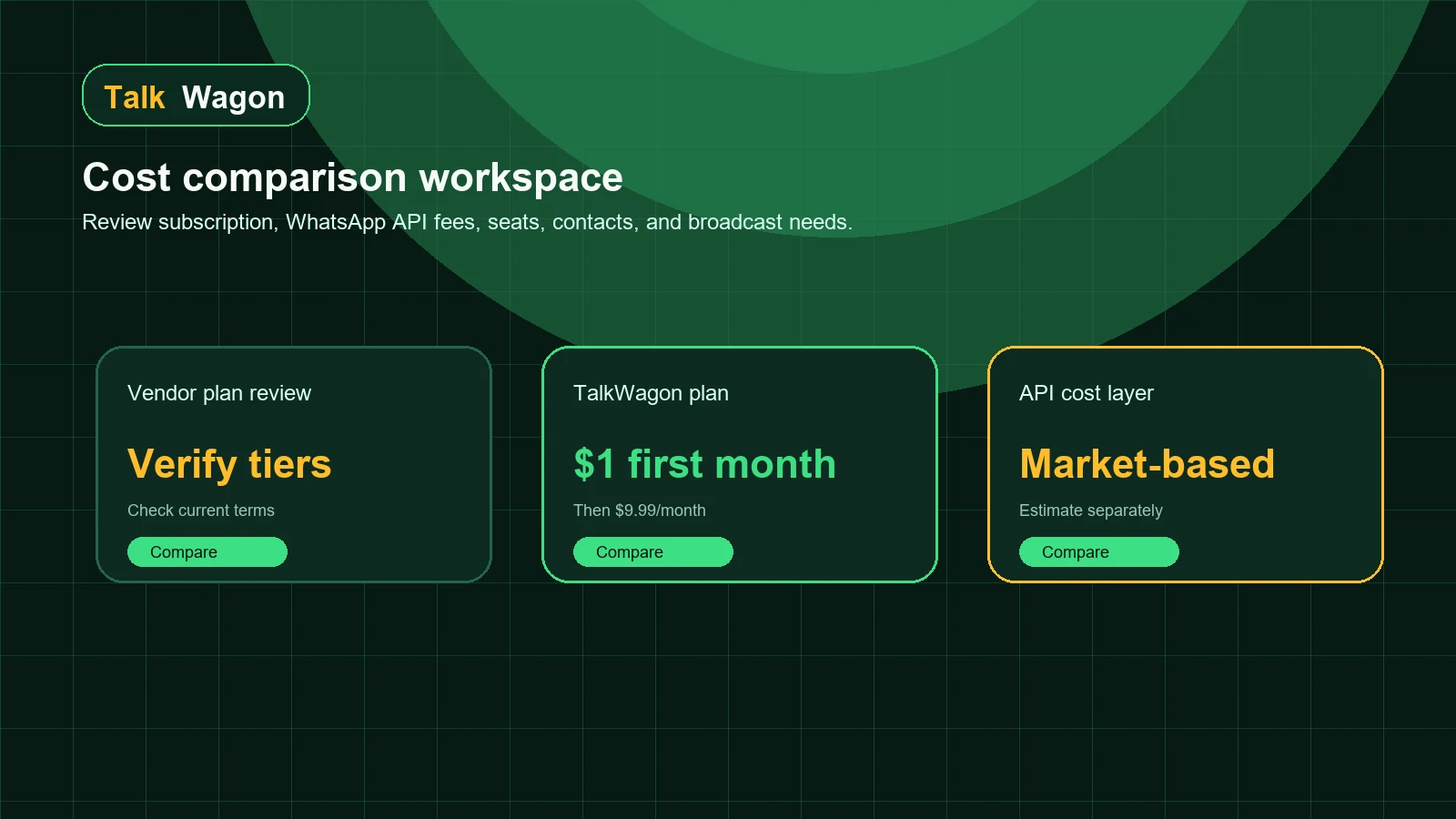
Separate CRM subscription costs from WhatsApp Business Platform or provider charges before comparing alternatives.
Cost comparison: do not compare subscription prices alone
Many teams compare SaaS pricing too quickly. They look at a monthly plan price, then ignore the cost layers that decide the real budget.
For a SleekFlow alternative, compare at least six cost layers:
- Base platform subscription.
- Seats or user limits.
- Contacts, active contacts, or monthly contact usage rules.
- WhatsApp usage costs connected to your business setup.
- Add-ons for automation, AI, channels, reporting, onboarding, or integrations.
- Internal migration and training effort.
SleekFlow’s public pricing explains Monthly Active Contacts as an important pricing concept. That means buyers should understand exactly when a contact becomes active, how usage is counted, and how campaigns, inbox replies, AI, WhatsApp co-existence, or API calls affect the monthly number.
TalkWagon keeps the CRM buying decision simpler: the public TalkWagon pricing page explains the 14-day free trial, Pro plan offer, included CRM features, team member limit, and broadcast-message allowance in one place.
A practical cost worksheet
| Cost question | Why it matters | What to write down |
|---|---|---|
| How many team members need access? | Seat pricing can change the real monthly cost. | Owners, managers, agents, and occasional users |
| How many contacts actively message each month? | Active-contact models can scale differently from stored-contact models. | Monthly active contacts, stored contacts, campaign recipients |
| How many broadcasts will you send? | Campaign volume affects provider costs and CRM limits. | Monthly campaign count, recipients, expected failures |
| Which WhatsApp fees apply? | CRM plans do not remove Meta or provider charges. | Market, message category, provider billing model |
| Which features are required on day one? | Add-ons and advanced tiers can change the comparison. | Inbox, templates, broadcasts, automations, AI, exports |
| How hard is migration? | Switching cost can outweigh subscription savings. | Data export, templates, workflows, roles, training |
Shared inbox: evaluate ownership, not only message display
An inbox is not successful because messages appear on the screen. It is successful when the right person knows what to do next.
When comparing SleekFlow competitors, test these shared-inbox questions:
- Can a conversation be assigned to one person without confusion?
- Can managers see open, waiting, resolved, and overdue conversations?
- Can agents see contact history before replying?
- Can sales and support teams use different labels, statuses, or pipelines?
- Can a conversation move from chatbot to human without disappearing?
- Can the team prevent duplicate replies?
TalkWagon’s team inbox workflow is built for this kind of WhatsApp operating model. The goal is not merely to receive messages; it is to turn conversations into owned customer work.
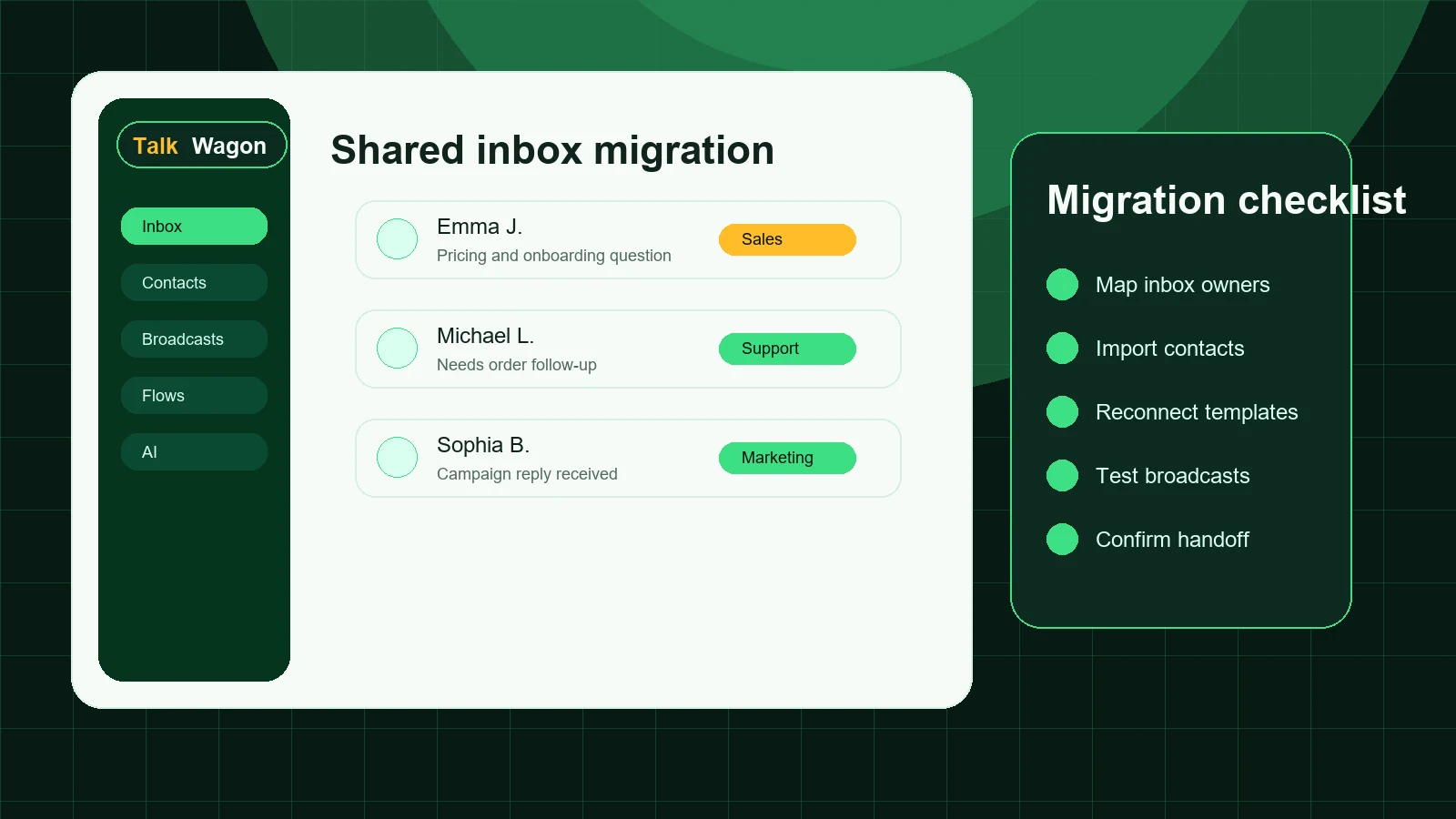
A migration is safer when inbox ownership, contacts, templates, broadcasts, and handoff rules are mapped before switching.
Broadcasts: compare campaign control and reply handling
WhatsApp broadcasts are not normal email newsletters. They involve opt-in expectations, approved templates, delivery states, replies, failures, blocks, and customer service windows.
When evaluating alternatives to SleekFlow, check whether the broadcast workflow can handle the full lifecycle:
- Build the audience from real CRM contacts.
- Exclude customers who should not receive the campaign.
- Use an approved message template where required.
- Review personalization before sending.
- Queue and process messages safely.
- Track sent, delivered, failed, replied, and unresolved states.
- Route replies back to the right team.
TalkWagon’s broadcast feature is designed around this practical cycle. If your marketing team sends campaigns and your support team receives the replies, the CRM must connect both sides.
Automation: compare what happens when the bot is wrong
Automation is valuable only when it makes the human team faster. It becomes risky when it hides exceptions, sends customers in circles, or makes it difficult for agents to understand what happened.
When reviewing a SleekFlow alternative, test automation with realistic cases:
- a new sales inquiry that needs qualification;
- an existing customer who needs support;
- a customer who asks for a human;
- a broadcast reply that needs follow-up;
- a high-value lead that should move to a pipeline;
- a question the AI chatbot cannot answer from approved knowledge.
TalkWagon’s automation workflows, visual flows, and AI chatbot tools are designed to support WhatsApp-first operations. The important test is whether triggers, waits, conditions, tags, and handoff remain visible enough for managers and agents to trust.
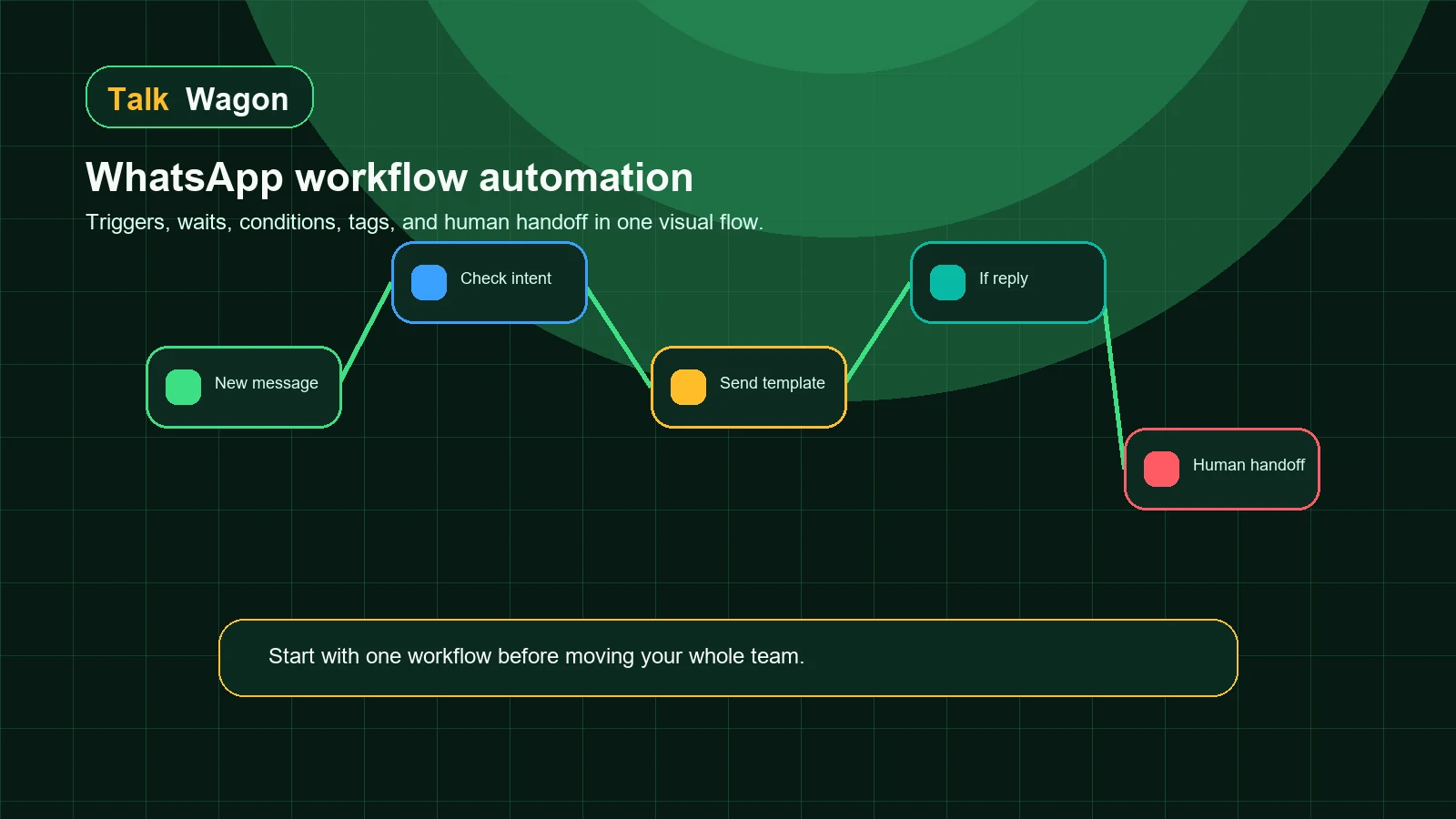
The safest automation plan includes a clear human handoff path, not only a longer bot sequence.
Migration checklist before switching from SleekFlow
Do not switch tools only because a competitor page looks attractive. Migration should be deliberate.
1. Export and audit contacts
Check names, phone numbers, country codes, tags, lifecycle stage, consent status, source, and any fields your agents use while replying. Bad contact data makes every CRM look worse than it is.
2. Review templates
List every approved WhatsApp template, language, category, variable, sample value, and actual use case. If your campaigns depend on templates, do not leave this until the final day.
3. Map inbox ownership
Write down how conversations are assigned today and how they should work after migration. Include managers, agents, escalation rules, and fallback ownership.
4. Rebuild critical automations first
Do not rebuild every old flow at once. Start with the workflows that protect revenue or customer experience: greeting, qualification, support routing, broadcast reply handling, abandoned lead follow-up, and human handoff.
5. Test broadcasts with a small audience
Send a small internal or low-risk campaign before moving a full audience. Confirm personalization, delivery, failures, opt-outs, and replies.
6. Train agents on the daily workflow
Agents need to know where to reply, how to assign, how to update contacts, when to use templates, and when to escalate.
Decision matrix: SleekFlow alternative checklist
Use this checklist during product demos or trials.
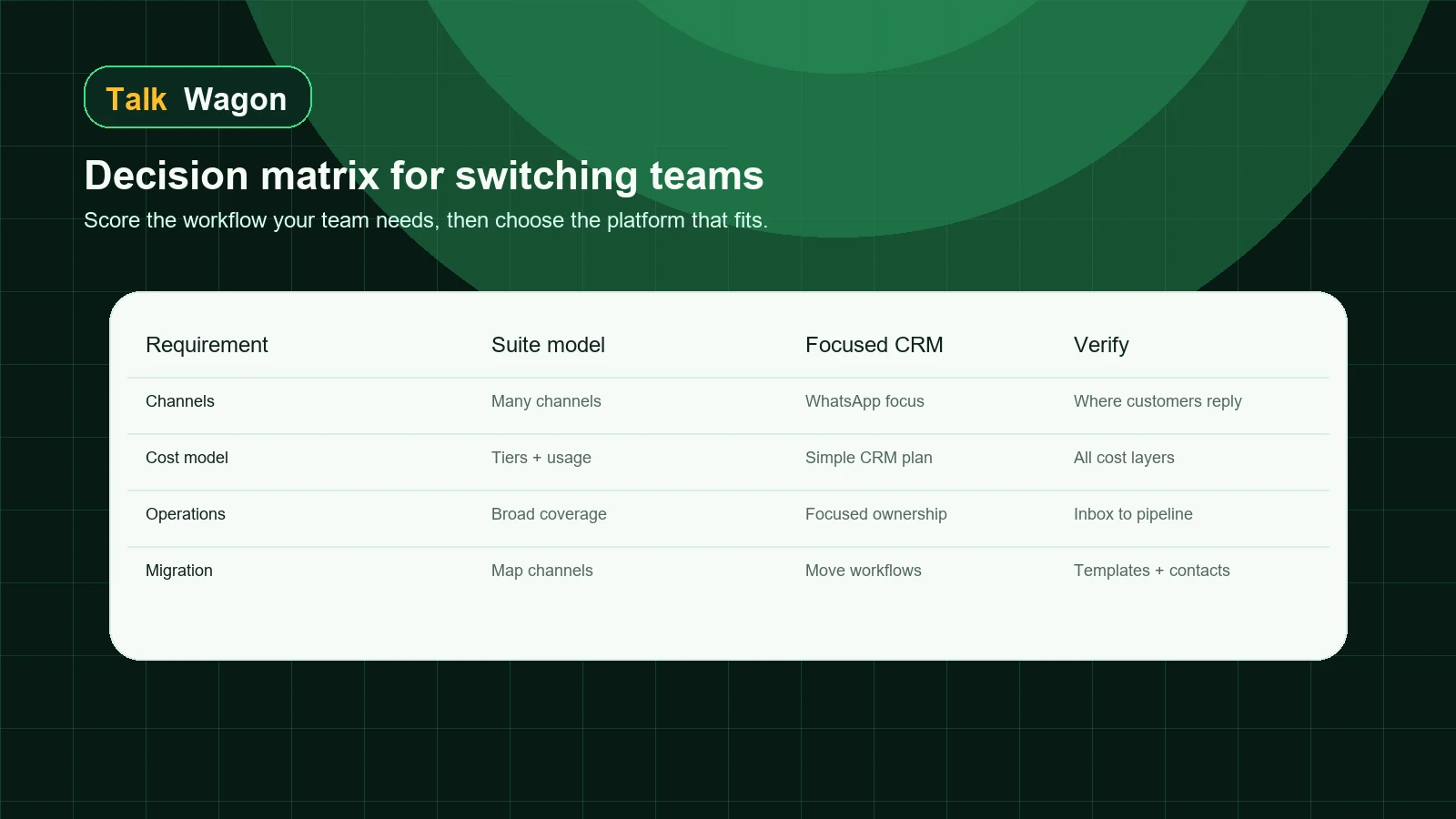
| Requirement | Keep SleekFlow higher if... | Consider TalkWagon if... |
|---|---|---|
| Channel mix | You need several channels with similar priority. | WhatsApp is the primary customer channel. |
| Cost structure | Your team accepts active-contact or broader engagement pricing. | You want a simpler CRM plan and separate WhatsApp cost estimate. |
| Team inbox | You need a broad engagement inbox. | You need WhatsApp assignment, ownership, handoff, and follow-up. |
| Broadcasts | Campaigns are part of a wider omnichannel program. | WhatsApp broadcasts and replies need CRM context. |
| Automation | You need broad multichannel automation. | You need WhatsApp-first flows with human handoff. |
| CRM operations | Engagement is more important than pipeline structure. | Contacts, pipelines, permissions, and team workflows matter. |
| Migration | You already depend on many SleekFlow-specific workflows. | You can pilot WhatsApp workflows before switching fully. |
The strongest alternative is not always the biggest platform. It is the platform your agents will actually use correctly.
A 14-day proof-of-fit plan
Before making a final decision, run a controlled test. You can complete most of this in two weeks:
| Day range | What to test | Success signal |
|---|---|---|
| Days 1-2 | Import a small contact segment and assign owners. | Agents can find customers and update status without confusion. |
| Days 3-4 | Recreate one approved template workflow. | Variables, language, and campaign checks are clear. |
| Days 5-7 | Test shared-inbox handling with real customer-style messages. | Replies are assigned, resolved, and visible to managers. |
| Days 8-10 | Build one automation with human handoff. | Automation helps without trapping customers. |
| Days 11-12 | Send a small broadcast test. | Sent, failed, replied, and handoff states are easy to track. |
| Days 13-14 | Review cost, adoption, and risks. | The team can explain why the switch is or is not worth it. |
This kind of proof-of-fit plan protects your team from choosing software based on screenshots alone.
Conclusion: choose the workflow, not the brand name
A SleekFlow alternative should be evaluated by operational fit. If your team needs broad omnichannel engagement, SleekFlow may remain a strong candidate. If your business is WhatsApp-first and you want a focused CRM for team inboxes, contacts, broadcasts, automations, AI chatbot workflows, pipelines, and permissions, TalkWagon deserves a serious test.
The best decision is practical: compare the full cost model, test the real workflow, involve the people who reply to customers every day, and migrate only when the new system makes work clearer.
Frequently asked questions
What is a good SleekFlow alternative for WhatsApp-focused teams?
A good SleekFlow alternative depends on the workflow. Teams that mainly need WhatsApp conversations, contacts, broadcasts, automation, pipelines, and team permissions may prefer a focused WhatsApp CRM such as TalkWagon, while teams that need a broad omnichannel suite should compare wider channel coverage carefully.
How should I compare SleekFlow pricing with TalkWagon?
Compare the full cost model, not only the monthly subscription. Review seats, contacts or active contacts, WhatsApp Business Platform charges, automation limits, onboarding, add-ons, and whether the plan includes the exact workflows your team needs.
Is TalkWagon the same type of product as SleekFlow?
No. SleekFlow positions itself as a customer engagement platform with omnichannel messaging and automation. TalkWagon is positioned as a WhatsApp-first CRM for team inboxes, contacts, broadcasts, flows, AI chatbot workflows, permissions, and pipeline follow-up.
What should I check before migrating from SleekFlow?
Check contact export quality, tags, custom fields, templates, automation rules, WhatsApp number ownership, API provider details, team roles, reporting needs, and whether open conversations need to be moved in phases.
Can TalkWagon replace every SleekFlow workflow?
Not always. TalkWagon is best evaluated for WhatsApp-first CRM operations. If your team depends heavily on many non-WhatsApp channels, specialized ecommerce integrations, or enterprise omnichannel routing, confirm those needs before switching.
Does TalkWagon include WhatsApp API costs in its CRM subscription?
No. TalkWagon pricing covers the CRM software and listed CRM usage. WhatsApp Business Platform, Meta, or official provider messaging charges remain separate and should be estimated for your market.